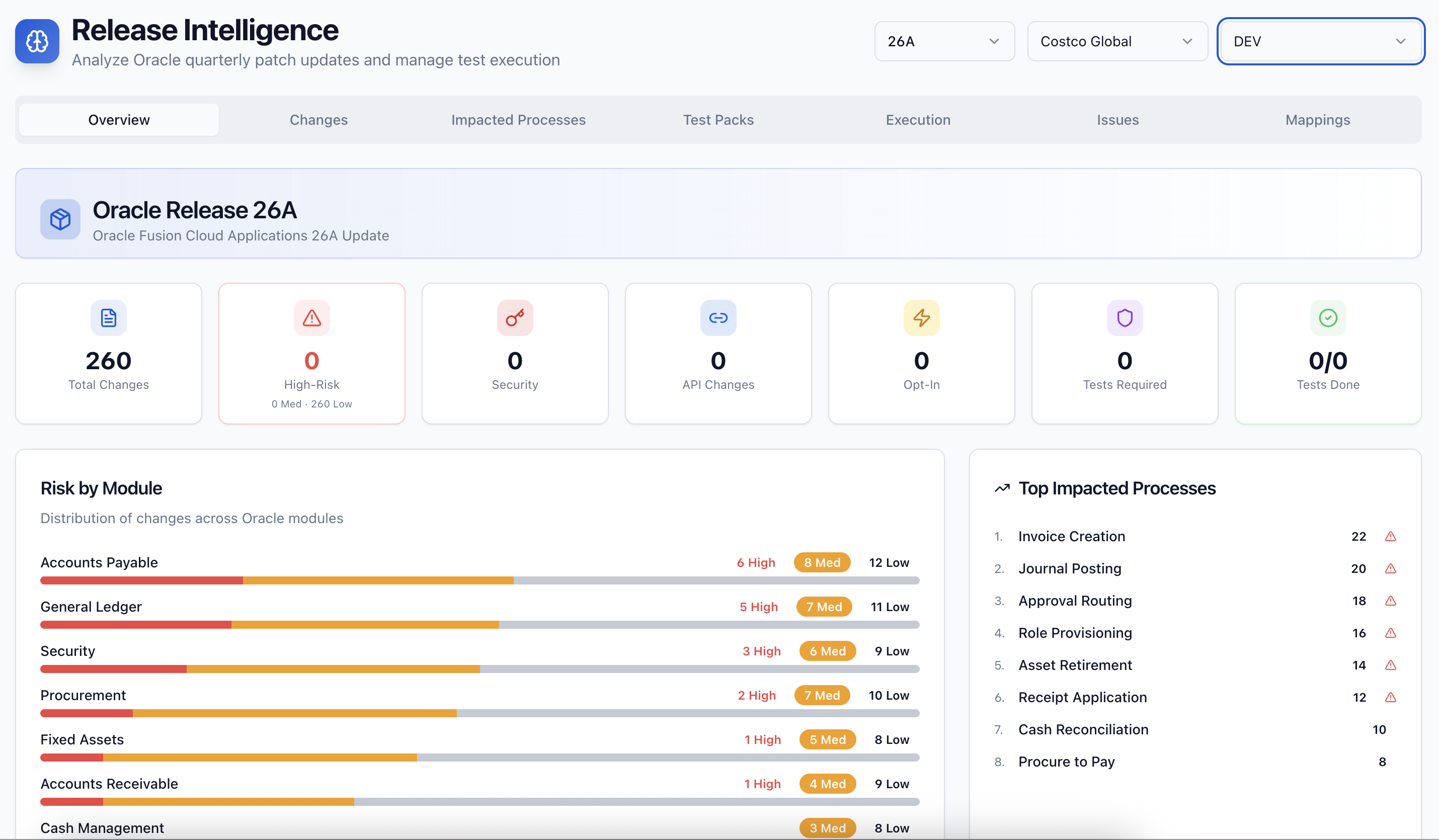
Oracle's Redwood UI redesign is not a cosmetic change. QA teams have discovered — sometimes the hard way — that existing automated test scripts fail against the new interface. Oracle 26A extends Redwood to additional Fusion modules and brings further refinements. If your QA team is not validating specifically for Redwood changes, your test results are misleading.
What Changed in Oracle 26A Redwood UI
Oracle 26A advances the Redwood rollout in three areas: Payables and Receivables workflows have updated Redwood page layouts; the Expenses module receives a redesigned employee self-service interface; and several HCM manager self-service pages complete their Redwood transition.
The critical technical detail for QA teams: Redwood pages use different HTML element structures, different attribute names, and different interaction patterns than the Classic UI pages they replace. A test script that navigated to a supplier invoice screen and clicked a button by its element ID will fail if that element ID has changed — and in Redwood, it typically has.
Why Existing Test Scripts Break
Traditional Oracle test automation scripts — whether built in Tricentis Tosca, Selenium, or a custom framework — typically locate elements using technical attributes. Oracle's Classic UI had relatively stable element attributes across quarterly updates. Redwood's component-based architecture generates element attributes dynamically, making locators fragile.
SyntraFlow uses semantic test anchors that locate Oracle UI elements by their functional role rather than technical attribute — which means SyntraFlow test packs are resilient to Redwood changes across quarterly updates.
Your Redwood 26A Testing Checklist
Payables module: Test the full supplier invoice entry workflow in the new Redwood layout. Confirm that invoice header fields, line-item entry, and approval routing behave correctly. For US teams, validate that PO matching and three-way match validation still fires correctly. For UK teams, confirm that VAT code defaulting on supplier invoices is unaffected by the layout change. For GCC teams, confirm that ZATCA-required fields on local supplier invoices are present and correctly validated.
Receivables module: Test customer invoice creation, credit memo processing, and cash application. Validate that dunning workflows and customer account inquiry screens function correctly. European teams should pay attention to how multi-currency receivables display in the Redwood interface.
Expenses module: The redesigned employee self-service interface in 26A requires full regression of expense report submission, approval routing, and reimbursement processing. US teams should validate per diem rates and policy compliance checks. European teams should confirm HMRC dispensation categories are correctly reflected. GCC teams should validate local expense categories and approval hierarchies.
HCM self-service: Test manager-initiated actions — promotions, transfers, salary changes — in the newly Redwood-ised pages. Workflow routing and approval chain integrity are the critical test areas.
How to Test Efficiently
The most common mistake QA teams make with Redwood testing is testing the UI visually and missing underlying data integrity. Redwood looks different, but your test suite must confirm that the data written to the Oracle schema is identical to what Classic UI produced.
For each Redwood-affected workflow, run a parallel test: execute the same business transaction in the new Redwood UI and confirm that the resulting records — invoice headers, GL postings, payroll entries — match the expected output exactly.
Regional Compliance Validation for Redwood Pages
The compliance risk in Redwood UI transitions is subtle but real. When Oracle redesigns a page, mandatory field validation rules can behave differently. Hidden fields can be removed. Defaulting logic tied to screen layout can break.
For UK Oracle teams, validate that Making Tax Digital-relevant fields on AR invoices and expense reports are still present and validated in the Redwood layouts. For GCC teams — particularly Saudi Arabia and UAE — confirm that e-invoicing mandatory fields are displayed and validated in Redwood Payables pages. ZATCA Fatoorah Phase 2 requires specific fields on every invoice; a Redwood layout change that inadvertently removes those fields creates an audit risk.
The Bottom Line
Oracle 26A Redwood UI changes are not optional to test. Every QA team running Oracle Fusion needs a specific Redwood validation track in their 26A regression cycle — separate from standard process regression and focused on UI integrity, data accuracy, and compliance field presence.
Book a SyntraFlow demo to see how Release Intelligence automatically identifies 26A Redwood changes affecting your specific modules and generates a targeted test pack — so your team tests what matters, not everything.