Protect Workday Data Beyond Workday
Sensitive worker and implementation data can move from Workday into payroll, CRM, finance, integration, data and reporting systems. DataVault provides a framework for discovering sensitive data, applying protection policies and verifying whether required protection remains effective downstream.
Workday Data Rarely Stays in One System
Enterprise HCM implementations commonly exchange data with other business systems — payroll, benefits, finance/ERP, CRM, identity systems, integration middleware, data warehouses and lakes, reporting and analytics, files and extracts, and third-party providers.
Not every Workday customer uses all of these; the specific landscape varies by implementation.
Identify Sensitive Worker and Implementation Data
Actual classifications are customer-configurable — the categories below are representative.
Personal
- Worker name
- Personal email
- Personal phone
- Home address
- Date of birth
Government / Identity
- National identifiers
- Tax identifiers
- Other jurisdiction-specific identifiers
Financial
- Bank / payment information
- Compensation-related data where relevant
Employment
- Worker identifiers
- Employment information
- Organizational assignments
Payroll
- Payroll-related sensitive information where present
Map Sensitive Data to Business Objects — Not a Rigid Schema
DataVault maps sensitive-data policies to application and business-object concepts exposed through supported integration mechanisms, rather than assuming a fixed schema.
Apply Policies Based on the Data — Not Just the Application
- Data Concept
- Employee Personal Email
- Classification
- PII / Contact
- Source
- Workday Worker
- Policy
- Email Mask / Synthetic Replacement
- Environment
- Implementation / Test
- Downstream Requirement
- Protected wherever mapped
- Data Concept
- Bank Account
- Classification
- Financial
- Policy
- Partial Mask / Approved Transformation
- Downstream Requirement
- No unprotected account number in designated non-production targets
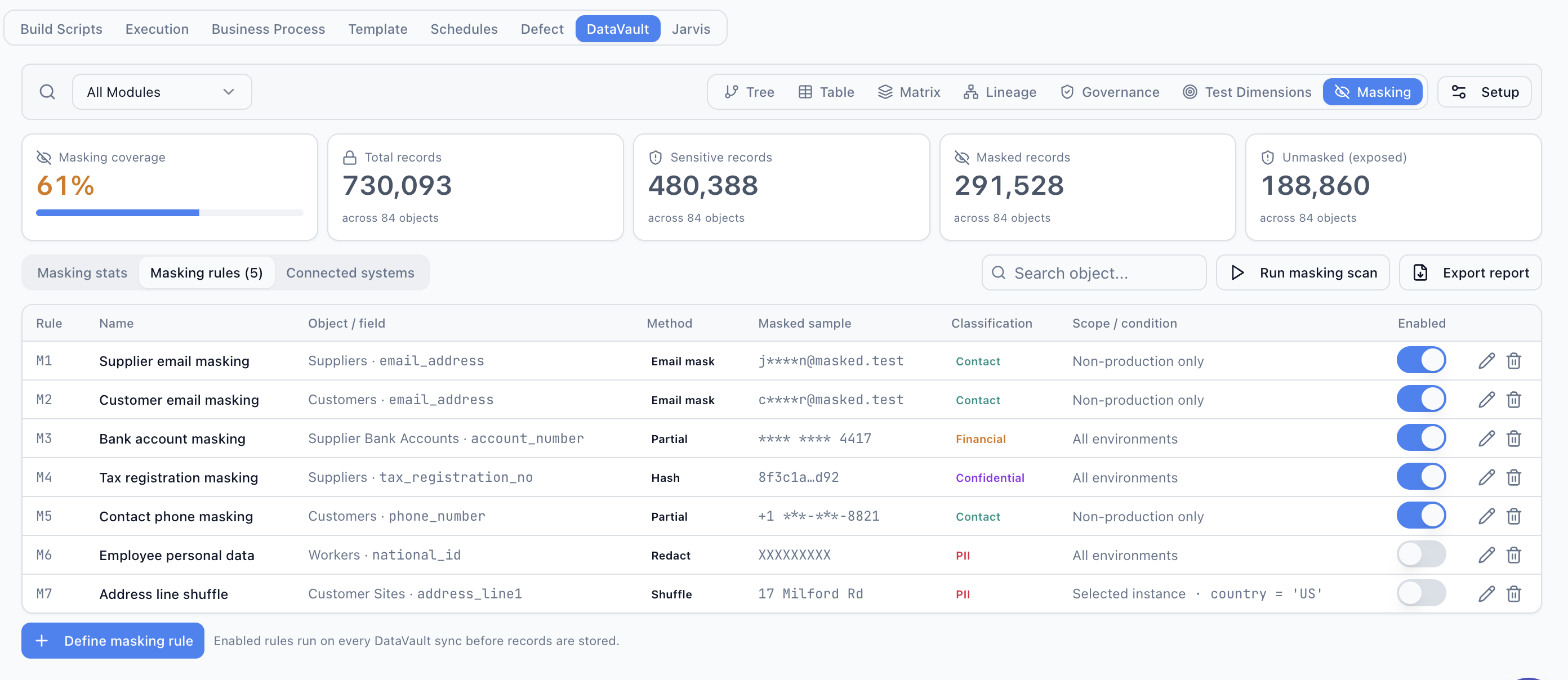
Verify What Happens After Data Leaves Workday
This is the core of what Workday DataVault is designed to answer.
DataVault is designed to distinguish between: protection applied at the source or a controlled staging point; protection propagated to another system; protection independently verified at the downstream target; and drift or exposure detected later.
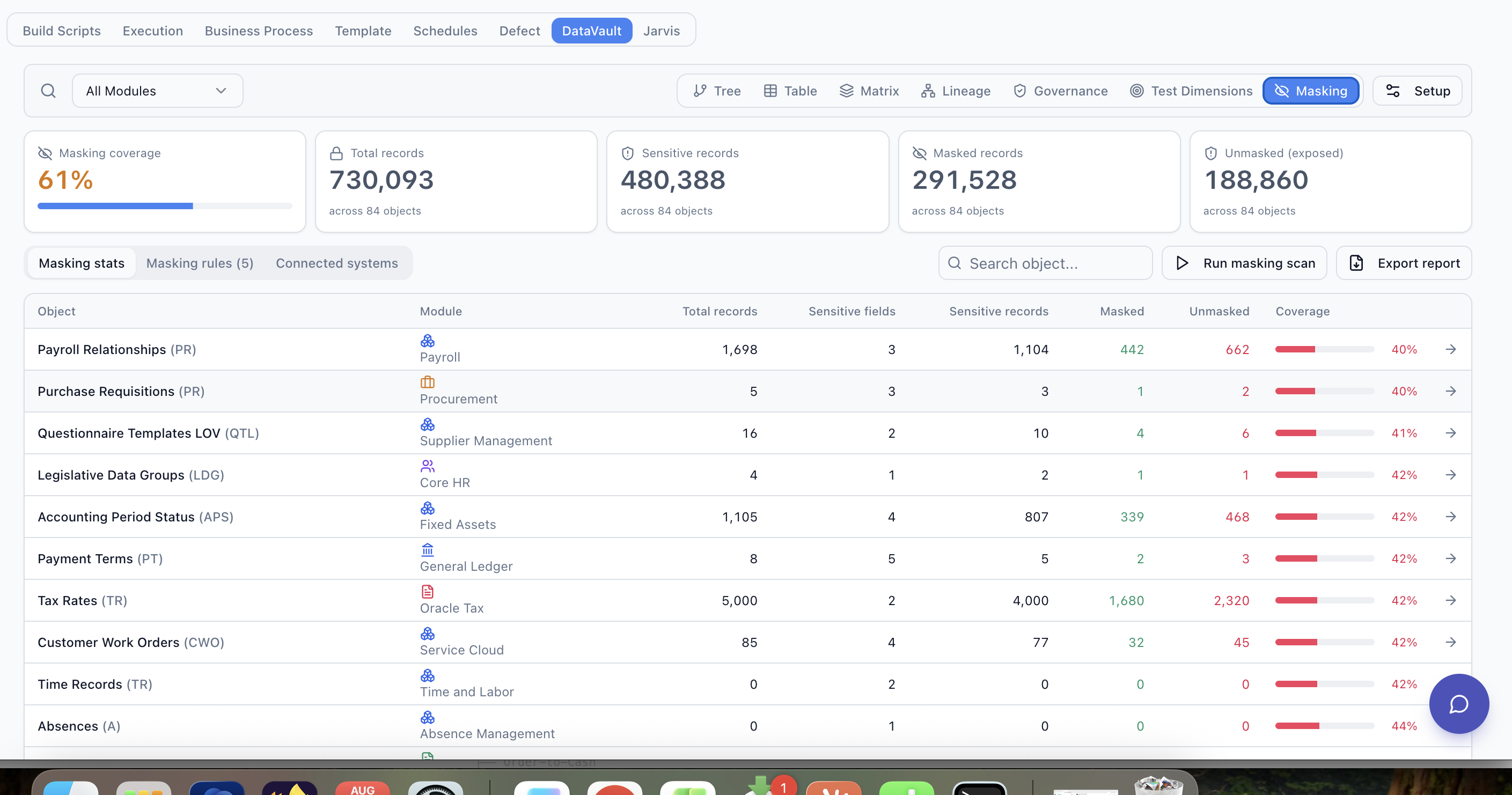
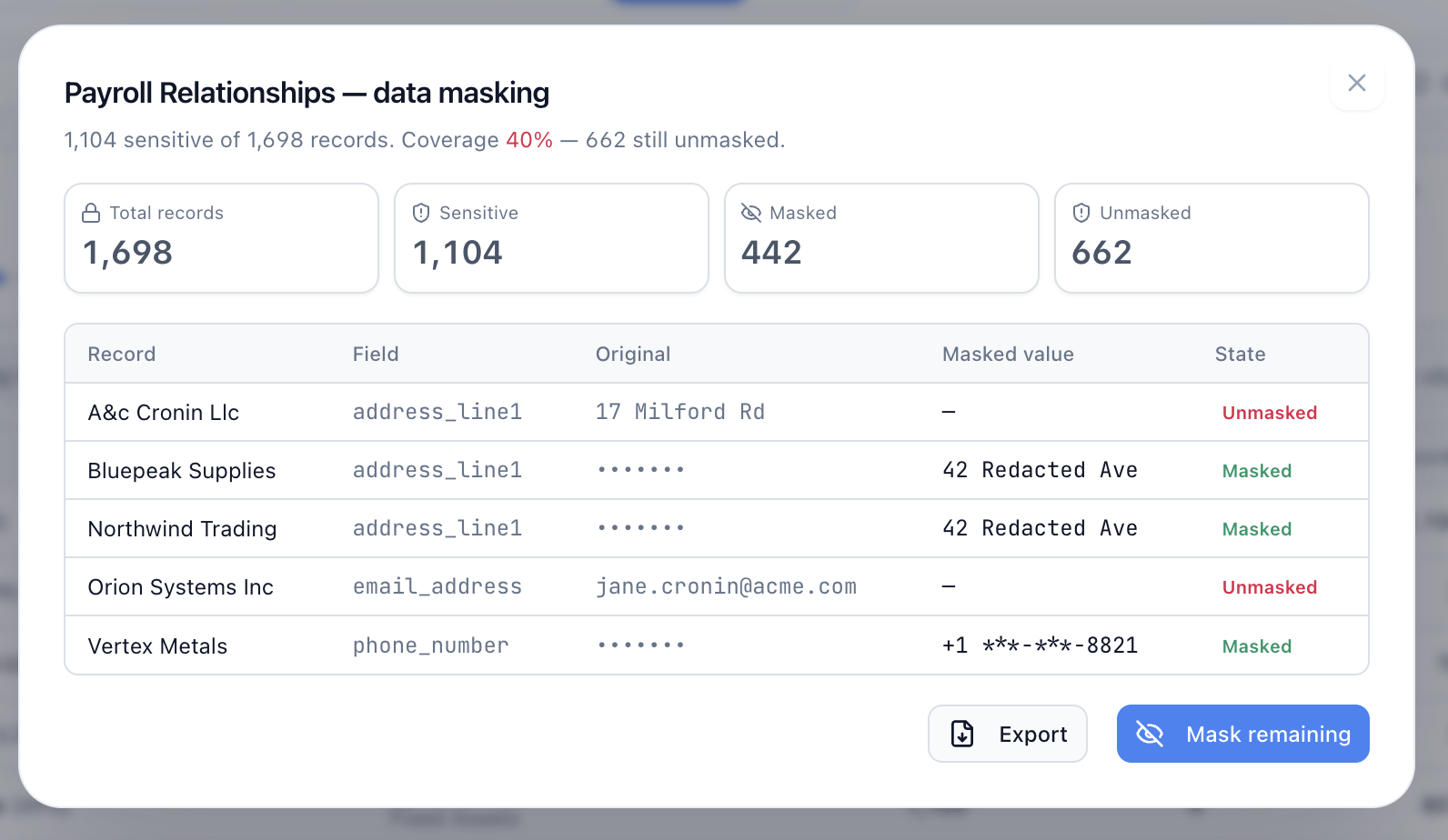
Example Downstream Verification
- Sensitive Attribute
- Worker.personal_email
- Expected Policy
- EMAIL_MASK
- Source Status
- Protected
Connected Destinations
Drill Down — Data Lake
- Expected
- j*****@masked.test
- Detected
- original-format sensitive values
- Status
- DRIFT DETECTED
- Records
- 62 representative / demo records
Illustrative interface example.
Preserve Business Relationships for End-to-End Testing
Replacing sensitive information must not make integrated testing meaningless. Mapped destinations can receive and use the same deterministic replacement where technically supported.
Original Identity
Jane Smith
jane.smith@company.com
DataVault Identity
Sarah Williams
sarah.williams@masked.test
...without exposing the original identity.
Protect Data During Workday Implementation and Testing
Useful when representative enterprise data is required for implementation testing.
Turn Protected Workday Data Into Test Coverage
As Workday automation coverage is enabled, the same DataVault model can provide protected test data and dimensions to Jarvis-generated scenarios.
Follow Workday Data Across the Enterprise
DataVault overlays protection status, lineage, verification and drift across this landscape.
What DataVault Verifies
- Sensitive fields have an assigned protection policy.
- Required fields are transformed or masked.
- Unprotected values are identified.
- Mapped downstream systems can be checked.
- Policy drift is surfaced.
- Exceptions are visible.
- Evidence can be exported where supported.
DataVault does not claim Workday security certification, Workday partner status, guaranteed regulatory compliance, universal downstream access, or the ability to modify every downstream system.
Bring Your Workday Data Flow to the Demo
The prospect requirement that matters most is source-to-downstream — so bring a simple landscape, for example:
Demo Objective
- Identify representative sensitive attributes.
- Define required masking policy.
- Map the source.
- Map downstream destinations.
- Show expected protection.
- Run or illustrate verification where connector access exists.
- Identify drift.
- Generate evidence.
Frequently Asked Questions
Can Syntra DataVault mask Workday data?
Can DataVault verify that Workday data remains masked downstream?
Which Workday data can be protected?
Does DataVault replace Workday security?
Can DataVault support Workday implementation testing?
Can DataVault monitor Salesforce or other downstream systems?
See What Happens to Your Workday Data Downstream
Show us a representative Workday-to-downstream data flow. We'll demonstrate how DataVault can model sensitive attributes, protection policies, lineage, masking coverage and downstream verification across the connected landscape.