Oracle Fusion Create Standard Supplier Invoice Test Case
Validate that an Accounts Payable user can successfully create and save a standard supplier invoice in Oracle Fusion Payables using valid supplier, invoice, line and accounting distribution information.
| Test ID | ORCL.P2P.AP.INV.CREATE.STANDARD |
| Application | Oracle Fusion Cloud |
| Product | Financials |
| Module | Accounts Payable |
| Process | Invoice Processing |
| Business Flow | Procure-to-Pay |
| Scenario Type | Positive / Functional |
| Test Usage | Functional Testing / Regression Testing / UAT |
| Priority | High |
| Automation | SyntraFlow Ready |
| Library | Syntra Standard |
Note on test design: SyntraFlow executes the detailed Oracle Fusion UI interactions automatically while presenting the scenario as business-readable test steps for documentation, review and reporting. This scenario is presented as 15 business-readable test steps; SyntraFlow's automation executes approximately 42 underlying Oracle Fusion UI actions to complete it.
Test Objective
The objective of this test is to verify that an authorised Accounts Payable user can successfully create a standard supplier invoice in Oracle Fusion Payables using valid business unit, supplier, invoice header, invoice line and accounting distribution information.
The scenario should confirm that:
- the selected Business Unit is accepted
- the correct supplier can be selected
- invoice header information can be entered
- invoice amount and line amount are accepted
- a valid accounting distribution is assigned
- the invoice can be saved successfully
- the saved invoice is available for subsequent lifecycle processing
This scenario does not claim that the invoice is validated, approved, accounted or paid — those are separate downstream test cases.
When to Use This Test
- Functional testing of a new Oracle Fusion Payables implementation
- Regression testing after an Oracle quarterly update
- UAT sign-off for Accounts Payable invoice entry
- Baseline case referenced by PO-matched, credit memo and prepayment invoice variations
Where This Test Fits in the Procure-to-Pay Process
This test covers invoice creation only, and serves as a prerequisite for subsequent validation, approval, accounting and payment scenarios.
Preconditions
- Oracle Fusion Payables is configured and available.
- Relevant Business Unit exists.
- Supplier exists and is active.
- Supplier Site is active and valid for the Business Unit.
- Invoice currency is configured.
- Accounting period is open.
- Valid accounting distribution combination is available.
- Appropriate payment terms are configured.
- The test user has permission to create Payables invoices.
Exact setup and field availability may vary by Oracle Fusion implementation and security configuration.
Sample Test Data
| Business Unit | Vision Operations |
| Supplier | ABC Office Supplies |
| Supplier Site | PRIMARY |
| Invoice Number | SYN-AP-10001 |
| Invoice Type | Standard |
| Invoice Date | Current Test Date |
| Invoice Amount | 1,000.00 |
| Currency | USD |
| Line Amount | 1,000.00 |
| Description | Syntra Standard AP Invoice Test |
| Payment Terms | Net 30 |
| Distribution Account | Valid test account combination |
Sample values are illustrative. Replace them with valid data from the target Oracle Fusion environment.
Test Steps
15 business-readable steps. SyntraFlow's automation executes ~42 underlying UI actions to complete these steps — see How SyntraFlow Automates This Test.
| # | User Action | Expected Result |
|---|---|---|
| 1 | Sign in to Oracle Fusion Sign in to the Oracle Fusion environment using an authorised Accounts Payable test user. | Oracle Fusion home page is displayed successfully and the user session is established. |
| 2 | Open the Navigator Open the Oracle Fusion Navigator. | The Navigator menu is displayed and available application areas can be accessed. |
| 3 | Navigate to Payables > Invoices Navigate to the Payables Invoices work area. | The Payables Invoices work area opens successfully. |
| 4 | Open Create Invoice Open Tasks and select Create Invoice. | The Create Invoice page is displayed. |
| 5 | Enter Business Unit Select or enter the required Business Unit. Vision Operations | The Business Unit is accepted and invoice-entry fields are available. |
| 6 | Search for and Select Supplier Open Supplier search, search for the required supplier, select the supplier and confirm the selection. ABC Office Supplies This single business step replaces multiple technical actions such as opening search, entering supplier, clicking Search, selecting the result and clicking OK. | The correct supplier is selected and supplier-related details are populated or available. |
| 7 | Enter Invoice Number Enter the supplier invoice number. ${INVOICE_NUMBER} — e.g. SYN-AP-10001 | Invoice number is accepted. |
| 8 | Enter Invoice Amount Enter the total invoice amount. ${INVOICE_AMOUNT} | Invoice amount is accepted and displayed correctly. |
| 9 | Enter Invoice Description Enter a meaningful invoice description. ${INVOICE_DESCRIPTION} | Description is accepted and retained. |
| 10 | Enter Invoice Date Select or enter the invoice date. ${INVOICE_DATE} The automation may use several date-picker actions internally. Individual increment/decrement actions are not exposed as separate business test steps. | The required invoice date is populated correctly. |
| 11 | Enter Invoice Line Amount Enter the amount for invoice line 1. ${LINE_AMOUNT} | The line amount is accepted and agrees with the intended invoice total. |
| 12 | Enter Accounting Distribution Enter or select the valid accounting distribution for the invoice line. ${DISTRIBUTION_ACCOUNT} | The accounting distribution is accepted without unexpected validation errors. |
| 13 | Review Invoice Details Review invoice header, supplier, invoice amount, date, line amount and accounting distribution. | Required invoice information is complete and internally consistent. Invoice amount and line amount agree for this single-line scenario. |
| 14 | Save the Invoice Select Save. | Oracle Fusion successfully processes the save request without unexpected errors. |
| 15 | Verify Invoice CreationBusiness assertion Confirm the Oracle save acknowledgement and verify that the newly created invoice record is available. This is the main business assertion for the scenario — the test does not stop merely because Save was clicked successfully. | The invoice is successfully created and can be identified by the entered invoice number or generated record identifier. Where technically possible, the invoice is retrieved or confirmed after Save. |
Expected Results
- Standard supplier invoice is created successfully.
- Correct Business Unit is associated with the invoice.
- Correct supplier is associated with the invoice.
- Invoice number, date, amount and description are retained.
- Invoice line amount is entered successfully.
- Valid accounting distribution is associated with the line.
- Invoice total and line total are consistent.
- No unexpected save errors occur.
- Newly created invoice can be identified or retrieved after Save.
- Invoice is available for subsequent validation, approval, accounting and payment scenarios.
Key Validation Checkpoints
- Business Unit matches the intended test data.
- Supplier selection is correct.
- Invoice number is populated correctly.
- Invoice number satisfies applicable duplicate rules.
- Invoice amount is correct.
- Invoice date is correct.
- Line amount equals expected value.
- Header amount and line amount are consistent.
- Accounting distribution is valid.
- Save acknowledgement is received.
- Invoice record exists after Save.
- Captured invoice number/identifier can be used by subsequent automated scenarios.
Go Beyond the Standard Test with Jarvis AI
The Syntra Standard Test Library defines the core business scenario. Jarvis AI can extend this scenario by generating additional positive and negative test variations using customer-specific test data and configuration available through Syntra DataVault.
Teams do not need to manually duplicate the same test case dozens of times simply to cover different combinations of supplier, currency, payment terms, accounting, tax, dates or invalid conditions. Jarvis uses the standard business scenario as the foundation and generates relevant variations for the customer's environment.
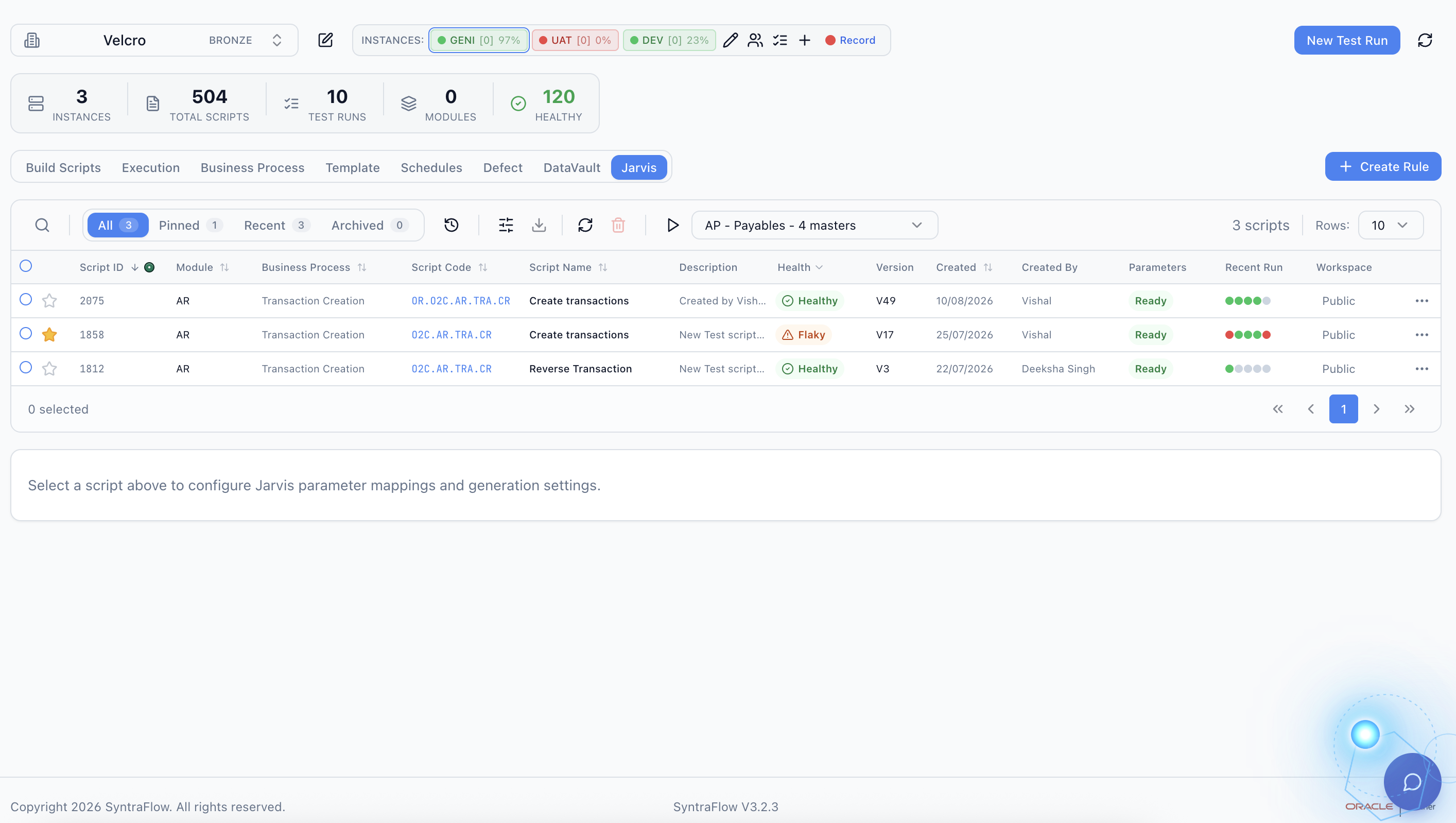
From Standard Test to Executed Regression Pack
Rather than maintaining dozens of near-duplicate copies of the same test, SyntraFlow maintains the core business scenario and allows Jarvis AI to generate relevant variations using the customer's available test data.
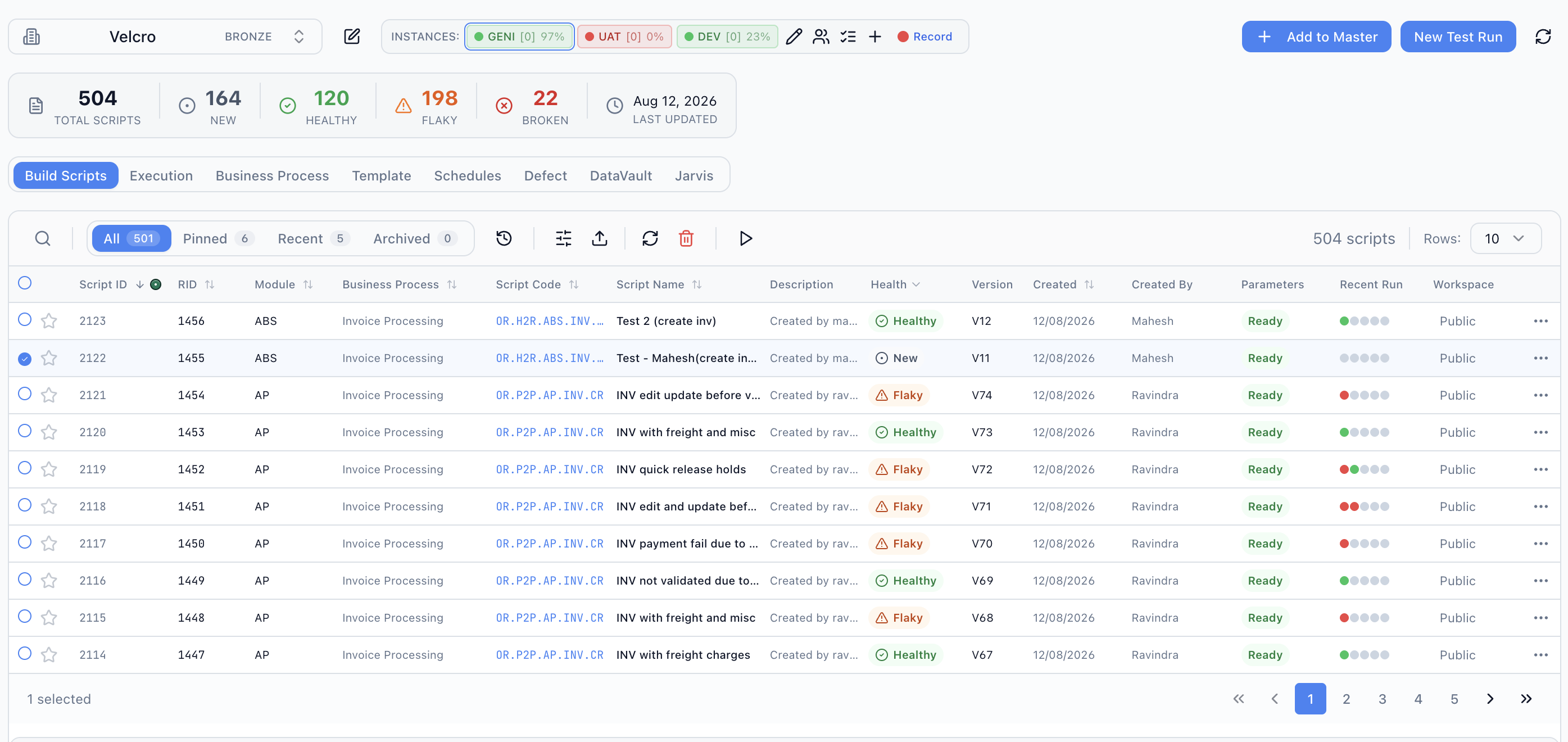
AI-Generated Test Variations
The same Create Standard Supplier Invoice business scenario can produce many test variations without creating separate public library pages. Below is a real slice of SyntraFlow's Build Scripts library, filtered to Accounts Payable Invoice Processing.
- Valid supplier and supplier site
- Single-line standard invoice
- Multi-line standard invoice
- Different Business Units
- Different currencies
- Different payment terms
- Different invoice amounts
- Different accounting distributions
- Multiple accounting distributions
- Different tax configurations
- Different invoice dates
- Different supplier sites
- Duplicate invoice number
- Invalid or inactive supplier
- Invalid supplier site
- Missing required invoice number
- Missing invoice amount
- Invalid invoice amount
- Header and line amount mismatch
- Invalid accounting distribution
- Closed accounting period
- Invalid invoice date
- Missing mandatory information
- Invalid currency/configuration combinations
These are representative examples only. Negative scenarios and expected behavior can depend on the customer's Oracle Fusion configuration, controls and security — not every Oracle configuration behaves identically.
Generated Using Your DataVault Test Data
Generic test data often fails to represent the configuration of a real Oracle Fusion environment. Jarvis can use approved test data available through Syntra DataVault to create variations relevant to the customer's actual implementation.
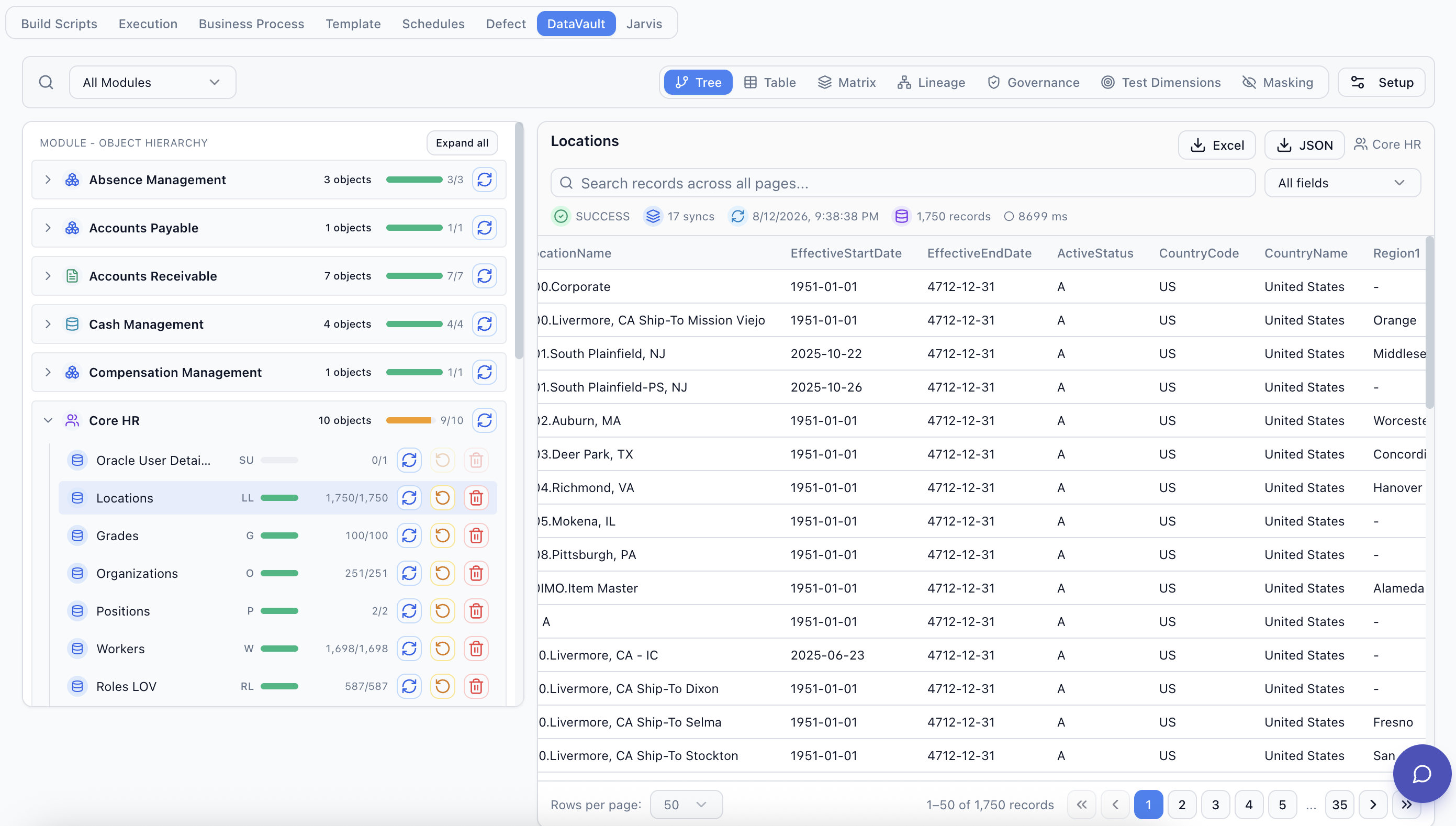
Standard Library Definition
Business Unit    ${BUSINESS_UNIT}
Supplier         ${SUPPLIER}
Supplier Site    ${SUPPLIER_SITE}
Currency         ${CURRENCY}
Amount           ${INVOICE_AMOUNT}
Payment Terms    ${PAYMENT_TERMS}
Distribution     ${DISTRIBUTION_ACCOUNT}
DataVault
Business Units
  US Operations
  UK Operations
Suppliers
  Supplier A
  Supplier B
  Supplier C
Currencies
  USD
  GBP
  EUR
Payment Terms
  Net 30
  Net 45
  Immediate
Accounting
  Valid configured combinations
Jarvis AI Generates
Scenario 01 — UK Operations + Supplier A + GBP + Net 30
Scenario 02 — US Operations + Supplier B + USD + Net 45
Scenario 03 — Multi-Line + Supplier C + EUR
Scenario 04 — Multiple Accounting Distributions
Scenario 05 — Duplicate Invoice Number
Scenario 06 — Invalid Distribution
...
Customer-specific test data and AI-generated variations are not published to the Syntra Standard Test Library. They remain within the customer's controlled SyntraFlow environment and access model.
Example Test Variations
Representative examples of scenarios Jarvis can generate from this business scenario. These are illustrative, not separate indexable pages — the canonical page for all of them remains this one.
| ID | Variation | Type | Key Difference | Execution |
|---|---|---|---|---|
| VAR-001 | Basic Standard Invoice | Positive | Single line / valid supplier | Syntra Ready |
| VAR-002 | Multi-Line Invoice | Positive | Multiple invoice lines | Syntra Ready |
| VAR-003 | GBP Invoice | Positive/Currency | GBP currency | Syntra Ready |
| VAR-004 | Multiple Distributions | Positive/Accounting | Split accounting | Syntra Ready |
| VAR-005 | Duplicate Invoice Number | Negative | Existing invoice number | Syntra Ready |
| VAR-006 | Invalid Distribution | Negative/Accounting | Invalid account combination | Syntra Ready |
| VAR-007 | Missing Invoice Amount | Negative/Boundary | Required value missing | Syntra Ready |
| VAR-008 | Closed Period | Negative/Date | Accounting date condition | Syntra Ready |
No variations match this filter.
Automatically Expand Positive and Negative Test Coverage
Positive Testing
Jarvis generates scenarios using combinations expected to successfully complete the business process.
Valid Supplier + Valid BU + Valid Currency + Valid Distribution → Invoice Created
Negative Testing
Jarvis can generate scenarios designed to exercise validations, business rules and exception handling.
- Duplicate Invoice Number → Expected Duplicate Validation
- Invalid Distribution → Expected Accounting Validation
- Missing Required Field → Expected Required-Field Validation
A negative test should not be marked as failed simply because Oracle rejects the transaction. If the expected Oracle validation occurs, the negative test has passed.
| Scenario | Oracle Outcome | Test Result |
|---|---|---|
| Valid standard invoice | Invoice created | PASS |
| Duplicate invoice | Duplicate validation displayed | PASS |
| Missing required field | Required-field validation displayed | PASS |
| Invalid distribution | Expected validation displayed | PASS |
| Unexpected application error | Unexpected error | FAIL |
Turn AI-Generated Variations into a Regression Pack
Users can select generated scenarios and group them into reusable execution packs.
AP Invoice Creation Regression Pack
- Basic Standard Invoice
- Multi-Line Invoice
- GBP Invoice
- EUR Invoice
- Multiple Distributions
- Taxable Invoice
- Duplicate Invoice Validation
- Invalid Distribution
- Missing Required Field
- Closed Period Scenario
Run On-Demand or Schedule Automated Batch Execution
SyntraFlow can execute selected scenarios individually or as a batch. Users can schedule regression packs according to their testing cycle.
Once scheduled, SyntraFlow executes the selected scenarios unattended and records the outcome of each test and business assertion.
| Pack | AP Invoice Regression Pack |
| Schedule | Quarterly Update Regression |
| Tests | 42 scenarios |
| Execution | Batch Mode |
| Start | 10:00 PM |
| Environment | Oracle Fusion TEST |
| Status | Scheduled |
Illustrative example — not a live schedule.
Review Results Across the Entire Test Pack
Users can drill from the regression pack into a scenario, its business steps, the underlying automation actions, and the evidence captured for each.
Illustrative example data — not actual production metrics.
Regression Pack → Scenario → Business Step → Automation Action → Evidence
From Business Scenario to Execution Evidence
Business teams get readable test documentation; automation teams retain detailed execution traceability.
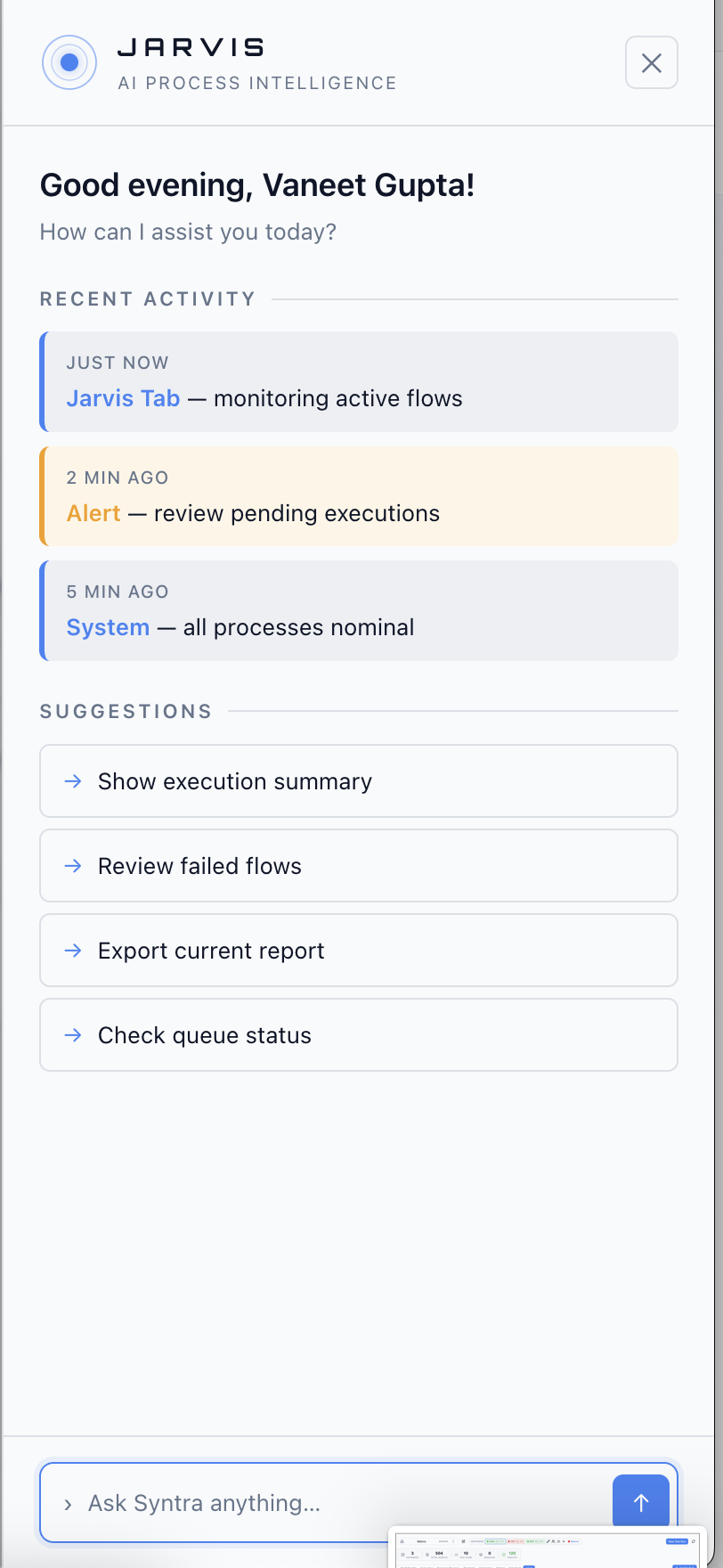
Meet Jarvis — SyntraFlow's AI Testing Engine
Jarvis extends the Syntra Standard Test Library by analysing the business scenario, available DataVault test data and expected business outcomes to generate additional test coverage for the customer's environment.
How SyntraFlow Automates This Test
The Standard Test defines the scenario; DataVault, Jarvis AI and SyntraFlow's execution engine take it from a single reusable business definition to executed, evidenced regression coverage.
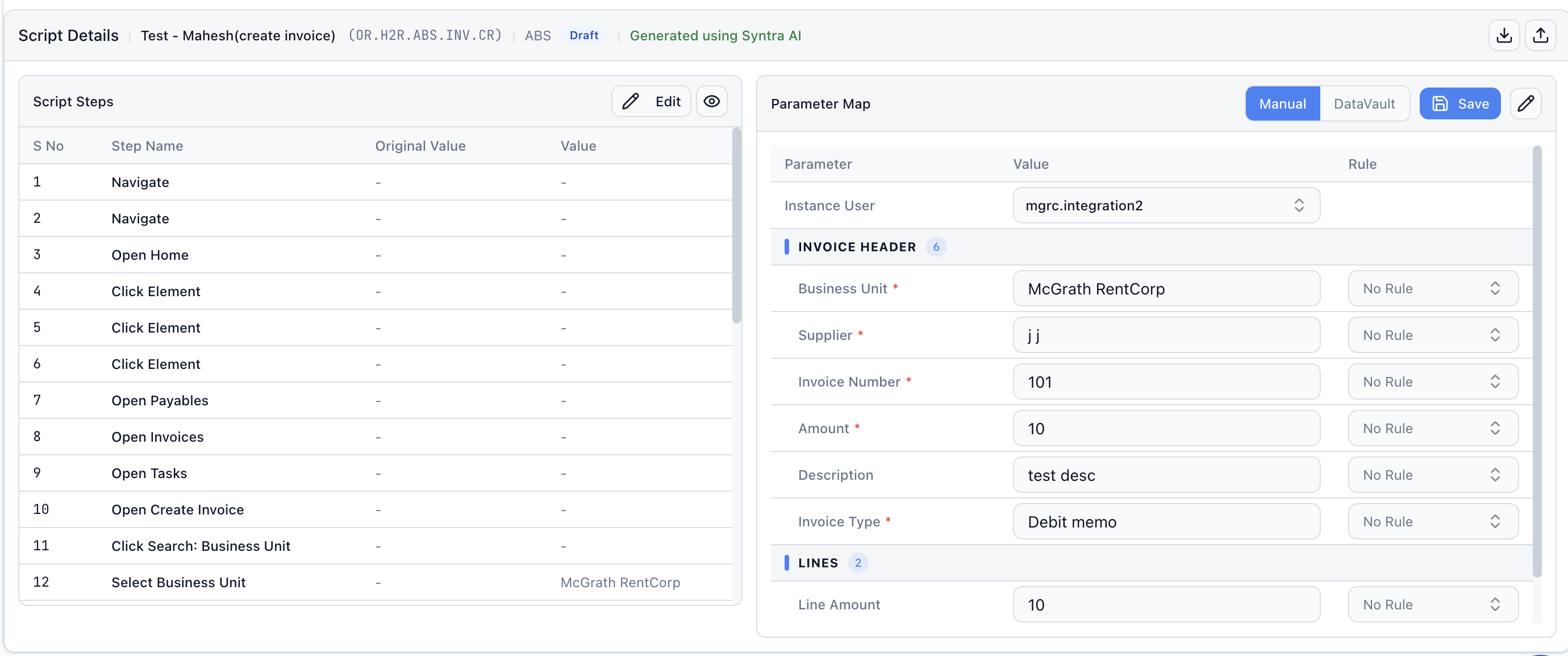
Business Step → Underlying UI Actions
What SyntraFlow Captures Per Run
Action Status vs. Business Validation
A successful UI interaction does not automatically prove the business outcome — this is illustrative of how SyntraFlow separates action success from business validation; it does not reflect a specific live execution.
| Step | Action Status | Business Validation |
|---|---|---|
| Enter Invoice Amount | Pass | — |
| Click Save | Pass | — |
| Verify Invoice Created | Pass | Pass |
Related Oracle Fusion AP Invoice Test Cases
Part of the same Procure-to-Pay invoice lifecycle. Linked cards are live; the rest are on the Syntra Standard Test Library roadmap.
Turn This Standard Test into Your Oracle Regression Suite
Start with the Syntra Standard test, use DataVault to provide environment-specific test data, let Jarvis generate additional positive and negative variations, and execute the resulting regression pack automatically with SyntraFlow.
Use This Oracle Fusion Test Case
Add to Test Library
Save to your SyntraFlow regression suite.
Coming soonAutomate with SyntraFlow
Run this script against your own tenant today.