Oracle Procurement Catalog Testing
The procurement catalog is the content layer that decides what a requester can find, at what price, and from which supplier. In Oracle Fusion Self-Service Procurement, local catalogs, punchout sites, informational catalogs and smart forms are assembled into content zones, backed by agreements, secured by role, and published to requesters. When that content is wrong — a stale price, a missing category, a punchout that fails to authenticate, an item that surfaces to the wrong business unit — buyers order the wrong thing at the wrong price, or cannot order at all.
This page is a practical guide to testing catalog content and configuration: the catalogs themselves, the categories and content zones that organise them, the agreements and pricing behind each item, and the security and publishing steps that surface content to requesters. It sits under the Oracle Procurement Testing Tool hub and covers catalog management specifically — not the shopping experience or requisition processing.
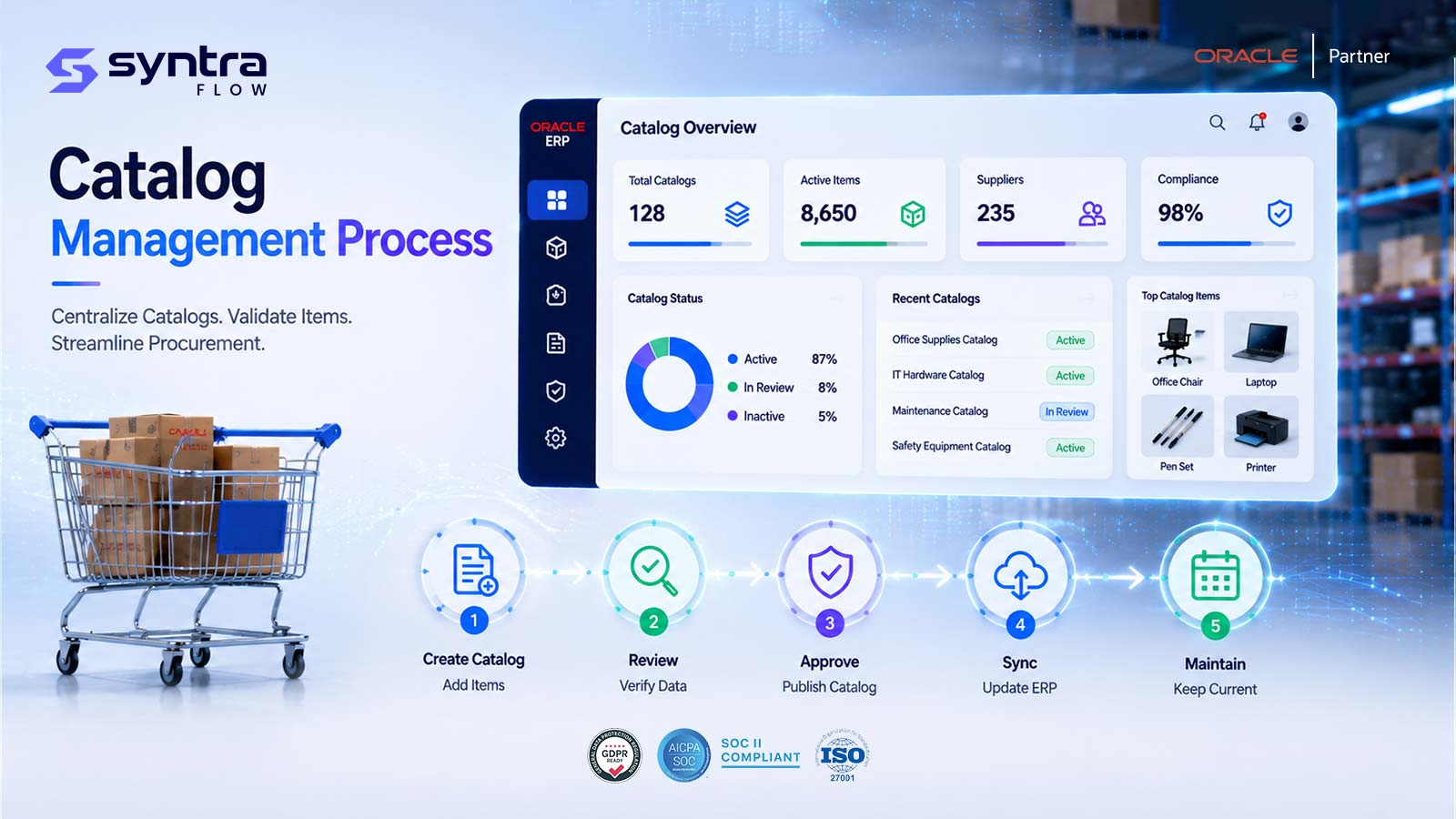
What Is the Procurement Catalog in Oracle Fusion?
The procurement catalog is the collection of purchasable content that Oracle presents to a requester when they shop. It is built and maintained by category managers and procurement administrators, and it comes in several forms: local catalogs (items and agreement lines held in Oracle), punchout catalogs (a redirect to a supplier-hosted site that returns a cart), informational catalogs (links and content, not orderable lines), and smart forms (structured non-catalog request forms). These are organised with browsing categories, grouped into content zones, and made available to specific business units and requesters.
Catalog content is rarely typed in one item at a time. Most local content is loaded — from blanket purchase agreements, through file-based catalog upload, or via integration — so the item, its price, its unit of measure, its category and its image all originate from a source that must itself be correct. A content zone then decides which of that content a given requester sees, and catalog security and exclusions narrow it further. Only after content is published does it surface in the shopping interface.
The teams that depend on the catalog behaving correctly are category managers who curate content, procurement administrators who configure content zones and security, functional consultants who set up catalog and search options, and the requesters and approvers downstream who trust that what they see is orderable at the price shown. Get catalog content wrong and the error is amplified across every requisition that draws from it.
Scope note. This page covers catalog content management and configuration — building catalogs, content zones, categories, punchout setup, agreement-backed items, security and publishing. The requester's shopping experience — searching, adding to cart, checkout and requisition creation — is covered on Self-Service Procurement Testing, and the processing of the resulting requisition on Requisition Testing. Here we focus on whether the right content, priced correctly, reaches the right requester.
Why Testing Catalog Content Matters
The catalog is a control on spend as much as a convenience for buyers. A defect here does not throw an obvious error — it quietly presents the wrong price, the wrong supplier, or content the requester should never have seen. The risks specific to catalog content:
| Risk | Example | Potential impact | Testing response |
|---|---|---|---|
| Stale catalog price | Item price no longer matches its agreement | Overpayment; price-variance holds downstream | Assert item price equals current agreement line |
| Wrong content zone scope | Zone surfaces to a BU it should exclude | Off-contract buying; policy breach | Verify zone-to-BU/requester assignment |
| Punchout failure | Authentication or return cart breaks | Requester cannot order; workarounds | Test punchout setup, auth and round-trip |
| Item not surfacing | Loaded item never reaches the shopping UI | Maverick spend outside the catalog | Confirm publish and search visibility |
| Security / exclusion gap | Excluded item still visible to a role | Unauthorised purchasing | Role-based catalog visibility cases |
| Category mapping error | Browsing category maps to wrong purchasing category | Mis-accounted spend; reporting error | Validate category mapping per item |
| Poor search relevance | Keyword returns no or wrong items | Requesters abandon the catalog | Keyword-to-result relevance tests |
| Expired agreement content | Item stays orderable after agreement ends | Orders against an invalid agreement | Test agreement-expiry effect on catalog |
| Bad upload / load | File load errors or partial content | Incomplete catalog; missing items | Validate upload success and item counts |
| Silent behaviour change | Quarterly update alters catalog/search | Undetected content or UI drift | Release-aware catalog regression |
| Duplicate item | Same item loaded from two sources | Confusing choice; split spend | Duplicate-item detection cases |
| Wrong UOM / attributes | Unit of measure or attribute mislabelled | Quantity errors; wrong pricing basis | Assert item UOM and key attributes |
The Oracle Procurement Catalog Process Flow
Catalog content moves through a defined lifecycle before a requester ever sees it. Each stage is a place where content can be right or wrong, so each stage is a place to test.
Catalog content lifecycle
- Content defined: a local catalog, a punchout catalog, an informational catalog or a smart form is created — manually, from an agreement, or by file/integration load.
- Organised: items are assigned browsing categories, and one or more content zones group local, punchout and informational content for delivery.
- Priced: agreement-backed items inherit price, currency and UOM from their blanket purchase agreement line; smart forms carry default accounting and attributes.
- Secured: content zones are assigned to procurement/requisitioning BUs and requesters; inclusions and exclusions and catalog security narrow what each role can see.
- Published: content is made available and the search index refreshed so items become findable.
- Surfaced: the requester sees the right content, at the right price, in the right categories — the outcome every catalog test ultimately checks.
Suggested visual: a swimlane diagram of the catalog lifecycle from content definition through publishing to the shopping surface, for the web team to produce.
Oracle Catalog Types & What to Test
Each catalog type surfaces content differently and fails differently. A complete suite covers all four.
| Catalog type | What it is | Content source | Key test focus |
|---|---|---|---|
| Local catalog | Orderable items and agreement lines held in Oracle | Agreements, file upload, integration load | Price/UOM vs agreement, category, search, availability |
| Punchout catalog | Redirect to a supplier-hosted store that returns a cart | Supplier site via cXML / punchout setup | Configuration, authentication, round-trip return of lines |
| Informational catalog | Links, guidance and content — not orderable lines | Manually authored content and URLs | Content zone placement, links resolve, correct audience |
| Smart form | Structured form for non-catalog / goods & services requests | Configured form with defaults and attributes | Default category/accounting, required fields, routing |
| Public shopping list | Curated list of catalog items for quick reorder | Selected local catalog items | List membership, visibility, item still valid |
Testing Scope & Coverage Matrix
The dimensions a complete catalog-content test suite must cover, with automation suitability and priority.
| Test area | What must be validated | Example scenario | Automation | Priority |
|---|---|---|---|---|
| Catalog creation | Local/punchout/informational build correctly | Create local catalog from agreement | High | High |
| Content zones | Zone groups and scopes content as intended | Zone assigned to one BU only | High | High |
| Categories & mapping | Browsing-to-purchasing category correct | Item lands in the right browse node | High | High |
| Pricing accuracy | Item price matches agreement line | Catalog price = agreement price | High | High |
| Punchout | Config, auth and return-cart round-trip | Punchout returns priced lines | Medium | High |
| Search & browse | Keyword relevance and category navigation | Keyword returns expected items | High | High |
| Security / exclusions | Only permitted content is visible | Excluded item hidden from role | Medium | High |
| Availability by BU | Correct content per requisitioning BU | Item visible in BU-A, not BU-B | High | Medium |
| Load & integration | Upload/import produces expected content | File load creates all items | High | High |
| Item attributes / UOM | UOM, image, attributes as expected | Item shows correct UOM and image | High | Medium |
| Multi-language / currency | Content localised and priced correctly | Description in requester language | High | Medium |
| Lifecycle changes | Supersession, deactivation, expiry | Deactivated item no longer orderable | High | Medium |
| Publishing / refresh | Content becomes findable after publish | New item appears post-refresh | High | High |
| Regression / release | Content behaves the same after an update | Re-run pack after 26x update | High | High |
Oracle Procurement Catalog Test Scenarios
A representative set of 36 Oracle Fusion catalog scenarios — creation, content zones, pricing and agreements, punchout, search and security, item lifecycle, load/integration, and regression. Test IDs use the PR-CAT prefix.
| ID | Scenario | Preconditions | Expected result | Pri | Auto |
|---|---|---|---|---|---|
| PR-CAT-001 | Create local catalog | Procurement BU, admin role | Catalog created and saved | H | Y |
| PR-CAT-002 | Create catalog / browsing category | Category hierarchy available | Category created in hierarchy | H | Y |
| PR-CAT-003 | Create content zone | Local/punchout content exists | Zone created with selected content | H | Y |
| PR-CAT-004 | Assign content zone to BU | Zone and requisitioning BU set up | Zone available to that BU only | H | Y |
| PR-CAT-005 | Assign content zone to requester group | Zone scoped to specific requesters | Only named requesters see content | M | P |
| PR-CAT-006 | Configure punchout catalog | Supplier punchout details available | Punchout definition saved and enabled | H | P |
| PR-CAT-007 | Punchout authentication (cXML) | Credentials configured | Session authenticates to supplier site | H | P |
| PR-CAT-008 | Punchout round-trip return cart | Authenticated punchout session | Cart returns priced lines to requisition | H | P |
| PR-CAT-009 | Create informational catalog | Content and URLs authored | Informational content appears in zone | M | Y |
| PR-CAT-010 | Create smart form | Non-catalog request type needed | Smart form created and published | M | Y |
| PR-CAT-011 | Smart form default accounting/category | Smart form with defaults configured | Defaults carry to the requisition line | M | Y |
| PR-CAT-012 | Create public shopping list | Valid local catalog items exist | List published and visible to requesters | M | Y |
| PR-CAT-013 | Catalog upload via file | Valid upload file prepared | All items loaded; no errors | H | Y |
| PR-CAT-014 | Upload with validation errors | File with bad rows | Bad rows rejected; report generated | M | Y |
| PR-CAT-015 | Catalog item from blanket agreement | Active BPA with lines | Agreement lines surface as catalog items | H | Y |
| PR-CAT-016 | Catalog price vs agreement price | Agreement-backed item | Displayed price equals agreement line | H | Y |
| PR-CAT-017 | Agreement price change reflected | BPA price updated and re-published | Catalog shows new price after refresh | H | Y |
| PR-CAT-018 | Item attributes and UOM | Item with defined UOM/attributes | UOM and attributes display correctly | M | Y |
| PR-CAT-019 | Category mapping to purchasing category | Browsing category mapped | Item carries correct purchasing category | H | Y |
| PR-CAT-020 | Browse category hierarchy navigation | Multi-level browsing categories | Navigation reaches expected items | M | Y |
| PR-CAT-021 | Keyword search relevance | Indexed catalog content | Keyword returns expected items ranked | H | Y |
| PR-CAT-022 | Catalog exclusion applied | Exclusion rule on a category/item | Excluded content not shown | H | Y |
| PR-CAT-023 | Catalog inclusion applied | Inclusion rule limits visible content | Only included content shown | M | Y |
| PR-CAT-024 | Catalog security by role | Two roles with different access | Each role sees only permitted content | H | P |
| PR-CAT-025 | Item availability by BU | Zones scoped to different BUs | Item visible in one BU, not another | M | Y |
| PR-CAT-026 | Multi-language catalog content | Translated descriptions loaded | Content shows in requester language | M | Y |
| PR-CAT-027 | Multi-currency catalog content | Items priced in different currencies | Correct currency and price displayed | M | Y |
| PR-CAT-028 | Image / attachment on item | Item with image and attachment | Image and attachment render correctly | L | Y |
| PR-CAT-029 | Supersession / replacement item | Item superseded by another | Replacement offered; old item retired | M | Y |
| PR-CAT-030 | Deactivate catalog item | Active item made inactive | Item no longer orderable/searchable | H | Y |
| PR-CAT-031 | Agreement expiry effect on catalog | BPA past end date | Backed items removed / not orderable | H | Y |
| PR-CAT-032 | Duplicate item detection | Same item from two sources | Duplicate flagged / prevented | M | Y |
| PR-CAT-033 | Integration/loader-created content | Content created via REST/import | Loaded content matches source | M | Y |
| PR-CAT-034 | Imported / indexed punchout catalog | Supplier index file imported | Indexed items searchable locally | M | Y |
| PR-CAT-035 | Content publishing / refresh | New content pending publish | Content findable after refresh | H | Y |
| PR-CAT-036 | Quarterly-update regression pack | Post-update tenant | All prior catalog results reproduce | H | Y |
Pri = priority (H/M/L). Auto = automation candidate (Y suitable · P partly, needs role/data or supplier-side setup). Steps summarised; full step detail ships in the downloadable test pack.
Common Catalog Defects
| Defect | Likely cause | Business impact | Recommended test |
|---|---|---|---|
| Price out of sync with agreement | Catalog not refreshed after BPA change | Overpayment; downstream price holds | PR-CAT-016, PR-CAT-017 |
| Item not visible to requester | Content not published or zone mis-scoped | Maverick spend off-catalog | PR-CAT-004, PR-CAT-035 |
| Punchout will not authenticate | Wrong credentials or endpoint | Requester blocked from supplier site | PR-CAT-007, PR-CAT-008 |
| Return cart empty or mispriced | cXML mapping or setup error | Wrong lines on the requisition | PR-CAT-008 |
| Wrong category on item | Category mapping incorrect | Mis-accounted spend; reporting error | PR-CAT-019 |
| Search returns nothing | Index not refreshed after load | Requesters abandon the catalog | PR-CAT-021, PR-CAT-035 |
| Excluded content still shown | Exclusion rule not effective | Unauthorised purchasing | PR-CAT-022, PR-CAT-024 |
| Expired-agreement item orderable | Content not retired on expiry | Orders against invalid agreement | PR-CAT-031 |
| Incomplete file load | Upload errors on some rows | Missing items; partial catalog | PR-CAT-013, PR-CAT-014 |
| Duplicate items in results | Loaded from multiple sources | Split spend; requester confusion | PR-CAT-032 |
| Wrong UOM / attributes | Load or agreement data error | Quantity and pricing errors | PR-CAT-018 |
| Deactivated item still surfacing | Refresh not run after change | Orders for obsolete items | PR-CAT-030 |
How SyntraFlow Automates Catalog Testing
SyntraFlow drives catalog setup and the shopping surface across the UI and API, then asserts the exact content, price and visibility a requester should see — not just that a page loaded.
Pre-built catalog cases
A starter pack of catalog, content-zone and punchout scenarios you extend to your own agreements and BUs — no scripting from zero.
AI-assisted generation
Generates content variants — categories, currency and language cases, exclusion rules — from your catalog and agreement setup.
Self-healing execution
Playwright-based runs that re-anchor when Oracle changes the catalog or Redwood shopping pages, so content assertions keep working.
Data Vault catalog data
The Oracle Data Vault provisions agreements, items, categories and suppliers so each test surfaces the content it needs.
Price & visibility assertions
Verifies the exact price, category, UOM and who can see an item — the difference between a real and a hollow catalog test.
UI + API execution
Exercises catalog load, publishing and the shopping surface through both entry points and confirms they agree.
Evidence capture
Timestamped screenshots, content snapshots and execution traces retained as audit-grade evidence for every run.
Release-impact selection
Runs the catalog subset a given quarterly release or config change actually affects.
Configuration-aware testing
Ties each test to the content zones, agreements and security that drive it, so a change re-points the right tests.
A note on capability. Pre-built catalog cases, self-healing execution, UI/API execution, Data Vault provisioning and evidence capture are current platform capabilities. Coverage scoped to your specific content zones, agreements, punchout suppliers and security roles is configurable during onboarding, and punchout tests that reach a supplier-hosted site depend on that supplier's test environment. Any tenant-specific extension is confirmed at assessment rather than assumed here.
When to Re-Test Catalog Content
Catalog content depends on agreements, configuration and master data, so any change to those is a regression trigger. Retest when these events occur:
| Change event | Risk to catalog | Recommended regression scope |
|---|---|---|
| Oracle quarterly update | Catalog, search or shopping UI changes | Full catalog pack, release-scoped |
| Redwood rollout | Shopping / catalog pages redesigned | Search, browse and surfacing cases |
| Agreement price / line change | Catalog price drifts from agreement | Pricing and refresh cases |
| New / expiring agreement | Content added or should retire | Agreement-backed and expiry cases |
| Content zone change | Scope or content of a zone shifts | Zone-to-BU/requester cases |
| Catalog upload / bulk load | New or replaced content loaded | Load, item-count and search cases |
| Punchout supplier change | Endpoint or credentials change | Punchout auth and round-trip cases |
| Category / hierarchy change | Mapping or browse structure shifts | Category mapping and browse cases |
| Security-role change | Who sees which content changes | Role-based visibility cases |
| New BU / requisitioning BU | Setup gaps hide or expose content | Availability-by-BU cases |
| Integration / loader change | Loaded content diverges from source | Load parity and publishing cases |
Catalog Content & Oracle Quarterly Releases
Oracle's quarterly updates can change how catalog content behaves without any action on your part — through feature opt-ins, Redwood redesigns of the shopping and catalog pages, changes to search and browsing, or altered content-zone and security behaviour. Because the catalog controls what and how people buy, a silent change is exactly the kind you must catch before it reaches production.
Rather than re-testing every catalog scenario on every release, SyntraFlow Release Intelligence narrows the work to what actually changed in your tenant:
- 1.Analyses the Oracle release notes for changes touching procurement catalogs, content zones and search.
- 2.Maps those changes to your configuration — catalogs, zones, agreements and security.
- 3.Identifies the catalog types and requester groups affected.
- 4.Recommends the specific catalog test cases to run.
- 5.Prioritises regression execution by risk.
- 6.Tracks catalog evidence for audit and sign-off.
See how the impact map is built on the Release Impact Analysis page.
Configurations That Drive the Catalog
A catalog test is only trustworthy if the configuration behind it is known and stable. These setups determine what a requester sees and at what price — and when they drift between environments, tests pass against the wrong reality.
| Configuration area | Testing impact | Example failure | Recommended validation |
|---|---|---|---|
| Content zones | Decide what content a requester sees | Zone scoped to wrong BU | Zone-to-BU/requester cases |
| Blanket purchase agreements | Supply items, price, UOM, currency | Agreement differs from prod | Price and agreement-backed cases |
| Browsing categories & mapping | Drive navigation and purchasing category | Mapping out of sync | Category mapping cases |
| Punchout definitions | Govern supplier-site access | Endpoint/credentials differ | Punchout auth and round-trip cases |
| Catalog security & exclusions | Narrow content by role/rule | Exclusion missing in test | Role-based visibility cases |
| Catalog & search options | Drive relevance and browse behaviour | Option toggled between envs | Search relevance cases |
| Smart forms | Set defaults for non-catalog requests | Default accounting differs | Smart-form default cases |
| Requisitioning BU setup | Gates content availability | BU access differs from prod | Availability-by-BU cases |
SyntraFlow's Configuration Intelligence compares these setups across environments and flags drift before it corrupts a catalog test result — so a passing test means the configuration was correct, not just present.
Oracle Procurement Catalog Test Pack
A ready-to-use pack covering the four catalog types (local, punchout, informational and smart form), content-zone scenarios across business units and requesters, punchout configuration and authentication checks, and expected results for each case — with an evidence and sign-off template built in.
Use it as a baseline for your own agreements, categories and security, or as the regression set you re-run on every Oracle quarterly update. Request the pack and we will walk you through it against a catalog like yours.
Catalog Testing Best Practices
Assert the exact price, UOM and category on an item, not just that it appears.
Verify catalog price against the current agreement line every cycle.
Test content-zone scope per business unit and requester group.
Cover all four catalog types — local, punchout, informational and smart form.
Test punchout end to end — configuration, authentication and return cart.
Prove exclusions and security by role, not just by inspecting the rule.
Check that publishing and refresh actually make new content findable.
Test item lifecycle — supersession, deactivation and agreement expiry.
Include multi-language and multi-currency content in every cycle.
Validate keyword search relevance, not just that the search box works.
Re-run the catalog pack on every quarterly update, scoped by release impact.
Capture content snapshots and evidence automatically for audit and sign-off.
Related Oracle Procurement Pages
Catalog content connects to the rest of the procurement suite. Go deeper on adjacent topics:
Oracle Procurement Testing Tool ⭐
The procurement testing hub.
Self-Service Procurement Testing →
The requester shopping experience.
Requisition Testing →
Requisition creation and processing.
Purchase Agreement Testing →
Agreements behind catalog items.
Supplier Testing →
Supplier and site master data.
P2P End-to-End Testing →
The full procure-to-pay flow.
Frequently Asked Questions
What is procurement catalog testing in Oracle Fusion?
▼
It is testing the catalog content and configuration that Oracle presents to requesters — local, punchout and informational catalogs, smart forms, content zones, categories, agreement-backed pricing, and the security and publishing that surface content. The goal is to confirm the right content, priced correctly, reaches the right requester in the right business unit.
How is catalog testing different from Self-Service Procurement testing?
▼
Catalog testing covers the content itself — how catalogs, content zones, categories and pricing are built and published. Self-Service Procurement Testing covers the requester's shopping experience — searching, adding to cart and creating a requisition from that content. This page owns the content; that page owns the shopping UX.
What are the main Oracle catalog types to test?
▼
Four: local catalogs (items and agreement lines held in Oracle), punchout catalogs (a redirect to a supplier-hosted store that returns a cart), informational catalogs (links and guidance, not orderable), and smart forms (structured non-catalog request forms). Public shopping lists are a related curated view of local items. A complete suite exercises all of them.
What is a content zone and why test it?
▼
A content zone groups local, punchout and informational content and controls which requisitioning business units and requesters can see it. It is the main lever for what surfaces to whom, so testing zone scope — that content appears for the intended audience and is hidden from everyone else — is one of the highest-value catalog checks.
How do you test punchout catalogs?
▼
Test the full round-trip: the punchout definition and content-zone placement, authentication to the supplier-hosted site, and the return of a priced cart back onto the requisition. Because punchout reaches a supplier's environment, these tests depend on that supplier's test site being available, which is why they are often partly rather than fully automated.
How do you test that catalog prices match the agreement?
▼
Assert that the price shown on an agreement-backed item equals the current blanket purchase agreement line — in the right currency and unit of measure. Then change the agreement price, re-publish, and confirm the catalog reflects the new price. Stale prices are a common defect and drive price-variance holds downstream, so this is a core recurring test.
What happens to catalog content when an agreement expires?
▼
Items backed by a blanket purchase agreement should stop being orderable once the agreement passes its end date. A dedicated test confirms expired-agreement items are removed or no longer surfaced, because leaving them orderable means requisitions raised against an invalid agreement — a control gap that is easy to miss without a targeted case.
How do you test catalog security and exclusions?
▼
Run the same catalog under different roles and assert who can and cannot see each item or category. Exclusion and inclusion rules must be proven by their effect on visibility, not by inspecting the rule — an excluded item that still surfaces is an unauthorised-purchasing risk. These cases become critical after any security-role change.
How do you test catalog upload and loaded content?
▼
Load a prepared file and confirm every item is created with the correct price, UOM, category and attributes, and that a file with bad rows rejects those rows and reports them. Content created by integration or a loader should be checked for parity with its source. After any load, confirm the search index is refreshed so items are findable.
Does content publishing need to be tested separately?
▼
Yes. Content that is created but not published, or not re-indexed, will not surface to requesters even though it looks correct in setup. A publishing/refresh test confirms new, changed or deactivated content becomes findable — or unfindable — as intended. Missing this step is a frequent cause of "the item exists but nobody can order it".
How do multi-language and multi-currency catalogs affect testing?
▼
Requesters in different locales should see translated descriptions and prices in the correct currency. Tests confirm that localised content loads and surfaces to the right audience, and that currency and unit of measure display and calculate correctly. These cases matter most for global rollouts where one catalog serves several regions.
How often should catalog content be regression tested?
▼
On every Oracle quarterly update, and after any agreement price change, catalog load, content-zone or category change, punchout supplier change, or security-role change. Because the catalog controls spend, testing after these events protects against silent drift that would otherwise surface only when someone orders the wrong item at the wrong price.
Does Redwood change catalog testing?
▼
Redwood redesigns the shopping and catalog pages, which breaks selector-based automation even when the underlying content and configuration are unchanged. SyntraFlow understands Redwood pages semantically and self-heals, so catalog search, browse and content assertions keep running through UI redesigns rather than failing on the first page change.
What test data does catalog testing need?
▼
Each test needs content engineered to a specific outcome — an agreement-backed item at a known price, a category with a mapping, an excluded item, a superseded or expired item. SyntraFlow's Oracle Data Vault provisions the agreements, items, categories and suppliers so each test surfaces the content it needs reliably, rather than relying on hand-built fixtures.
Strengthen Your Oracle Procurement Catalog Coverage
Find the gaps in your catalog test suite, automate high-risk content, pricing and punchout scenarios, and prepare for Oracle quarterly updates with SyntraFlow. See it run against a catalog like yours.