Oracle Receipt Testing
A receipt is how Oracle Receivables records that cash arrived — before any of it is matched to an invoice. Receipt method, currency, batch balancing, and how an unidentified or on-account receipt is captured at entry all determine whether a receipt is even usable downstream. Get receipt creation wrong and the application, cash application reporting, and bank reconciliation that depend on it inherit the error.
This page is a practical guide to testing how a receipt is created and moves through its lifecycle in Oracle Fusion Cloud Receivables. It sits under the Oracle AR Testing Tool hub, alongside the Oracle Receipt Application Testing and Oracle Lockbox Testing pages.
What Is Oracle Receipt Testing?
A receipt in Oracle Fusion Receivables represents money received — by check, wire, credit card, or electronic funds transfer — recorded either manually against a receipt class and method, in a receipt batch, or through an inbound file such as a lockbox. Every receipt carries a method, a currency, a receipt date, a deposit date, and a bank account, and it must be balanced within its batch before it becomes available for application to invoices, debit memos, or on-account balances.
Receipt testing verifies that the entry, batching, and status transitions around a receipt behave correctly — independent of which invoices it eventually applies to. That includes standard manual entry across receipt methods, batch creation and control-total balancing, miscellaneous (non-invoice) receipts, receipts entered with no customer or no invoice reference, foreign-currency receipts and the exchange rate applied at entry, receipt reversal and void, and reconciling a receipt back to the bank statement and deposit.
The teams that depend on this behaving correctly are cash application and collections staff who enter and batch receipts daily, treasury and bank-reconciliation teams who tie deposits back to the bank statement, and finance teams who rely on receipt data being accurate before any application or refund decision is made. Its upstream dependencies are bank account setup, receipt methods and classes, and currency/exchange-rate tables; its downstream dependencies are application, cash application reporting, and GL reconciliation.
Scope note. This page focuses on how a receipt is created and its lifecycle before and around application. For the mechanics of applying a receipt to specific invoices — full, partial and overpayment application — see Oracle Receipt Application Testing. For receipts arriving via a bank lockbox file specifically, see Oracle Lockbox Testing.
Receipt Creation vs Receipt Application vs Lockbox
These three pages cover distinct stages of the same cash lifecycle. Use this to route a scenario to the right page before you write it twice.
| Page | What it covers | Typical question answered |
|---|---|---|
| Oracle Receipt Testing (this page) | Receipt creation, methods, batches, currency, unidentified/on-account entry, reversal, bank reconciliation | Was the receipt captured correctly and is it usable? |
| Oracle Receipt Application Testing | Full, partial and overpayment application of an existing receipt to invoices | Did the receipt apply to the right invoices for the right amount? |
| Oracle Lockbox Testing | Inbound bank lockbox file processing — format parsing, matching, exceptions | Did the lockbox file load and create receipts correctly? |
Why Testing Receipt Creation Matters
A receipt is the system of record for cash received. If it is mis-entered, mis-batched, or booked in the wrong currency, the error is invisible until reconciliation or application fails — often days later. The risks specific to receipt entry:
| Risk | Example | Potential impact | Testing response |
|---|---|---|---|
| Wrong receipt method | Wire recorded under a check receipt method | Wrong bank account; reconciliation break | Method-specific entry cases per bank account |
| Batch out of balance | Control total ≠ sum of entered receipts | Batch cannot close; downstream delay | Out-of-balance negative test |
| Wrong exchange rate | Manual rate entered instead of daily rate | Gain/loss mis-stated; GL variance | Foreign-currency and rate-source cases |
| Unidentified receipt mishandled | Receipt with no customer left unassigned indefinitely | Cash sits unapplied; aging distorted | Unidentified/on-account entry and aging cases |
| Duplicate receipt | Same check number entered twice | Overstated cash; reconciliation break | Duplicate-detection negative test |
| Reversal after application | NSF check reversed without unwinding application | Invoice incorrectly shows paid | Reversal-after-application case with unwind check |
| Closed-period entry | Receipt dated into a closed AR period | GL date mismatch; failed accounting | Receipt date vs GL date boundary tests |
| Deposit not reconciled | Receipt deposit date never matched to bank statement | Bank reconciliation break; audit finding | Receipt-to-bank-statement reconciliation cases |
| Role over-permissioned | Non-cashier role creates or reverses receipts | Segregation-of-duties weakness | Role-based receipt entry access cases |
| Silent behaviour change | Quarterly update alters batch validation | Undetected control drift | Release-aware regression on receipt entry |
The Oracle Receipt Lifecycle
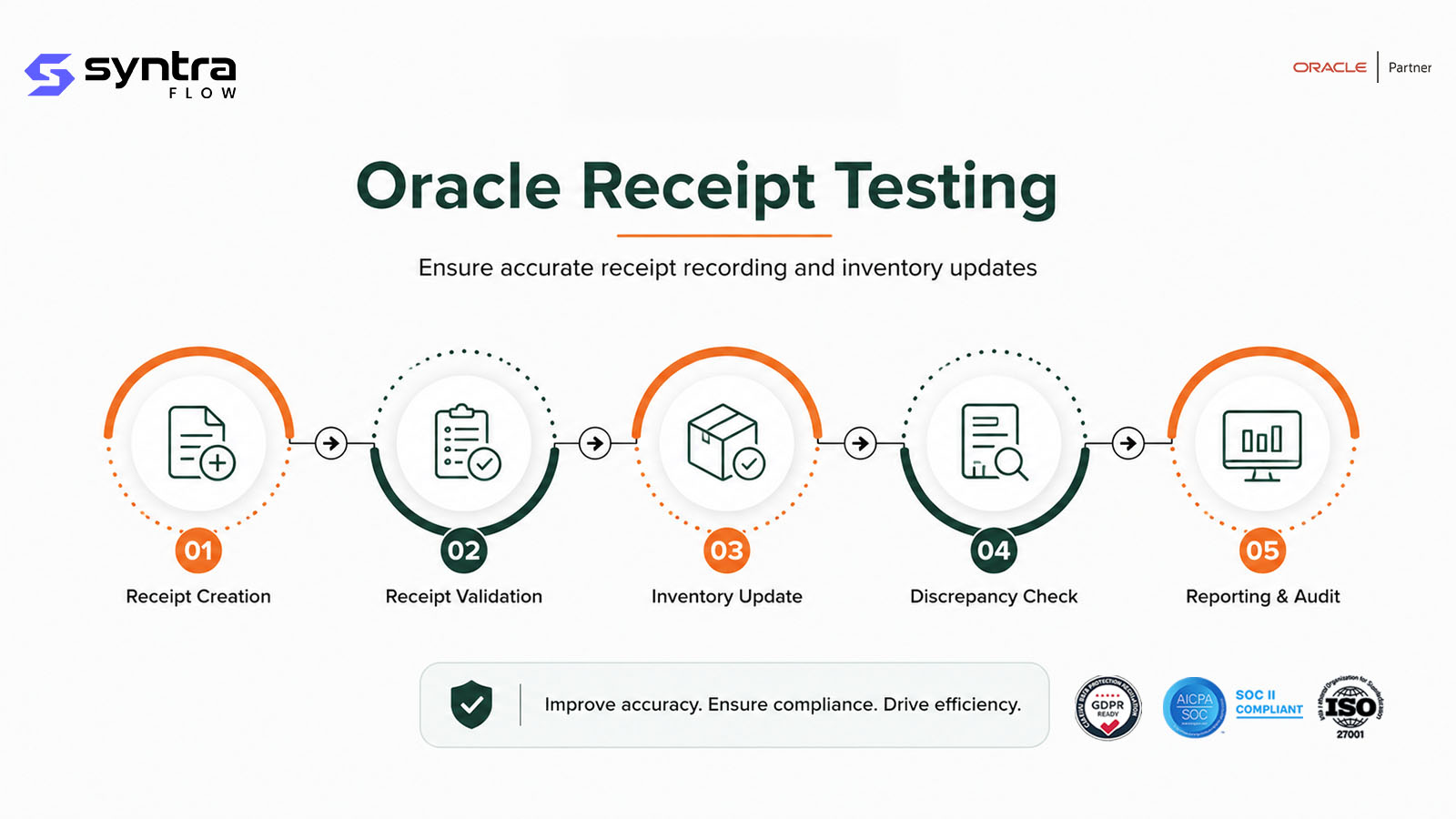
A receipt moves through a defined sequence from method selection to bank reconciliation, whether entered manually, in a batch, or as a miscellaneous receipt.
Receipt lifecycle sequence
- Trigger: manual entry, a receipt batch, a miscellaneous (non-invoice) transaction, or an inbound lockbox file.
- Key validations: receipt method active for the bank account, currency and exchange rate resolved, batch control total matches entered receipts, receipt and GL dates fall in an open period.
- Decision point: an out-of-balance batch cannot be closed; an unidentified receipt (no customer) or on-account receipt (no invoice) is still created and available, but flagged for later application.
- Exceptions: a receipt can be reversed before or after application, voided outright, or returned as NSF — each unwinds a different set of downstream effects.
- Expected output: a balanced, dated receipt in the correct currency, available for application and tied to a bank deposit.
- Downstream impact: only a correctly created receipt can be reliably applied — see Oracle Receipt Application Testing — and reconciled to the bank statement.
Suggested visual: a swimlane diagram of the receipt lifecycle with reversal and reconciliation branches, for the web team to produce.
Testing Scope & Coverage Matrix
The dimensions a complete receipt-entry test suite must cover, with automation suitability and priority.
| Test area | What must be validated | Example scenario | Automation | Priority |
|---|---|---|---|---|
| Manual entry (functional) | Receipt created correctly per method | Manual check receipt entered | High | High |
| Batch balancing | Control total matches entered receipts | Batch closes only when balanced | High | High |
| Negative | Bad data is rejected or flagged | Out-of-balance batch cannot close | High | High |
| Miscellaneous receipts | Non-invoice receipts post to correct accounts | Interest income receipt entered | High | Medium |
| Unidentified / on-account | Receipts without full reference are still usable | Receipt with no customer specified | High | High |
| Multi-currency | Rate resolved and gain/loss computed | Foreign-currency receipt batch | High | High |
| Reversal / void | Reversal unwinds the correct effects | NSF receipt reversed after application | High | High |
| Date / period | Receipt and GL dates resolve to open periods | Receipt against closed period | High | High |
| Bank reconciliation | Deposit ties back to bank statement | Receipt-to-bank-statement match | Medium | High |
| Role-based | Only privileged roles create/reverse receipts | Reversal restricted to cash supervisor | Medium | High |
| Integration / API | Receipt creation via REST matches UI behaviour | Receipt via REST API | High | Medium |
| Regression / release | Behaviour unchanged after an update | Re-run pack after quarterly update | High | High |
Oracle Receipt Test Scenarios
A representative set of 32 Oracle Fusion receipt-entry scenarios — manual and batch entry, currency, reversal, reconciliation, and regression. Test IDs use the AR-RCT prefix.
| ID | Scenario | Preconditions | Expected result | Pri | Auto |
|---|---|---|---|---|---|
| AR-RCT-001 | Manual receipt entry — check | Check receipt method active on bank account | Receipt created, status Approved/Unapplied | H | Y |
| AR-RCT-002 | Manual receipt entry — wire | Wire receipt method configured | Receipt created against correct bank account | H | Y |
| AR-RCT-003 | Manual receipt entry — credit card | Credit card receipt method configured | Receipt created; card reference captured | M | Y |
| AR-RCT-004 | Manual receipt entry — EFT/ACH | EFT receipt method configured | Receipt created; EFT reference captured | H | Y |
| AR-RCT-005 | Receipt batch creation | New standard receipt batch opened | Batch created with control count/total | H | Y |
| AR-RCT-006 | Receipt batch balancing (control total match) | Entered receipts sum equals control total | Batch balances and can be closed | H | Y |
| AR-RCT-007 | Receipt batch out-of-balance handling | Entered sum ≠ control total | Batch flagged out of balance; cannot close | H | Y |
| AR-RCT-008 | Miscellaneous / non-invoice receipt | Non-AR receivable activity configured | Receipt posts to configured GL account, no invoice link | M | Y |
| AR-RCT-009 | Unidentified receipt (no customer specified) | Payer cannot be matched to a customer | Receipt created as Unidentified; available for later ID | H | Y |
| AR-RCT-010 | On-account receipt (no invoice specified) | Customer known, invoice not specified | Receipt created as On-Account against customer | H | Y |
| AR-RCT-011 | Receipt currency same as invoice/ledger | Functional-currency receipt | No conversion required; amount as entered | M | Y |
| AR-RCT-012 | Receipt in foreign currency (exchange rate applied) | Non-ledger currency, daily rate available | Rate applied; functional amount computed correctly | H | Y |
| AR-RCT-013 | Exchange rate gain/loss | Rate at receipt differs from rate at invoice | Gain/loss calculated and posted correctly | H | Y |
| AR-RCT-014 | Receipt reversal (before application) | Unapplied receipt reversed | Receipt reversed; cash effect fully unwound | H | Y |
| AR-RCT-015 | Receipt reversal (after application) | Receipt applied to one or more invoices | Reversal unwinds applications; invoices reopen | H | Y |
| AR-RCT-016 | Receipt void | Receipt entered in error, not yet remitted | Receipt voided; excluded from deposit | M | Y |
| AR-RCT-017 | NSF / bounced receipt handling | Bank returns check as NSF | Reversal reason NSF recorded; customer flagged | H | Y |
| AR-RCT-018 | Receipt against closed period | Receipt date maps to a closed AR period | Entry blocked or GL date defaulted per config | H | Y |
| AR-RCT-019 | Receipt date vs GL date | Receipt date and accounting date differ | GL date resolves to correct open period | M | Y |
| AR-RCT-020 | Receipt bank account validation | Receipt method mapped to a specific bank account | Receipt posts to correct bank account only | M | Y |
| AR-RCT-021 | Receipt deposit date | Deposit date entered separate from receipt date | Deposit date stored and available for reconciliation | M | Y |
| AR-RCT-022 | Receipt-to-bank-statement reconciliation | Bank statement loaded for the deposit period | Receipt matches statement line; reconciled | H | P |
| AR-RCT-023 | Duplicate receipt detection | Same check/reference number re-entered | Duplicate flagged or prevented | H | Y |
| AR-RCT-024 | Receipt via REST API | Receipt created through integration payload | API receipt matches UI-entered receipt behaviour | M | Y |
| AR-RCT-025 | Receipt via integration (bulk import) | Receipt file loaded via FBDI or inbound service | Batch of receipts created and balanced | M | Y |
| AR-RCT-026 | Receipt refund creation | Overpaid/unapplied receipt eligible for refund | Refund request created against the receipt | M | Y |
| AR-RCT-027 | Short-pay receipt (underpayment noted at entry) | Receipt amount less than referenced invoice(s) | Receipt created; shortfall visible before application | M | Y |
| AR-RCT-028 | Overpayment noted at entry (before application decision) | Receipt amount exceeds referenced invoice(s) | Receipt created; excess flagged, application deferred | M | Y |
| AR-RCT-029 | Role-based receipt entry access | Non-cashier role attempts receipt entry/reversal | Access denied per role definition | H | P |
| AR-RCT-030 | Multi-currency receipt batch | Batch contains receipts in more than one currency | Each receipt converts and balances independently | M | Y |
| AR-RCT-031 | Receipt method inactive at entry | Receipt method disabled after setup | Entry blocked with clear error | L | Y |
| AR-RCT-032 | Quarterly-release regression | Post-update tenant | All prior receipt-entry results reproduce | H | Y |
Pri = priority (H/M/L). Auto = automation candidate (Y suitable · P partly, needs role/data/bank-statement setup). Steps summarised; full step detail ships in the downloadable test pack.
Receipt Risk Matrix
| Risk area | Trigger condition | Business exposure | Severity |
|---|---|---|---|
| Batch imbalance | Control total not reconciled before close | Cash entry stalls; backlog into close | High |
| Unidentified receipt aging | No customer identified for extended period | Cash sits idle; aging and DSO distorted | High |
| FX rate error | Wrong or stale exchange rate at entry | Mis-stated gain/loss; GL variance | High |
| Reversal after application | NSF/void not unwound from applied invoices | Invoice incorrectly shown as paid | High |
| Duplicate receipt | Same reference entered more than once | Overstated cash position | Medium |
| Bank reconciliation break | Deposit date/amount mismatch to statement | Audit finding; delayed close sign-off | Medium |
| Wrong receipt method / bank | Payment type mapped to wrong method | Reconciliation and reporting break | Medium |
| Role over-permissioned | Non-cashier role can reverse receipts | Segregation-of-duties gap | Medium |
| API/UI divergence | Integration receipt behaves differently than UI | Inconsistent control for bulk-loaded cash | Medium |
| Miscellaneous receipt misclassified | Non-invoice receipt posted to wrong account | GL mis-statement | Medium |
Common Receipt-Entry Defects
| Error / defect | Likely cause | Business impact | Recommended test |
|---|---|---|---|
| Batch fails to balance | Control total keyed incorrectly at open | Batch cannot close; delayed posting | AR-RCT-006, AR-RCT-007 |
| Wrong bank account derived | Receipt method mapped to wrong bank account | Deposit mismatch; reconciliation break | AR-RCT-020 |
| Exchange rate not applied | Daily rate missing for receipt date | Receipt stalls or posts at wrong rate | AR-RCT-012, AR-RCT-013 |
| Unidentified receipt never resolved | No workflow to chase missing remittance | Cash unapplied; aging distortion | AR-RCT-009 |
| Reversal doesn't unwind application | Reversal run without checking applied status | Invoice shows paid when it isn't | AR-RCT-015, AR-RCT-017 |
| Closed-period receipt accepted | Date validation misconfigured | GL posting failure at close | AR-RCT-018, AR-RCT-019 |
| Duplicate not caught | Duplicate check weak on reference number | Overstated cash; correction effort | AR-RCT-023 |
| Deposit not reconciled | Deposit date not tied to bank statement | Bank reconciliation break | AR-RCT-021, AR-RCT-022 |
| API receipt diverges from UI | Integration payload skips a validation | Inconsistent control for bulk cash | AR-RCT-024, AR-RCT-025 |
| Unauthorised reversal | Role privileges too broad | Control / SOD weakness | AR-RCT-029 |
How SyntraFlow Automates Receipt Testing
SyntraFlow drives receipt entry, batching, and reversal across the UI and REST, then asserts the receipt's actual status, balance, and currency conversion — not just that the screen loaded.
AI-assisted test generation
Generates receipt-entry variants — methods, currencies, batch conditions — from your configuration.
Self-healing execution
Playwright-based runs that re-anchor when Oracle changes the receipt or Redwood pages.
Dynamic test data
The Oracle Data Vault provisions customers, bank accounts, and receipt data needed for each scenario.
Regression suite
A maintained receipt-entry pack that re-runs after configuration or release changes.
Release intelligence
Scopes regression to the receipt-entry areas an Oracle quarterly update actually touches.
Configuration intelligence
Flags drift in receipt methods, bank accounts, and currency setup across environments.
UI + API execution
Runs receipt creation through both the UI and REST and confirms they agree.
Evidence capture
Timestamped screenshots and receipt-status logs retained as audit-grade evidence for every run.
Quarterly-update testing
Re-runs the receipt-entry pack against each new Oracle release before it reaches production.
A note on capability. AI-assisted generation, self-healing execution, UI/API testing, and evidence capture are current platform capabilities. Coverage scoped to your specific receipt methods, banks, and currencies is configurable during onboarding. Any tenant-specific extension is confirmed at assessment rather than assumed here.
When to Re-Test Receipt Entry
Receipt entry depends on configuration and bank setup, so any change to either is a regression trigger. Retest when these events occur:
| Change event | Risk to receipt entry | Recommended regression scope |
|---|---|---|
| Oracle quarterly update | Receipt entry or batching logic changes | Full receipt-entry pack, release-scoped |
| Redwood rollout | Receipt entry / batch UI changes | UI entry + batch-balance cases |
| New receipt method / bank account | Method-to-bank mapping untested | Method-specific entry cases |
| Currency / rate table change | Conversion or gain/loss shifts | Multi-currency receipt cases |
| Receivables activity change | Miscellaneous receipt accounts shift | Miscellaneous receipt cases |
| Calendar / period change | Open/closed period boundaries shift | Date/period boundary cases |
| Security-role change | Who can enter/reverse receipts changes | Role-based access cases |
| Integration / API change | Receipt API diverges from UI | API + bulk-import cases |
| Production defect fix | Fix may regress adjacent entry logic | Targeted + smoke receipt-entry pack |
Configurations That Drive Receipt Entry
A receipt-entry test is only trustworthy if the configuration behind it is known and stable. These setups determine how a receipt is created and whether it balances — and when they drift between environments, tests pass against the wrong reality.
| Configuration area | Testing impact | Example failure | Recommended validation |
|---|---|---|---|
| Receipt classes & methods | Determine bank account and processing | Method mapped to wrong bank | Method-specific entry cases |
| Bank account setup | Governs deposit and reconciliation | Bank account inactive in test only | Bank account validation cases |
| Currency & conversion rate types | Drive rate resolution and gain/loss | Rate type differs from prod | Multi-currency receipt cases |
| Receivables activities | Post miscellaneous receipts to accounts | Activity mapped to wrong GL account | Miscellaneous receipt cases |
| Customer profile / matching rules | Determine unidentified vs on-account outcome | Matching rule misidentifies payer | Unidentified/on-account cases |
| Ledger / calendar / periods | Period status gates receipt and GL dates | Period open in one env only | Open/closed period cases |
| Batch source setup | Governs batch numbering and control totals | Batch source misconfigured | Batch creation/balancing cases |
| Security roles | Govern who can enter, reverse or void | Reversal privilege drift | Role-based access cases |
SyntraFlow's Configuration Intelligence compares these setups across environments and flags drift before it corrupts a receipt-entry test result.
Oracle Receipt Test Pack
A structured pack covering the receipt-creation scenarios on this page — manual entry by method, batch balancing and out-of-balance handling, multi-currency and reversal cases — with preconditions, step-by-step expected results, and the evidence and sign-off fields needed for audit review.
Request a copy scoped to your receipt methods, bank accounts, and currencies, and see how SyntraFlow runs it against your own tenant.
Request the Test PackRelated Oracle Receivables Pages
Receipt entry connects to the rest of the AR suite. Go deeper on adjacent topics:
Oracle AR Testing Tool ⭐
The Receivables testing hub.
Receipt Application Testing →
Full, partial and overpayment application.
Lockbox Testing →
Inbound bank lockbox file processing.
Customer Testing →
Customer and site setup behind receipts.
Release Intelligence →
Quarterly update impact analysis.
Config Intelligence →
Configuration drift detection.
Frequently Asked Questions
What does receipt testing cover in Oracle Receivables?
▼
Receipt testing covers how a receipt is created and moves through its lifecycle — manual entry by method, batch creation and balancing, miscellaneous receipts, currency and exchange-rate handling, reversal and void, and reconciliation to the bank deposit. It does not cover how the receipt is matched to specific invoices, which is a separate stage.
How is this different from Oracle Receipt Application Testing?
▼
This page covers how a receipt is created and its status before application — method, batch, currency, reversal, and reconciliation. Oracle Receipt Application Testing covers the separate step of matching an existing receipt to invoices — full application, partial application, and overpayment handling. A receipt must be created correctly before it can be reliably applied.
How is this different from Oracle Lockbox Testing?
▼
This page covers receipts entered manually, in a batch, or as miscellaneous transactions, plus the lifecycle events that apply regardless of entry channel. Oracle Lockbox Testing covers the specific mechanics of an inbound bank lockbox file — format parsing, automatic matching, and exception handling — which is one particular way a receipt can be created.
What receipt methods should be tested?
▼
At minimum, check, wire, credit card, and EFT/ACH — each maps to a different bank account and reference format. Every method should be tested for correct bank-account derivation, reference capture, and behaviour when the method is inactive.
What is an unidentified receipt and why does it need its own test?
▼
An unidentified receipt is one where the payer cannot be matched to a customer at entry. It still needs to be created and available for later identification rather than rejected. Testing confirms it is captured correctly and doesn't silently age unresolved, which would distort aging and DSO reporting.
How do you test receipt batch balancing?
▼
Test both directions: a batch where the entered receipts sum to the control total should balance and close, and a batch that is deliberately out of balance should be blocked from closing with a clear indication of the variance. Both cases should be covered, not just the happy path.
How does receipt reversal testing differ before and after application?
▼
Reversing an unapplied receipt only needs to unwind the cash entry itself. Reversing an applied receipt — for example an NSF check — must also unwind the application and reopen the invoice it was applied to. Testing both separately catches defects where the reversal clears the receipt but leaves the invoice incorrectly marked as paid.
How does foreign-currency receipt testing work?
▼
A foreign-currency receipt needs a resolvable exchange rate at entry — usually a daily corporate rate. Tests should confirm the rate is applied, the functional-currency amount is computed correctly, and any gain or loss versus the invoice's original rate is calculated and posted as expected.
How do you test receipt-to-bank reconciliation?
▼
Confirm the receipt's deposit date and amount tie back to the corresponding line on the bank statement. This typically requires a loaded bank statement to test against, so it is a partial automation candidate that depends on realistic bank-statement test data.
Can receipt creation be tested through the REST API?
▼
Yes. Oracle exposes receipt creation through REST as well as the UI and bulk import. A complete suite tests both entry points and confirms they produce receipts with the same status, balance, and validations — because integrations often rely on the API path exclusively.
How do you automate Oracle receipt testing?
▼
SyntraFlow provisions the customer, bank, and currency data each scenario needs, enters or batches the receipt through the UI or REST, and asserts the resulting status, balance, and conversion — not just that the transaction was accepted. It self-heals when Oracle changes the pages and captures evidence for every run.
How often should receipt entry be regression tested?
▼
On every Oracle quarterly update, and after any change to receipt methods, bank accounts, currency setup, receivables activities, or security roles. Because receipt entry is the entry point for all cash, silent drift here compounds through application and reconciliation before anyone notices.
What test data does receipt testing need?
▼
Each test needs data engineered to produce a specific outcome — a batch with a deliberate variance, a receipt in a foreign currency with a known rate, a duplicate reference number, a receipt dated into a closed period. SyntraFlow's Oracle Data Vault provisions valid customers, bank accounts, and currency data so tests produce the intended outcome reliably.
Does Redwood change receipt-entry testing?
▼
Redwood redesigns the receipt entry and batch pages, which breaks selector-based automation even when the underlying entry logic is unchanged. SyntraFlow understands Redwood pages semantically and self-heals, so receipt-entry assertions keep running through UI redesigns.
Strengthen Your Oracle Receivables Test Coverage
Identify gaps in your receipt-entry test suite, automate high-risk batch and currency scenarios, and prepare for Oracle quarterly updates with SyntraFlow. See it run against receipt scenarios like yours.