Salesforce Test Automation Built for Continuous Change
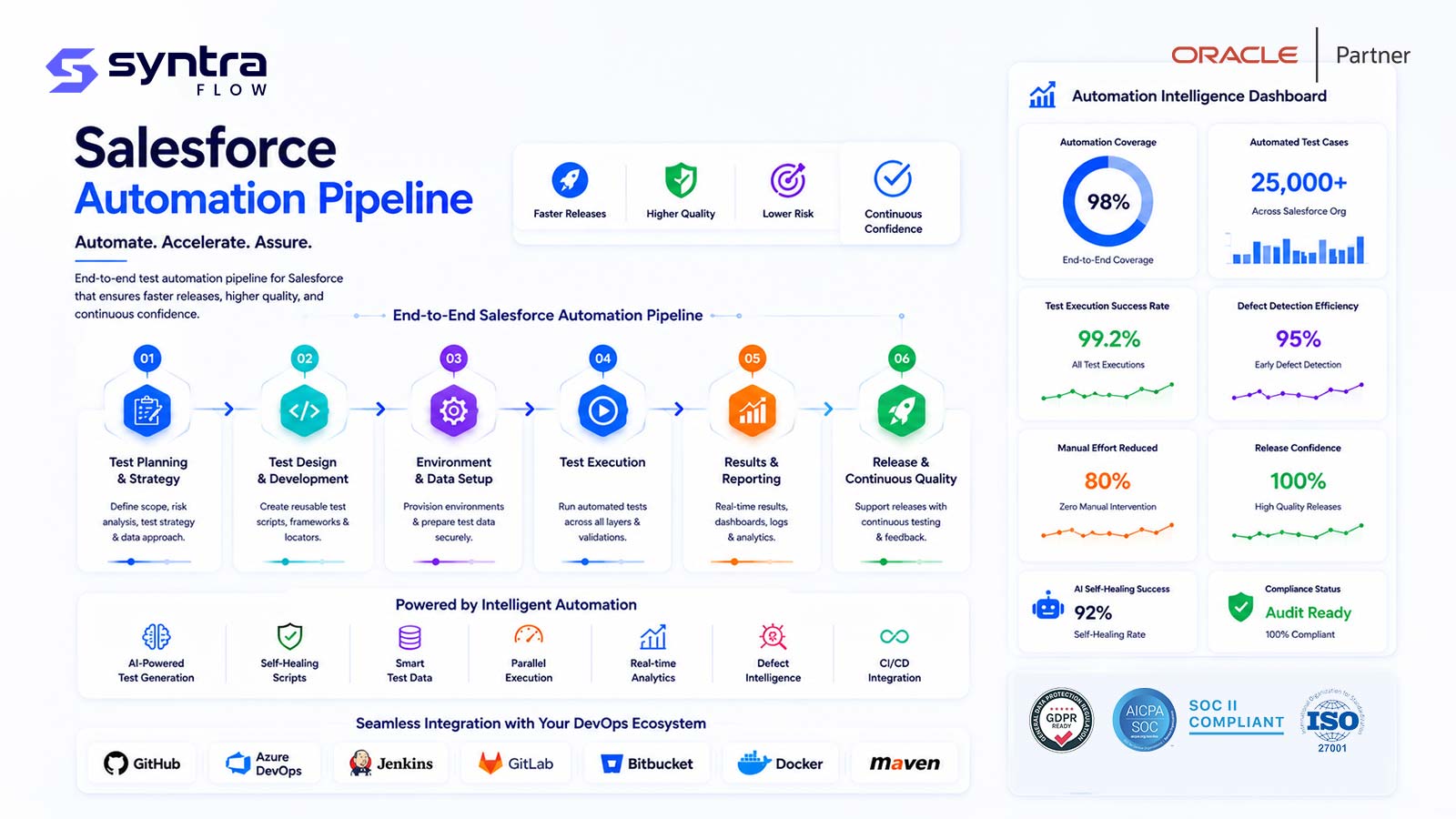
SyntraFlow is a Salesforce test automation tool designed to build, run and maintain regression suites faster while your org changes with every sprint and every seasonal release. It applies Salesforce-aware execution to Lightning pages, Flows, custom objects and APIs, then continues the same test into the downstream ERP and integration systems your business processes actually touch.
Purpose-built for teams that deploy often, manage multiple orgs, and need automation that survives frequent UI and metadata change.
Why Generic Automation Struggles With Salesforce
Most general-purpose automation frameworks can drive Salesforce. The difficulty is not whether a click can be recorded, but how much maintenance the resulting scripts demand once the org keeps changing. Salesforce presents a set of characteristics that, taken together, explain why teams often see high script maintenance and brittle runs.
Dynamic element attributes
Auto-generated IDs and attributes change between renders and releases, so locators pinned to a raw ID tend to break and require rework.
Lightning DOM behaviour
The Lightning Experience renders deeply nested, component-driven markup. Selectors written against that structure are fragile when components are re-composed.
Asynchronous loading
Records, related lists and Flow screens load progressively. Tests without Salesforce-aware waits fail intermittently, producing flaky results that erode trust.
Shadow DOM and LWC
Lightning Web Components can encapsulate markup behind shadow boundaries, so generic selectors that ignore those boundaries may never reach the target element reliably.
Frequent UI changes
Page layouts, dynamic forms and field visibility are configured continuously by admins, which means the UI under test moves more often than in most custom applications.
Flows and approvals
Screen Flows, autolaunched Flows and approval processes introduce branching, multi-step paths that are easy to under-cover with linear, click-recorded scripts.
Custom objects and fields
Every org models its business on custom objects, record types and page layouts, so tests must reflect a configuration that is unique rather than a fixed product surface.
Apex-driven behaviour
Triggers, classes and asynchronous Apex change what happens after a save. Validating the visible result of that logic requires tests that wait for and assert downstream effects.
Permission-dependent behaviour
Profiles and permission sets change which fields, buttons and records a user can see. A test that passes for an admin can behave differently for a standard role.
Frequent deployments
Change sets, packages and CI-driven deployments arrive constantly. Regression coverage has to keep pace with each release rather than run once a quarter.
Multiple orgs and sandboxes
Dev, QA, UAT, staging and production sandboxes differ in data and configuration, so tests need to run across environments without being rewritten for each one.
Seasonal release cadence
Salesforce ships Spring, Summer and Winter releases each year and previews them in sandbox first, adding a recurring wave of platform change to plan regression around.
SyntraFlow is designed to absorb these characteristics rather than fight them, so that maintenance stays proportional to real business change instead of incidental platform noise. For a deeper view of how release cadence drives regression, see Salesforce release intelligence.
The SyntraFlow Test Automation Lifecycle
A single business process moves through nine stages, from the way a user describes it to the evidence stored after every run. Each stage is designed to keep tests readable for business users while remaining resilient to the platform changes above.
Capture or define the business process
Start from how the work actually happens, for example converting a qualified lead or approving a quote. The process can be described in natural language or captured while a user walks through the org, so the test reflects intended business behaviour rather than a raw click log.
Convert to reusable test steps
The process is broken into discrete, named steps, such as "open the opportunity" or "submit for approval." SyntraFlow is designed to store these as reusable business components so a common action is defined once and shared across many tests.
Map Salesforce objects and page elements
Each step is bound to the underlying object, field and page element it acts on. This mapping is designed to use resilient, Salesforce-aware locators rather than brittle auto-generated IDs, so element references survive routine layout changes.
Generate test variations
From one baseline test, SyntraFlow can be configured to generate variations that cover different record types, branches, validation outcomes and negative paths, widening coverage without hand-writing each permutation.
Assign test data
Each variation is paired with the data it needs, whether supplied inline, drawn from a dataset or provisioned per run. Data-driven binding keeps tests portable across environments; see Salesforce test data management for provisioning options.
Execute across environments
Tests are designed to run against dev, QA, UAT, staging and production sandboxes, in parallel and across browsers, so the same suite validates every stage of your promotion path without being rewritten per org.
Detect failures and changes
During execution SyntraFlow is designed to distinguish a genuine functional failure from a changed-but-still-valid element, flagging where the org has shifted underneath the test rather than reporting a blanket break.
Repair or recommend updates
Where a locator has changed, self-healing is designed to re-establish the reference automatically or propose an update for review, so a routine UI change does not turn into a queue of manual script fixes.
Store screenshots, logs and evidence
Every run is designed to retain step-level screenshots, execution logs and pass or fail evidence, giving QA, release managers and auditors a durable record of what was tested and what the result was.
Salesforce Test Automation Capabilities
The capabilities below are grouped by the job they do across a test's life: authoring tests, keeping them resilient, running them at scale, extending them end to end, and turning runs into evidence. Each is described as it is designed to work in SyntraFlow.
Authoring and reuse
AI-assisted test generation
Designed to draft test steps and variations from a described process, reducing blank-page effort. Benefit: coverage is built in hours of authoring rather than days of scripting.
Natural-language test creation
Designed to let a tester express a scenario in plain business terms. Benefit: analysts and admins can define tests without learning a scripting language, widening who can contribute.
Recorder-assisted creation
Designed to capture a walkthrough of the org and convert it into structured, editable steps. Benefit: a fast starting point that is then refined rather than a brittle raw recording.
Reusable business components
Designed to store common actions, such as login or create-account, once and reuse them everywhere. Benefit: one edit updates every test that shares the component, cutting maintenance.
Data-driven testing
Designed to run a single test across many data rows and record types. Benefit: broad functional coverage from one maintained test definition instead of dozens of near-duplicates.
Role-based execution
Designed to run the same scenario as different profiles and permission sets. Benefit: permission-dependent behaviour is validated for the roles that actually use the org, not just an admin.
Resilience
Self-healing locators
Designed to re-anchor element references when Lightning markup or IDs shift, using multiple element signals. Benefit: routine UI change stops generating a backlog of broken scripts.
Salesforce-aware waiting
Designed to synchronise with asynchronous Lightning and Flow loading rather than fixed timers. Benefit: fewer flaky failures, so teams trust red results as real regressions.
Change vs. failure detection
Designed to separate a valid platform change from a functional break. Benefit: triage effort goes to genuine defects instead of noise from expected UI movement.
Execution at scale
Parallel execution
Designed to run many tests concurrently. Benefit: a full regression suite finishes inside a release window rather than overrunning it.
Cross-browser execution
Designed to run the same test across supported browsers. Benefit: Lightning UI behaviour is verified for the browsers your users actually run.
Scheduling
Designed to run suites on a schedule or on demand. Benefit: nightly and pre-release runs happen automatically without someone kicking them off.
CI/CD integration
Designed to trigger from your pipeline so tests run after every deployment. Benefit: regressions surface at the moment change lands, not days later in manual UAT.
End-to-end and integration
API testing
Designed to validate Salesforce and external APIs alongside UI steps. Benefit: back-end behaviour is checked directly instead of inferred only from the screen.
End-to-end testing
Designed to chain UI and API steps into one continuous business process. Benefit: a scenario is validated the way it runs in production, not as isolated fragments.
Salesforce-to-ERP testing
Designed to continue a Salesforce test into Oracle or another ERP so an order or record is verified end to end. Benefit: integration gaps are caught, not just the Salesforce half.
Results and governance
Result analysis
Designed to summarise pass, fail and changed outcomes across a run. Benefit: teams see release health at a glance instead of parsing raw logs.
Evidence capture
Designed to retain screenshots and logs per step. Benefit: a defensible record supports audit, compliance and defect reproduction.
Defect integration
Designed to link failures to your defect tracker with context attached. Benefit: a failed test becomes an actionable ticket rather than a manual copy-paste.
Salesforce Component Coverage
SyntraFlow is designed to author and execute tests against the Salesforce building blocks that make up real business processes, from configured UI to the code and integrations behind it.
Coverage depth reflects how a component surfaces in your org's configuration. SyntraFlow does not compare metadata itself; that is handled alongside automation by Salesforce metadata intelligence.
Salesforce Automation Use Cases
Concrete business processes that SyntraFlow is designed to automate as regression tests, spanning sales, service, community and downstream integration flows.
Lead conversion
Automate qualifying and converting a lead into account, contact and opportunity, asserting that mapping, ownership and follow-on records are created correctly.
Opportunity stage progression
Drive an opportunity through its stages and validate that stage-dependent fields, guidance and automation behave as configured at each step.
Quote approval
Submit a quote for approval and verify the approval process routes, locks and updates the record correctly across approver roles.
CPQ pricing
Configure a product bundle and assert that pricing, discounts and rules resolve to the expected totals before the quote advances.
Case assignment
Create a case and confirm assignment rules, queues and ownership route it to the right team based on its attributes.
Entitlement validation
Verify that entitlements and milestones apply to a case as expected, so service-level behaviour is protected through releases.
Experience Cloud registration
Automate a community self-registration and confirm the user, contact and access are provisioned with the correct permissions.
Partner onboarding
Walk a partner through onboarding in Experience Cloud and validate that roles, records and sharing are established end to end.
Salesforce to Oracle order creation
Continue a closed opportunity or order into Oracle ERP and assert the resulting order is created accurately in the downstream system.
Salesforce to MuleSoft API validation
Trigger an integration through MuleSoft and validate the API payload, transformation and response that carry data out of Salesforce.
Automation That Continues Past Salesforce
Most business processes do not stop at the edge of Salesforce. An order closed in Salesforce becomes an order in Oracle ERP; a record change fans out through MuleSoft to fulfillment, billing and downstream systems. When automation stops at the Salesforce boundary, the integration, where defects are most expensive, goes untested.
SyntraFlow is Oracle-native and designed so a single test can begin in Salesforce and continue into Oracle, SAP, Workday, NetSuite or a MuleSoft-brokered API, validating the full journey rather than two disconnected halves. The same test that converts a lead and closes an opportunity can go on to confirm the order lands correctly in the ERP.
Explore cross-application coverage with the Oracle ERP testing tool, or start from the Salesforce testing overview to see how the vertical fits together.
How to Evaluate Salesforce Test Automation
When comparing Salesforce test automation tools as a category, these criteria separate tools that survive continuous change from tools that generate maintenance. Use them as a scorecard rather than a feature checklist.
| Evaluation criterion | What to look for |
|---|---|
| Salesforce awareness | Native understanding of Lightning, Flows and objects, not just a generic browser driver pointed at Salesforce. |
| Locator resilience | Self-healing that re-anchors elements when dynamic IDs and Lightning markup change, reducing script rework. |
| Metadata awareness | Ability to relate tests to configuration such as objects, fields, Flows and permission sets rather than treating the org as opaque. |
| Release intelligence | Awareness of the Spring, Summer and Winter cadence and preview sandboxes so regression is planned around known change. |
| Agentforce support | A path to validate agent-driven experiences that complements Salesforce-native Agentforce tooling rather than duplicating it. |
| Cross-application support | Ability to continue a test into ERP and integration layers so end-to-end processes are validated, not just the Salesforce screen. |
| Test-data capability | Provisioning and binding of data per environment so tests are portable and repeatable across sandboxes. |
| Ease of maintenance | Reusable components and single-point edits so one change updates many tests instead of a scripted backlog. |
| Business-user usability | Natural-language and low-code authoring so analysts and admins can contribute, not only automation engineers. |
| CI/CD compatibility | Pipeline triggers and API access so tests run automatically after every deployment. |
| Reporting & governance | Result summaries plus retained screenshots and logs that stand up to audit and compliance review. |
Outcomes Teams Aim For
The reason to automate Salesforce testing is not test count; it is the operating posture it enables. These are the qualitative outcomes SyntraFlow is designed to support.
Faster regression cycles
Parallel, scheduled execution is designed to compress a regression pass so it fits inside a release window instead of gating it.
Reduced script maintenance
Self-healing and reusable components are designed to keep maintenance proportional to real business change, not to every UI tweak.
Earlier defect detection
Running after every deployment is designed to surface regressions when change lands, when they are cheapest to fix.
More predictable releases
Consistent, repeatable coverage across sandboxes is designed to reduce release-day surprises and last-minute firefighting.
Better audit evidence
Retained screenshots and logs are designed to give governance and compliance a durable, defensible testing record.
Reduced manual UAT
Automating repetitive checks is designed to free UAT participants to focus on judgement-heavy scenarios rather than routine clicks.
Salesforce Test Automation FAQs
What is Salesforce test automation?
Salesforce test automation is the practice of using software to build, run and maintain tests that validate Salesforce business processes automatically, rather than checking them by hand. It typically covers regression, Lightning UI, Flows, APIs and end-to-end journeys so releases can ship with confidence and without a full manual pass each time.
Which Salesforce tests should be automated first?
Start with high-value, high-frequency regression paths: the business processes that must never break, such as lead conversion, opportunity progression and quote approval. Automating those stabilises the release process quickly. Rare, exploratory or one-off scenarios are usually better left to manual testing until the core suite is established.
Can Salesforce Lightning testing be automated?
Yes. SyntraFlow is designed for the Lightning Experience, using Salesforce-aware locators and synchronisation to handle dynamic attributes, nested component markup, shadow DOM and asynchronous loading. Those characteristics are exactly what makes Lightning fragile for generic tools, and what SyntraFlow is built to absorb.
Can Salesforce Flow testing be automated?
Yes. Screen Flows, autolaunched Flows and approval processes can be automated as multi-step tests that follow branches, submit inputs and assert outcomes. Because Flow is the current automation standard on the platform, covering it is central to protecting business logic through releases.
Does SyntraFlow require coding?
No. SyntraFlow is designed for natural-language and recorder-assisted authoring so analysts and admins can create tests without writing scripts. Teams that want deeper customisation can still integrate with pipelines and APIs, but coding is not a prerequisite for building or maintaining tests.
Can SyntraFlow test Salesforce integrations?
Yes. This is a core differentiator. A single test can continue from Salesforce into Oracle or another ERP, and validate MuleSoft-brokered APIs, so integration behaviour is verified end to end rather than assumed. See the Oracle ERP testing tool for cross-application coverage.
How does self-healing Salesforce automation work?
Self-healing is designed to identify an element by multiple signals rather than a single brittle ID. When Lightning markup or an auto-generated attribute changes, SyntraFlow can re-anchor the reference automatically or recommend an update for review, so a routine UI change does not become a queue of broken scripts.
Can Salesforce tests run after every deployment?
Yes. SyntraFlow is designed to integrate with CI/CD pipelines so a regression suite can trigger automatically after each deployment or change set, and on a schedule. That lets regressions surface as change lands instead of days later in manual UAT.
Can SyntraFlow reuse tests across Salesforce orgs?
Yes. Tests are designed to run across dev, QA, UAT, staging and production sandboxes by binding environment-specific data and configuration at run time, so the same suite validates multiple orgs without being rewritten for each one.
What evidence is retained after execution?
Each run is designed to retain step-level screenshots, execution logs and pass, fail or changed evidence, along with a result summary. That record supports defect reproduction, release sign-off and audit or compliance review.
Automate Your First Salesforce Regression Suite
See how SyntraFlow builds Salesforce-aware tests, keeps them healthy through change, and continues them into your downstream systems. Available for demonstration and proof-of-concept validation.