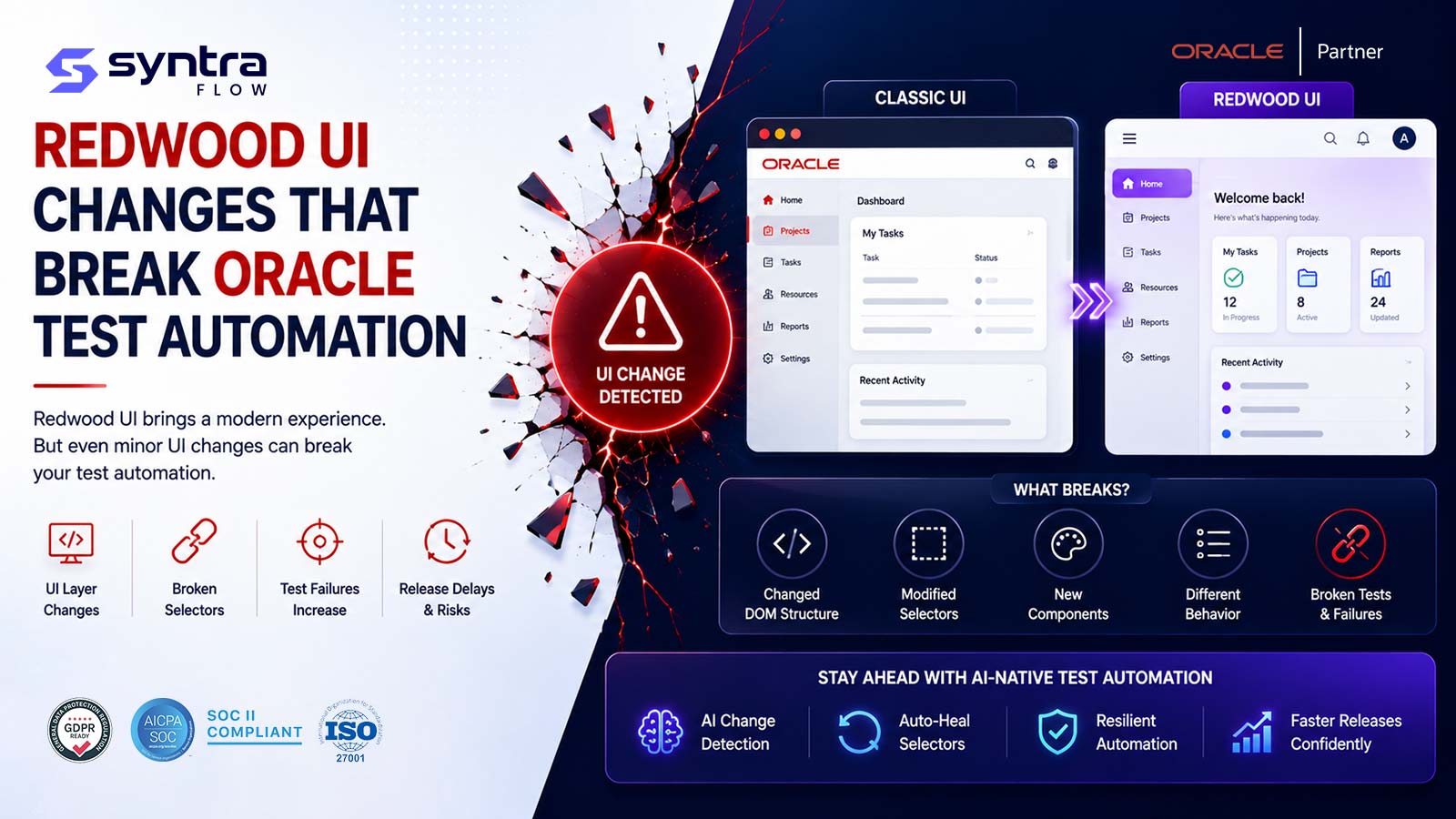
Oracle's Redwood user experience breaks automated tests because it changes the two things brittle scripts depend on most: the underlying page markup and the exact text of on-screen labels. As Oracle progressively migrates Fusion applications to Redwood — screen by screen, quarter by quarter — element identifiers get regenerated, DOM structures are restructured, components are replaced, and the pages your recorded scripts were built against quietly stop matching. The fix is not to re-record after every release; it is to move from position- and text-based locators to resilient, intent-based automation with self-healing and business-outcome assertions. This guide walks through the ten most common Redwood change types that break Oracle automation and gives you a concrete resilience pattern for each.
Last reviewed: 19 July 2026
This is the comprehensive "what breaks and how to fix it" reference. If you want a release-specific walkthrough, pair it with our Oracle 26A Redwood UI testing guide, and if you are evaluating tooling, see the dedicated Oracle Redwood UI testing page. Here we go deeper into the failure modes themselves.
In this guide
- Why Redwood breaks brittle automation
- The 10 Redwood changes that break automation (failure mode + fix)
- Change → why it breaks → resilient fix (reference table)
- Redwood migration testing checklist
- The strategic fix: resilience, self-healing, outcome assertions
- Get the Redwood migration testing checklist
- How SyntraFlow helps
Why Redwood breaks brittle automation
Redwood is Oracle's modern design system and technology stack for Fusion Applications. Oracle is not delivering it as a single big-bang cutover. Instead, Fusion is being migrated to Redwood progressively, with more screens and flows moving over in each quarterly update. That means most Oracle customers live in a mixed state for an extended period: some pages are already Redwood, some are still the classic Oracle Applications Cloud (OJET/ADF-era) experience, and the boundary keeps moving with every release.
Brittle automation assumes the application under test is stable between runs. It records a path through the UI and stores the exact way it found each field — an auto-generated ID, an absolute XPath, a table cell position, or a visible label string. Those anchors are convenient at record time and fragile forever after. Redwood invalidates them in four broad ways at once:
- Different markup. A Redwood page is rendered by a different component framework than the classic page it replaces, so the HTML structure, attributes, and identifiers are not the same.
- Regenerated identifiers. Many element IDs are generated at runtime rather than authored to be stable, so they can change between releases, sessions, or even renders.
- Reworded surfaces. Labels, headings, button captions, and messages are refreshed as part of the redesign and localization work, breaking any locator that matches on visible text.
- Asynchronous rendering. Redwood pages tend to compose and load content incrementally, so a script that assumes everything is present at once races the page and fails intermittently.
The result is the pattern every Oracle QA lead recognises after a quarterly update: a regression pack that was green last cycle now throws a wall of "element not found," "no such element," and timeout errors — none of which are real defects. This is exactly the risk we describe in why traditional regression misses Oracle quarterly update risks. The ten sections below break the phenomenon into its specific, addressable causes.
The 10 Redwood changes that break Oracle test automation
Each change type below is described generically and accurately — the point is the class of change, not a specific screen name, because Oracle moves different flows on different schedules. For each one you get the failure mode (what your automation actually does when it hits it) and the fix (the resilient pattern that survives it).
1. Dynamic and auto-generated element IDs
Failure mode: Recorders love to grab an element by its id because it looks unique and precise. In Fusion, and especially in Redwood-rendered pages, many of those IDs are generated by the framework at runtime and carry index suffixes or hashed fragments. After a Redwood update — or sometimes just a new session — the ID your script memorised no longer exists, and the step fails immediately with "element not found." Because IDs feel authoritative, teams often trust them the most and get burned the hardest.
Fix: Stop anchoring to volatile IDs. Prefer stable semantic attributes and accessibility metadata — role, accessible name, associated label text, or Oracle-provided test attributes where they exist — and treat any locator that contains a numeric index or a random-looking token as a red flag during review. Where a value genuinely must be matched, match on a stable substring or a relationship to a nearby anchored label rather than the full generated string. A resilient framework should try several attributes before it gives up on a field.
2. DOM structure restructuring
Failure mode: Absolute XPath and deep CSS descendant chains encode the exact nesting of the page: "third div inside the second panel inside the region." Redwood rebuilds pages with a different component tree, so the nesting changes even when the field the user sees is unchanged. The locator resolves to the wrong node, or to nothing, and either fails loudly or — worse — silently interacts with the wrong control and corrupts test data.
Fix: Replace positional, structure-dependent locators with relative, anchor-based ones. Locate a stable landmark (a section heading, a field label, an accessible region) and navigate from it to the target, rather than walking from the page root. Avoid indexes like [3] in paths. This "find near the label" approach is inherently tolerant of the wrapping and re-nesting that Redwood introduces, because it depends on the human-meaningful relationship rather than the physical tree.
3. New and replaced components
Failure mode: Redwood swaps older widgets for redesigned equivalents — a classic list-of-values control may become a modern picker, a legacy date field a new calendar component, an inline table a restyled grid. The interaction contract changes: the element type is different, the events it responds to are different, and the DOM it exposes is different. A script that typed into what used to be a plain input now faces a composite component that ignores the keystrokes, so the value never lands and downstream assertions fail.
Fix: Interact through intent-level actions ("set this field to X," "pick this value") that are implemented against the component's actual behaviour, not through low-level DOM pokes. Maintain component-aware handlers so that when Oracle replaces a control, only the handler for that control type needs updating — not every test that touches it. Centralising component logic turns a fleet-wide break into a single, contained update.
4. Page Composer and personalization-driven layout
Failure mode: Oracle lets customers tailor pages with Page Composer and user personalization — hiding fields, reordering regions, adding descriptive flexfields, changing what appears where. When Redwood re-lays-out a page, those customizations are reapplied on top of a new base, and layouts that were identical across environments diverge. Automation recorded against a personalized DEV page fails on a differently personalized UAT or PROD page, and index-based locators shift by exactly the number of hidden or added fields.
Fix: Never depend on absolute position or field order. Locate by label and role so a field found "wherever it sits on the page" still resolves after regions move. Explicitly test the personalized configuration each environment actually runs, and keep a small set of layout-sensitivity checks that assert required fields are present and reachable regardless of arrangement. Treat personalization as a variable to validate, not a constant to hard-code.
5. Visual Builder-based pages
Failure mode: A growing share of Redwood and Oracle extension pages are built with Visual Builder and its underlying JET components. These pages render very differently from classic ADF pages: heavier client-side composition, component-scoped markup, and dynamic content bound to data that may not be present when the page first paints. Scripts written for classic pages hit unfamiliar structure and, frequently, controls that are not yet rendered when the step runs.
Fix: Treat Visual Builder / JET pages as first-class citizens in your locator strategy — rely on component roles and accessible names, and pair every interaction with an explicit readiness condition (below in change 8). Validate these pages by the outcome the user is trying to achieve, not by the presence of a specific internal node, since the internal composition is the most likely thing to change between releases.
6. Role- and responsibility-driven layout differences
Failure mode: What a user sees in Fusion depends on their roles, responsibilities, and data security. Redwood pages honour this by showing, hiding, enabling, or disabling controls per user. A test that authenticates as a highly privileged admin sees buttons and fields that a standard clerk never will, so the script passes in one identity and fails — or worse, tests a path real users cannot reach — under another. After a Redwood change, conditional visibility rules can also shift subtly, exposing the fragility.
Fix: Bind each test to the specific role/responsibility it is meant to validate, and make the expected visibility part of the assertion rather than an accident of the login you happened to use. Build role-parameterised suites so the same business flow can be run as the identities that actually perform it. Locators should tolerate a control being absent for a role by failing with a meaningful "not permitted for this role" result, not a raw "element not found."
7. Navigation and landing changes
Failure mode: Redwood refreshes the way users move through the product — home and landing experiences, springboard tiles, panel and drawer navigation, and the routes into individual flows. Automation that hard-codes a click path ("click this tile, then this icon, then this menu item") or a deep-linked URL breaks when the entry point moves or the intermediate steps are restyled. The test fails at the very first navigation hop, before it ever reaches the logic it was meant to check.
Fix: Navigate by intent and stable landmarks — search for the task, use accessible names for menu and tile targets, and prefer supported deep-link patterns over recorded click sequences where they are available. Decouple "how I got to the page" from "what I verify on the page" so a navigation refresh only touches a small, shared navigation helper. Keep a thin smoke suite whose only job is to confirm the key entry points still resolve after each update.
8. Timing and asynchronous rendering (waits)
Failure mode: Redwood pages compose progressively — regions, tables, and pickers load asynchronously after the initial paint. Scripts built on fixed sleeps or on the assumption that the DOM is complete when the page "loads" become flaky: they pass when the environment is fast and fail when it is slow, producing the intermittent red that erodes trust in the whole suite. Teams then pad every step with long static waits, which makes the pack slow without making it reliable.
Fix: Replace static sleeps with explicit, condition-based waits: wait for the specific element to be present, visible, enabled, and stable before acting, and wait for loading indicators to clear before asserting. Add a stability check for values that stream in (wait until a field stops changing). Condition-based synchronisation is the single highest-return fix for Redwood flakiness, because it adapts to whatever the page actually does instead of guessing a duration.
9. Labels, locale, and text changes used as locators
Failure mode: Matching an element by its exact visible caption — "Submit," "Save and Close," a column header, a page title — is fast to write and guaranteed to rot. Redwood reworks wording as part of the redesign, and localization means the same field reads differently across languages and regions. A locator keyed to a literal English string fails the moment the caption is rephrased or the user runs in another locale, even though the control is functionally identical.
Fix: Do not use display text as your primary anchor. Locate by role and accessible name resolved through the field's association, use resource-key or attribute-based identification where available, and reserve visible-text matching for human-readable assertions — where a wording change is a finding to review, not a locator to silently break. Keep any necessary text matches in a central dictionary so a caption change is a one-line update, and drive multi-locale runs from that dictionary rather than hard-coding strings in tests.
10. Progressive Redwood rollout (mixed old and new UI)
Failure mode: Because migration is progressive, a single end-to-end flow can cross both worlds — a classic page hands off to a Redwood page mid-process, and the mix shifts each quarter. Automation that assumes one consistent UI technology breaks at the seam: the classic-page locators work until the flow steps into a Redwood screen (or vice versa), and which step breaks changes from release to release. This is the hardest pattern to chase manually because the boundary is a moving target.
Fix: Design for heterogeneity from the start. Use a locator strategy and component handlers that work across both classic and Redwood rendering, so a page flipping from one to the other does not require rewriting the test. Track which flows and pages have moved (this is where release intelligence earns its keep — mapping each quarterly update to the exact flows it touches) and prioritise resilience work on the seams most likely to migrate next. Assert on the business outcome of the whole flow so a mid-flow UI swap is caught by an end-state check even if an intermediate locator wobbles.
Change → why it breaks → resilient fix
A single-screen reference you can share with your automation team. It maps each Redwood change type to the mechanism that breaks brittle scripts and the resilient pattern that survives it.
| Redwood change | Why it breaks brittle automation | Resilient fix |
|---|---|---|
| Dynamic / auto-generated IDs | Runtime IDs regenerate between releases and sessions | Anchor to role, accessible name, and stable attributes; reject indexed/hashed IDs in review |
| DOM restructuring | Absolute XPath / deep CSS encodes nesting that changes | Relative, label-anchored locators; no positional indexes |
| New / replaced components | Widget type and interaction contract change | Intent-level actions via component-aware handlers updated in one place |
| Page Composer / personalization | Fields hidden, added, or reordered per environment | Locate by label/role, not order; validate each environment's actual config |
| Visual Builder / JET pages | Different client-side composition; late-binding content | Component roles + explicit readiness conditions; assert on outcome |
| Role / responsibility layout | Visibility differs by identity and can shift after updates | Role-parameterised suites; make expected visibility an assertion |
| Navigation / landing changes | Hard-coded click paths and entry points move | Navigate by intent/search; isolate a shared navigation helper |
| Timing / async rendering | Fixed sleeps race progressive loading | Condition-based waits for present/visible/enabled/stable |
| Label / locale text as locators | Captions reworded; strings differ by language | Role/accessible-name locators; central text dictionary for assertions |
| Progressive rollout (mixed UI) | Flows cross classic and Redwood at a moving boundary | Cross-compatible locators; map migrated flows; assert end-state outcome |
Redwood migration testing checklist
Run this before and after each quarterly update while your tenant is migrating to Redwood. It is deliberately practical — every item is something a QA, ERP, or release manager can action within a release cycle. Pair it with your standard Oracle quarterly release readiness checklist so Redwood resilience becomes part of the normal cadence rather than a fire drill.
| Phase | Check | Why it matters |
|---|---|---|
| Before the update | Review Oracle readiness notes and identify which flows are moving to Redwood this quarter | Focuses resilience work on the pages actually changing |
| Before the update | Audit your suite for brittle locators (absolute XPath, indexed paths, ID/text matches) | Surfaces the scripts most likely to break in advance |
| Before the update | Confirm every test runs under the correct role/responsibility and environment config | Prevents false passes and personalization-driven breaks |
| In the test environment | Apply the update to a non-production pod first and run the full regression pack | Catches breakage before it reaches production users |
| In the test environment | Replace static sleeps with condition-based waits on newly Redwood pages | Removes the flakiness async rendering introduces |
| In the test environment | Verify component handlers for any replaced controls (pickers, dates, grids) | Restores interaction where the widget type changed |
| Triage | Separate true defects from locator breaks in the failure report | Stops teams chasing "failures" that are only UI drift |
| Triage | Confirm business-outcome assertions still validate the real result, not just UI state | Ensures coverage is meaningful, not cosmetic |
| Mixed-UI flows | Re-run end-to-end flows that cross classic and Redwood pages | Catches breaks at the moving migration boundary |
| After go-live | Smoke-test key entry points and navigation after production update | Confirms landing and navigation changes did not block users |
| After go-live | Record which flows migrated so next quarter's plan is scoped from evidence | Turns progressive rollout into a tracked, predictable process |
The strategic fix: locator resilience, self-healing, and business-outcome assertions
The ten fixes above share a common thread. Individually they patch specific breaks; together they describe a shift in testing philosophy — away from scripts that memorise the page and toward automation that understands intent. Three capabilities carry most of the weight against Redwood change.
Locator resilience. The foundation is a locator strategy that does not depend on the fragile things Redwood changes. Anchor to roles, accessible names, and stable relationships; ban absolute XPath, positional indexes, volatile IDs, and display-text matching from your primary locators. A test that finds a field by "the input labelled Amount, near the header Invoice Details" survives markup restructuring, re-nesting, and personalization in a way that //div[3]/input[2] never can.
Self-healing. Even with good locators, some things will move. Self-healing automation detects when a primary locator no longer resolves and falls back to alternative signals — other attributes, the element's accessible name, its position relative to stable anchors, its prior fingerprint — to re-identify the control and keep the run going, flagging the heal for review rather than failing the test. Across a large Oracle suite facing quarterly Redwood change, this is the difference between a maintenance backlog and a manageable review queue. Our self-healing automation feature is built specifically for this Fusion/Redwood reality; the broader platform features page shows how it fits the rest of the toolkit.
Business-outcome assertions. Resilient locators and self-healing keep tests running; outcome assertions keep them meaningful. Instead of asserting "this exact field shows this exact string," validate the business result the flow is supposed to produce — an invoice reaches the correct status, a journal posts to the right period, an approval routes to the right approver. Outcome assertions are indifferent to how the UI is drawn, so a Redwood restyle that changes the page but not the result passes correctly, while a genuine regression that changes the result fails correctly. This is the same principle that makes a robust Oracle regression testing practice durable across releases.
Adopt all three and the quarterly Redwood scramble largely disappears. Locator resilience prevents most breaks, self-healing absorbs the rest with a review trail, and outcome assertions guarantee that what still passes is actually validating your Oracle processes — not just confirming that pixels rendered.
Get the Redwood migration testing checklist
We maintain an expanded version of the checklist above as a working document — the Redwood migration testing checklist — covering the before/after cadence, the brittle-locator audit criteria, role-parameterisation patterns, and a triage rubric for separating UI drift from true defects. It is available on request: ask us for the Redwood migration testing checklist and we will walk through it against your current Oracle suite and migration status. (We do not post it as a file download; we tailor it in a short working session so it maps to the flows you actually run.)
How SyntraFlow helps
SyntraFlow can be configured to apply the resilience patterns in this guide across an Oracle Fusion test estate. Its locator approach is designed for Redwood's realities — favouring roles, accessible names, and stable relationships over the volatile IDs, positions, and captions that quarterly updates disturb — and its self-healing capability is intended to keep suites running through UI drift while flagging changes for human review rather than silently masking them. Because the platform expresses tests in terms of business outcomes, it helps teams keep assertions meaningful as pages migrate.
SyntraFlow can also connect release intelligence with test planning, helping organizations assess which flows a given quarterly update touches and focus resilience work where the migration is actually moving. It does not eliminate the need to review changes, and no tool can guarantee that every Redwood change is handled automatically — the aim is to convert a fleet-wide, unpredictable break into a scoped, evidence-driven review. For the product view of this, see the Oracle Redwood UI testing page and the broader Oracle ERP testing tool overview.
For the authoritative source on what is changing each quarter, Oracle publishes its readiness and What's New material at Oracle Cloud Applications Readiness — confirm current Redwood scope for your specific modules there before each update.
Make your Oracle automation Redwood-resilient. If your regression pack lights up red after every quarterly update, that is brittle locators meeting a moving UI — and it is fixable. Schedule a demo and we will review your suite against the ten change types above, show where resilience and self-healing would remove the most maintenance, and map your next Redwood migration wave to a focused test plan.