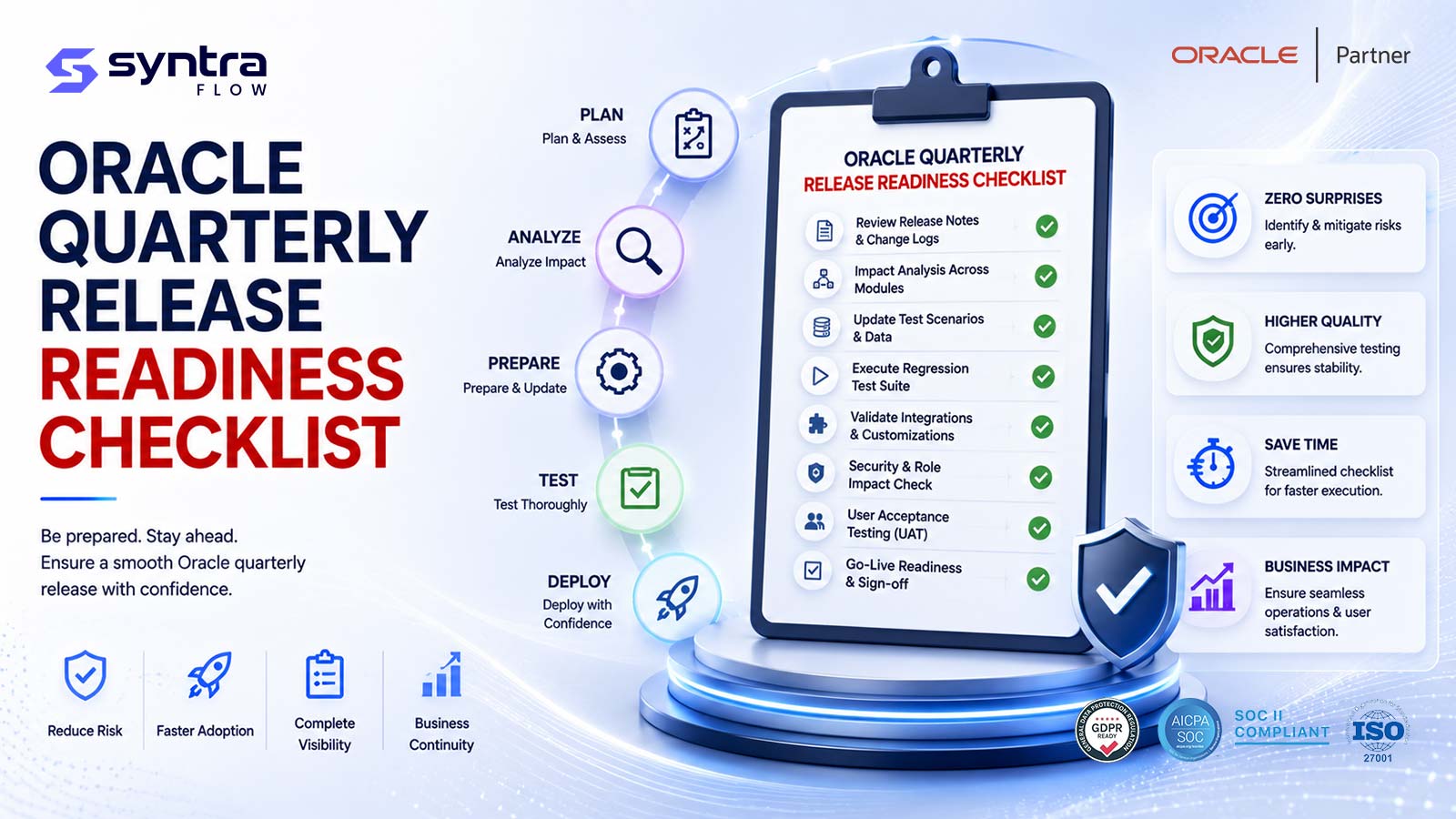
Oracle Fusion Cloud applications update on a fixed quarterly cadence, and every quarter your production environment changes whether or not your team is ready for it. A release readiness checklist is the discipline that turns that recurring, non-negotiable event into a controlled process: a single, reusable list of what to verify across configuration, security, integrations, scheduled processes, AI agents, the Redwood interface, reporting, business processes, regression coverage, and user sign-off — with an explicit definition of what "pass" looks like for each item. This guide is that checklist. It is deliberately release-agnostic: run it against 26C, run it again against the upcoming 26D, and run it every quarter after that, changing only the specific features you inspect, not the framework you inspect them with.
Treat everything below as a standing operating procedure your QA and release management functions own together. Each themed section carries its own checklist table with three columns — the item, what to verify, and the evidence that proves it passed — so "we tested it" is always backed by an artifact you can hand to an auditor. The goal is not to test everything; it is to test the right things, prove you tested them, and know before promotion that the update is safe.
Last reviewed: 19 July 2026
In this guide
- How to use this checklist each quarter
- 1. Configuration changes
- 2. Roles & security
- 3. REST APIs & integrations
- 4. ESS / scheduled processes
- 5. AI agents & agentic apps
- 6. Redwood UI
- 7. Reports & analytics
- 8. Business processes
- 9. Regression coverage
- 10. UAT & business sign-off
- Entry & exit criteria
- Ownership (RACI)
- Running it as a repeatable playbook
How to use this checklist each quarter
Oracle publishes readiness material for each quarterly update, and the temptation is to build a fresh test plan around whichever features happen to be in that release. That approach guarantees inconsistency: coverage swings from quarter to quarter, evidence is never comparable, and a quiet release lulls the team into skipping steps that matter. A readiness checklist inverts the logic. The framework stays constant; only the inputs change. Every quarter you take Oracle's Readiness content and your own change log, map them onto the ten sections below, and work the same list. The result is repeatable, auditable, and comparable across releases — which is exactly what a controls environment and an anxious business need.
Three principles make it work. First, run it every update, without exception — "new features off by default" is not the same as "no change"; opt-in features, deprecations, and platform shifts all land whether you enable anything or not. Second, scope by impact, not by volume — read the release notes early and decide which items deserve deep testing and which get a smoke check, because a targeted, risk-based pass beats an exhaustive one you never finish inside the window. Third, capture evidence as you go — the evidence column is the deliverable, not decoration. If you cannot point to the screenshot, log, run record, or signed approval, the item is not done.
This pillar is the canonical hub. Two companion pieces go deeper on adjacent workflows: the Oracle Fusion patch testing checklist zooms in on the mechanics of validating an individual patch, and the quarterly QA testing playbook lays out the week-by-week operating rhythm. Use this checklist as the master list of what to verify; use those two for the how and the when.
1. Configuration changes
Configuration is the layer most likely to move without anyone announcing it. Quarterly updates can reset profile options, introduce new setup tasks, change default values, retire deprecated options, and shift feature opt-in states. Because your test environment usually receives the update before production, the first job every quarter is to establish exactly what changed between the two — a configuration comparison is worth more than any amount of guessing. Dedicated configuration intelligence tooling can baseline a known-good environment and surface drift automatically, but even a manual before-and-after export of key setup areas beats discovering a reset profile option in production.
| Checklist item | What to verify | Evidence of pass |
|---|---|---|
| Feature opt-in review | Review each newly available feature in the update; confirm the enable/disable decision matches your change board's intent, and that nothing auto-enabled unexpectedly. | Signed feature opt-in register listing each feature, decision, and owner. |
| Profile option drift | Compare key profile options and system settings between the updated test pod and production; confirm no unintended resets to defaults. | Configuration comparison report showing zero unexplained deltas. |
| Deprecated setup tasks | Identify any setup tasks or options Oracle has flagged as deprecated/removed and confirm no active process depends on them. | Deprecation impact note with remediation status per item. |
| Descriptive flexfields (DFF/EFF) | Confirm custom flexfields, value sets, and their deployment status survived the update and still render on target pages. | Screenshots of flexfields rendering plus successful flexfield deployment log. |
| Lookups & value sets | Verify custom lookup values and value sets are intact and no seeded values were changed under existing codes. | Export diff of lookups pre- and post-update. |
| Tax & localization setup | Confirm country-specific and tax configuration is unchanged, or intentionally updated, especially where local statutory rules apply. | Config review sign-off from finance/localization owner. |
2. Roles & security
Security is where a quarterly update can quietly change who can do what. Oracle periodically adjusts seeded role definitions, adds or moves privileges, and introduces new duty roles tied to new features. If you use custom roles copied from seeded ones, added privileges do not always flow through — and, more dangerously, a privilege change can widen access or create a new segregation-of-duties conflict without any deliberate action on your part. Every quarter, re-run your access analysis and re-test the roles that matter most. For conflict analysis specifically, pair this section with continuous segregation of duties monitoring so that new privilege bundles are evaluated against your ruleset before they reach production.
| Checklist item | What to verify | Evidence of pass |
|---|---|---|
| Seeded role changes | Review Oracle's documented changes to seeded roles and privileges in the update; identify any that affect roles you rely on. | Role change impact log referencing the release documentation. |
| Custom role inheritance | Confirm custom roles copied from seeded roles still grant the intended access and did not inherit or lose privileges unexpectedly. | Role-to-privilege export compared against the prior baseline. |
| Segregation of duties conflicts | Re-run SoD analysis after the update; confirm no new toxic combinations were introduced by added privileges or new features. | SoD conflict report with delta versus last quarter and remediation notes. |
| Data security policies | Test that data access (business unit, ledger, security profiles) still restricts records correctly for representative users. | Login-as / proxy test screenshots showing correct row-level scoping. |
| New feature privileges | Where a new feature ships with new privileges, decide who should receive them and confirm no one has them by accident. | Privilege assignment decision recorded and approved. |
| Sensitive access & audit | Verify high-risk access (payments, supplier bank details, payroll) is unchanged and audit policies still capture the expected events. | Access review sign-off plus sample audit trail extract. |
3. REST APIs & integrations
Integrations are the most brittle surface in a quarterly update because they cross a boundary you do not fully control. A changed payload field, a new required attribute, an adjusted validation, or a deprecated resource version can break an inbound feed or an outbound extract silently — the integration keeps running and simply produces wrong or rejected data. Oracle versions its REST resources and publishes deprecation timelines, so the readiness task is to inventory every integration touching Fusion, confirm the resource versions you call are still supported, and run representative transactions end to end. Do not assume a "green" middleware dashboard means the business data is correct; validate the record that lands, not just the HTTP status.
| Checklist item | What to verify | Evidence of pass |
|---|---|---|
| Integration inventory | Confirm you have a current list of every inbound and outbound integration, its resource/version, owner, and business criticality. | Up-to-date integration register attached to the release record. |
| REST resource versions | Check Oracle's release documentation for changed, added, or deprecated REST resource versions your integrations depend on. | Version compatibility note confirming each call remains supported. |
| Inbound transactions | Run a representative inbound payload (e.g. supplier, invoice, journal, employee) and confirm it posts with correct values. | Test run log plus the created record shown in the UI. |
| Outbound extracts | Trigger key outbound feeds (payments, GL, HR) and confirm downstream systems receive the expected structure and values. | Sample output file/message reconciled against expected schema. |
| Error handling | Force a known error case and confirm rejections, retries, and alerts behave as designed after the update. | Negative-test evidence showing the error was caught and surfaced. |
| Authentication & tokens | Verify service accounts, OAuth clients, and certificates used by integrations still authenticate successfully. | Successful authenticated call logged for each connection. |
4. ESS / scheduled processes
Enterprise Scheduler Service (ESS) jobs run the periodic backbone of Fusion — imports, sweeps, accounting creation, payroll flows, statement generation, notification jobs. A quarterly update can change a job's parameters, alter default values, add validations, or affect the output a downstream job consumes. Because many ESS jobs are chained, a single changed parameter can cascade. The readiness discipline is to identify your business-critical scheduled processes, run each with production-like parameters in the updated environment, and confirm both successful completion and correct output. Pay particular attention to any job whose parameters Oracle has documented as changing.
| Checklist item | What to verify | Evidence of pass |
|---|---|---|
| Critical job inventory | Confirm the list of business-critical scheduled processes and their schedules is current and owned. | Scheduled-process register with owner and frequency per job. |
| Parameter changes | Check whether the update changed any job's parameters, defaults, or required inputs; adjust saved schedules accordingly. | Parameter review note per affected job. |
| Successful completion | Run each critical job in the updated test pod and confirm it completes without error in a comparable runtime. | Process monitor screenshot showing succeeded status and duration. |
| Output correctness | Validate the job's output (records created, files generated, accounting produced) against expected results, not just its status. | Output reconciliation against a known baseline. |
| Job chains & dependencies | Run dependent job sequences in order and confirm downstream jobs consume upstream output correctly. | End-to-end chain run log showing each step passing. |
| Notifications & scheduling | Confirm recurring schedules, hold/release behaviour, and completion notifications still fire as configured. | Notification sample plus confirmed next-run schedule. |
5. AI agents & agentic apps
AI agents are the newest and fastest-moving item on this list, and they change the readiness question in a fundamental way. Oracle's AI Agent Studio has been generally available since 25C, with MCP tools, external REST tools, REST-API agent access, and Slack and Microsoft Teams channels arriving in 26A. The Financials AI agents — Ledger, Payables, Payments, and Expenses — reached general availability alongside the broader Fusion Agentic Applications wave in 26B, where Oracle describes more than 20 agentic applications spanning ERP, HCM, SCM, and CX operating within existing Fusion permissions, policies, and approvals. Agent2Agent (A2A) coordination followed in 26C. SCM and HCM capability is largely named by function or workspace — for example Design-to-Source, the Sourcing Command Center, and Cost Accounting Close in SCM — rather than as standalone branded agents, so confirm current specifics against Oracle's own announcements.
The reason agents need their own checklist section is that they are probabilistic and adaptive: the same input can yield different recommendations as context and data evolve, so a single hard-coded expected output is the wrong assertion. Effective agent testing defines an acceptable outcome envelope — the range of decisions that comply with policy — and checks that behaviour stays inside it, then keeps watching after go-live because agent behaviour can drift. Our deeper guidance on AI agent testing and on validating agentic applications covers this in detail; use the table below as the quarterly gate.
| Checklist item | What to verify | Evidence of pass |
|---|---|---|
| Enabled agent inventory | Confirm which Oracle AI agents and agentic applications are enabled in your tenant and which the update newly introduces. | Agent register listing each agent, its status, and its business owner. |
| Policy & permission boundaries | Verify agents operate strictly within existing permissions, approval chains, and data-access policies; no agent should exceed its human owner's authority. | Boundary test showing the agent respecting approval and access limits. |
| Outcome envelope | Run representative scenarios and confirm each agent decision falls within the defined acceptable range (e.g. auto-approve vs. escalate), not a single fixed output. | Scenario results mapped against documented outcome envelopes. |
| Human-in-the-loop & escalation | Confirm escalation to a human occurs where policy requires it and that overrides are captured. | Escalation event log for scenarios designed to trigger it. |
| Tools & channels | Where agents use MCP/external REST tools or Slack/Teams channels, confirm those connections still function after the update. | Successful tool-call and channel-message evidence. |
| Post-go-live drift watch | Establish monitoring of agent decision patterns in production and flag behaviour that moves outside the envelope over time. | Drift-monitoring dashboard or periodic decision-pattern review. |
6. Redwood UI
Oracle's transition to the Redwood user experience means the interface itself is a moving target from quarter to quarter, and that has two consequences for readiness. First, the pages your users interact with can change layout, navigation, and component behaviour, so usability and process flows must be re-verified. Second — and this catches teams out — Redwood changes the underlying page structure, which breaks brittle UI test automation that keys off fixed identifiers. Our analysis of Redwood UI changes that break Oracle test automation goes into why, and dedicated Redwood UI testing with resilient, self-healing selectors is the practical countermeasure. Each quarter, verify both the human experience and the automation that depends on it.
| Checklist item | What to verify | Evidence of pass |
|---|---|---|
| Redwood page adoption | Identify which pages have moved to or changed within Redwood in this update and which core flows they affect. | List of impacted Redwood pages mapped to business processes. |
| Navigation & layout | Confirm menus, springboard, search, and page layouts still lead users through key tasks without dead ends. | Walkthrough screenshots of each affected navigation path. |
| Component behaviour | Verify lists, tables, action bars, and inline edits behave correctly on updated Redwood pages. | Functional test notes per component-heavy page. |
| Automation selector health | Re-run UI automation against updated pages and confirm selectors resolve; repair or rely on self-healing where the DOM changed. | Automation run report showing pass rate and any healed locators. |
| Accessibility & responsiveness | Spot-check keyboard navigation and responsive rendering on changed pages. | Accessibility spot-check notes for representative screens. |
| Personalizations & sandboxes | Confirm page personalizations and active sandboxes survived the update and still apply correctly. | Before/after screenshots of personalized pages. |
7. Reports & analytics
Reporting sits downstream of everything else, which makes it both a validation of your other testing and a risk area of its own. Quarterly updates can change subject areas, alter seeded report definitions, adjust data models, or affect BI Publisher templates and OTBI analyses. A report that still runs but returns different numbers is more dangerous than one that errors, because no one notices until a stakeholder queries the figures. The readiness task is to run your critical operational and statutory reports in the updated environment and reconcile the output against a trusted baseline — same parameters, same period, compared row by row where it matters.
| Checklist item | What to verify | Evidence of pass |
|---|---|---|
| Critical report inventory | Confirm the list of business-critical and statutory reports/analyses is current and owned. | Report register with owner and cadence per report. |
| Subject area / data model changes | Check the update for changes to OTBI subject areas or data models that your reports consume. | Impact note listing affected subject areas and reports. |
| Output reconciliation | Run key reports with identical parameters pre- and post-update and reconcile figures against the baseline. | Side-by-side reconciliation showing matching or explained totals. |
| BI Publisher templates | Confirm custom RTF/Excel templates still render with correct formatting and data bindings. | Sample rendered output for each critical template. |
| Scheduled report delivery | Verify bursting and scheduled delivery (email, secure file) still runs and reaches recipients. | Delivery confirmation for a scheduled run. |
| Dashboards & KPIs | Confirm management dashboards and KPIs display correct, current data after the update. | Dashboard screenshots with values validated against source. |
8. Business processes
Ultimately, readiness is judged by whether your end-to-end business processes still work — the multi-step, cross-module journeys your organization runs on, such as procure-to-pay, order-to-cash, record-to-report, and hire-to-retire. These flows cut across configuration, security, integrations, scheduled jobs, and the UI, so they are the truest integration test of everything above. Prioritize by business criticality and frequency: the processes that run daily and touch cash or compliance get tested every quarter without fail. For a structured starting point on which flows to cover and automate first, our list of the top 100 Oracle ERP business processes to automate is a ready-made prioritization aid you can map straight onto this section.
| Checklist item | What to verify | Evidence of pass |
|---|---|---|
| Process prioritization | Confirm your ranked list of critical end-to-end processes and the coverage tier each gets this quarter. | Process priority matrix agreed with the business. |
| Procure-to-pay | Run requisition through PO, receipt, invoice match, and payment; confirm each step and the accounting produced. | End-to-end P2P run evidence with a paid, accounted invoice. |
| Order-to-cash | Run order through fulfilment, invoice, receipt, and revenue; confirm balances and customer-facing output. | O2C run evidence with a completed, cash-applied order. |
| Record-to-report | Run journal entry, allocation, and period close steps; confirm balances reconcile and close tasks complete. | Trial balance and close-status evidence for the test period. |
| HR & payroll flows | Where in scope, run representative hire, absence, and payroll steps and validate calculated results. | Payroll/HR run output validated against expected values. |
| Cross-module handoffs | Confirm data passes correctly across module boundaries (e.g. SCM to Finance, HCM to Payroll) without loss. | Traced record showing consistent values across modules. |
9. Regression coverage
Regression is the safety net that catches what targeted testing misses. The risk in a quarterly update is not only in the features you chose to inspect but in the unglamorous things that were working yesterday and must keep working today. A maintained regression suite — run against the updated environment before promotion — provides broad, repeatable assurance that existing functionality is intact. The two failure modes to avoid are a stale suite that no longer reflects your configuration, and a suite so large it cannot finish inside the update window. Risk-based selection and reliable automation are what make regression feasible every quarter; see how a dedicated regression testing tool and broader Oracle ERP test automation keep coverage current without manual rework, and align the cadence with quarterly patch testing.
| Checklist item | What to verify | Evidence of pass |
|---|---|---|
| Suite currency | Confirm the regression suite reflects current configuration, custom fields, and recent changes before the run. | Suite review note confirming it is up to date this quarter. |
| Risk-based selection | Select the regression subset targeting areas Oracle's notes and your change log flag as most likely to be affected. | Documented test-selection rationale tied to release impact. |
| Full run & pass rate | Execute the selected regression suite against the updated pod and review the pass/fail rate. | Regression run report with pass rate and executed count. |
| Failure triage | Investigate every failure to distinguish genuine defects from test-maintenance issues; do not weaken assertions to force a pass. | Triage log classifying each failure with root cause. |
| Defect logging & retest | Log confirmed defects, drive fixes or workarounds, and retest to closure before promotion. | Defect tracker showing status and retest evidence. |
| Coverage gaps | Note any critical area not covered by automation this quarter and cover it manually or flag the residual risk. | Coverage gap register with mitigation or accepted-risk sign-off. |
10. UAT & business sign-off
Technical passes are necessary but not sufficient; the business must confirm the updated system supports the way it actually works, and it must do so on the record. User acceptance testing closes the loop by putting real process owners in front of the updated environment to validate their day-to-day tasks and any changed behaviour they need to be aware of. The output that matters here is a formal sign-off — a named business owner accepting the release for their area — because that is what authorizes promotion and what an auditor will ask for. Keep UAT focused: business users validate business outcomes and usability, not obscure edge cases the QA team already covered. Structured UAT testing support keeps this stage efficient and evidenced.
| Checklist item | What to verify | Evidence of pass |
|---|---|---|
| UAT scope & scenarios | Confirm business owners have scenarios covering their critical tasks plus any behaviour the update changes. | Agreed UAT scenario set per business area. |
| Environment & data readiness | Verify the UAT environment reflects the update and holds representative, permissioned data for testers. | UAT environment readiness confirmation. |
| Business execution | Have process owners run their scenarios and record results, capturing any issues or usability concerns. | Completed UAT scripts with per-scenario pass/fail. |
| Issue resolution | Resolve or agree a workaround for UAT-raised issues and communicate any changed behaviour to end users. | Issue log with resolution and user-communication record. |
| Formal sign-off | Obtain a named business owner's sign-off accepting the release for each area before promotion. | Signed acceptance record per business area. |
| Go/no-go decision | Bring evidence from all sections to a go/no-go review and record the promotion decision. | Minuted go/no-go decision with attendees and rationale. |
Entry & exit criteria
A checklist without gates is just a to-do list. Entry and exit criteria turn it into a controlled process by defining, up front, when readiness testing may begin and when the release may be promoted. Agree these once and reuse them every quarter — they are part of the standing playbook, not something to renegotiate under deadline pressure.
Entry criteria — testing may begin when:
- Oracle's release documentation for the update has been reviewed and impacted areas mapped onto the ten sections above.
- A representative, refreshed test environment has received the update and is available for the full test window.
- Configuration and integration inventories are current, and the regression suite has been reviewed for currency.
- Section owners are assigned and the test window is scheduled ahead of the production update date.
Exit criteria — the release may be promoted when:
- Every applicable checklist item has evidence of pass, or a documented, accepted risk with an owner.
- No open defect is rated critical or high without an agreed workaround and business acceptance.
- Business owners have signed off their areas in UAT, and reports reconcile against baseline.
- A go/no-go review has recorded an explicit decision to promote.
Ownership: a RACI-style note
Readiness fails most often not on capability but on ownership — everyone assumes someone else checked the integrations. A lightweight RACI keeps that from happening. Broadly: the release or QA manager is accountable for the checklist as a whole and for the go/no-go decision. QA and test automation are responsible for configuration verification, regression, and much of the section-level execution. Security and controls owners are responsible for the roles and segregation-of-duties section. Integration and technical teams are responsible for REST APIs and ESS. Business process owners are responsible for UAT and are consulted throughout, since they define what "correct" means for their processes. Internal audit and compliance are typically consulted on security and reporting evidence and informed of the final decision. Write your own names into those roles once and reuse the assignment each quarter; the point is that every one of the ten sections has a single responsible owner and no section is orphaned.
Running it as a repeatable playbook
The checklist becomes powerful when it stops being a document you rediscover each quarter and becomes an operating rhythm. That means a fixed cadence anchored to Oracle's quarterly schedule: read the release notes early, scope the impact, execute the ten sections in your test environment before the production update lands, gate on the exit criteria, and archive the evidence so the next quarter starts from a known baseline rather than a blank page. Connecting release awareness to test planning is the difference between reacting to updates and being ready for them — our Oracle release intelligence approach, including per-release impact analysis such as the 26C quarterly update breakdown, is designed to feed exactly this checklist. For the operational rhythm around it, the quarterly QA testing playbook lays out the week-by-week schedule that this list plugs into, and the patch testing checklist supports validating individual patches between the major quarterly updates.
With 26D approaching as the next quarterly update to prepare for, the right posture is to have this framework running before its features are even finalized. You do not need to know what 26D contains to be ready for it; you need the list, the owners, the environment, and the gates already in place, so that when the release notes publish, you are mapping content onto a machine that already runs.
Get the checklist as a working document
This full checklist — all ten sections, every item, the entry/exit criteria, and the RACI assignment — is available as an Oracle quarterly release readiness checklist in Excel or PDF on request, structured so your team can tick items, attach evidence, and track sign-off release over release. It is not a hosted download; request the working copy through a short conversation and we will tailor the scope to your module footprint. Ask for the checklist and a walkthrough and we will send the version that matches the areas you actually run.
How SyntraFlow helps
SyntraFlow can be configured to support several sections of this checklist so that "run it every quarter" is realistic rather than aspirational. It helps organizations assess quarterly update impact by connecting release intelligence with test planning, so the items most likely to need attention are highlighted before you start. It can be configured to run regression and process coverage against updated environments with self-healing selectors that reduce the rework Redwood changes cause, to help teams evaluate configuration and segregation-of-duties drift, and to support outcome-envelope testing and drift monitoring for Oracle AI agents. SyntraFlow is a testing and readiness engine that works alongside Oracle's own AI capabilities — the two are distinct, and it does not replace your team's judgement, guarantee coverage of every scenario, or remove the need for business sign-off. What it can do is make the discipline in this guide repeatable, evidenced, and fast enough to fit inside every quarterly window. Any efficiency or ROI figures your team models should be treated as illustrative and validated against your own environment.
Run your next Oracle update on a complete readiness checklist. Bring your module footprint and current process, and see how this framework — and the tooling around it — can be stood up as a repeatable quarterly playbook for your team. Schedule a demo to get started.
Official Oracle references
- Oracle Fusion Cloud Applications Readiness (What's New)
- Oracle Fusion Applications AI
- Oracle AI in Fusion Applications — Key Capabilities
- Oracle Financials AI Agents (26B)
Release specifics evolve each quarter; confirm current details, dates, and feature availability against Oracle's own documentation before relying on them.