DataVault — Sensitive Data Lineage
Know Where Sensitive Data Goes
Trace Sensitive Data Across Connected Enterprise Systems
Trace sensitive enterprise information from its source business object through integrations, applications, databases, data platforms and reporting destinations — together with protection and verification status.
Lineage Path
Follow Business Data, Not Just Technical Tables
Most lineage tools describe technical plumbing — tables, columns and pipeline jobs. That is useful for data engineering, but it does not answer the question a privacy, testing or audit team actually has: where does a specific piece of sensitive business information live, and where does it go from there? DataVault organizes lineage around the sensitive business concept itself — such as an employee's personal email — and follows that concept as it takes different shapes across different applications.
A single concept like Personal Email can appear as Worker.personal_email in an HCM system, Contact.Email in a CRM, and email_address in a reporting data set. DataVault maps that business concept across the system-specific objects and fields where it is configured to be tracked, rather than requiring teams to manually cross-reference field names system by system.
See the Complete Data Journey
A lineage view is most useful when each step shows not just where data moved, but what condition it is in when it gets there. The example below follows a single worker's national identifier from its source through an integration, a downstream CRM, a data lake and a reporting layer — with a status attached at every stop.
Workday — Worker.personal_email
Worker Extract — personal_email
Contact.Email
employee.personal_email
Employee Dataset
Illustrative example lineage path. Actual paths depend on the objects, integrations and connectors configured for a given environment.
Overlay Masking Status on Data Lineage
Lineage on its own tells you where data goes. Combined with Masking Policy and verification results, it tells you whether that data is protected once it gets there. This overlay is a core part of what makes DataVault's lineage privacy-aware rather than purely technical: every node and every path between systems can carry a protection status.
Worker.NationalID
✓ ProtectedHR Export
✓ ProtectedPayroll Test
✓ VerifiedData Lake
⚠ DriftThis is the difference DataVault is designed to surface: it is not enough to know that National ID data reaches four systems — it matters whether each of those systems is still protected, still verified, or has quietly drifted out of compliance since the last check.
Map the Same Data Concept Across Different Applications
Because every application names and structures things differently, mapping a single sensitive concept to its equivalent object and field in each connected system is foundational to useful lineage. The table below illustrates how a single concept, Employee Email, might be represented across several application types.
| System | Object | Field |
|---|---|---|
| Workday | Worker | personal_email |
| Salesforce | Contact | |
| SAP | Employee-BP context | |
| Data Lake | employee | email_address |
Object and field names shown here are conceptual examples used for illustration. They are not presented as validated technical documentation for every vendor and may differ from a specific customer's actual configuration.
Build Lineage From Connected Metadata and Mappings
DataVault does not claim to discover every data flow in an enterprise automatically. Instead, where connectivity is configured, it can combine connector metadata and configured mappings to build a business-aware lineage model. Possible inputs to that model include, where supported:
DataVault can combine connector metadata and configured mappings to build a business-aware lineage model. The resulting model is only as complete as the connectors and mappings that have been configured for a given environment — it is not a fully automatic discovery process, and gaps should be expected where connectivity has not yet been established.
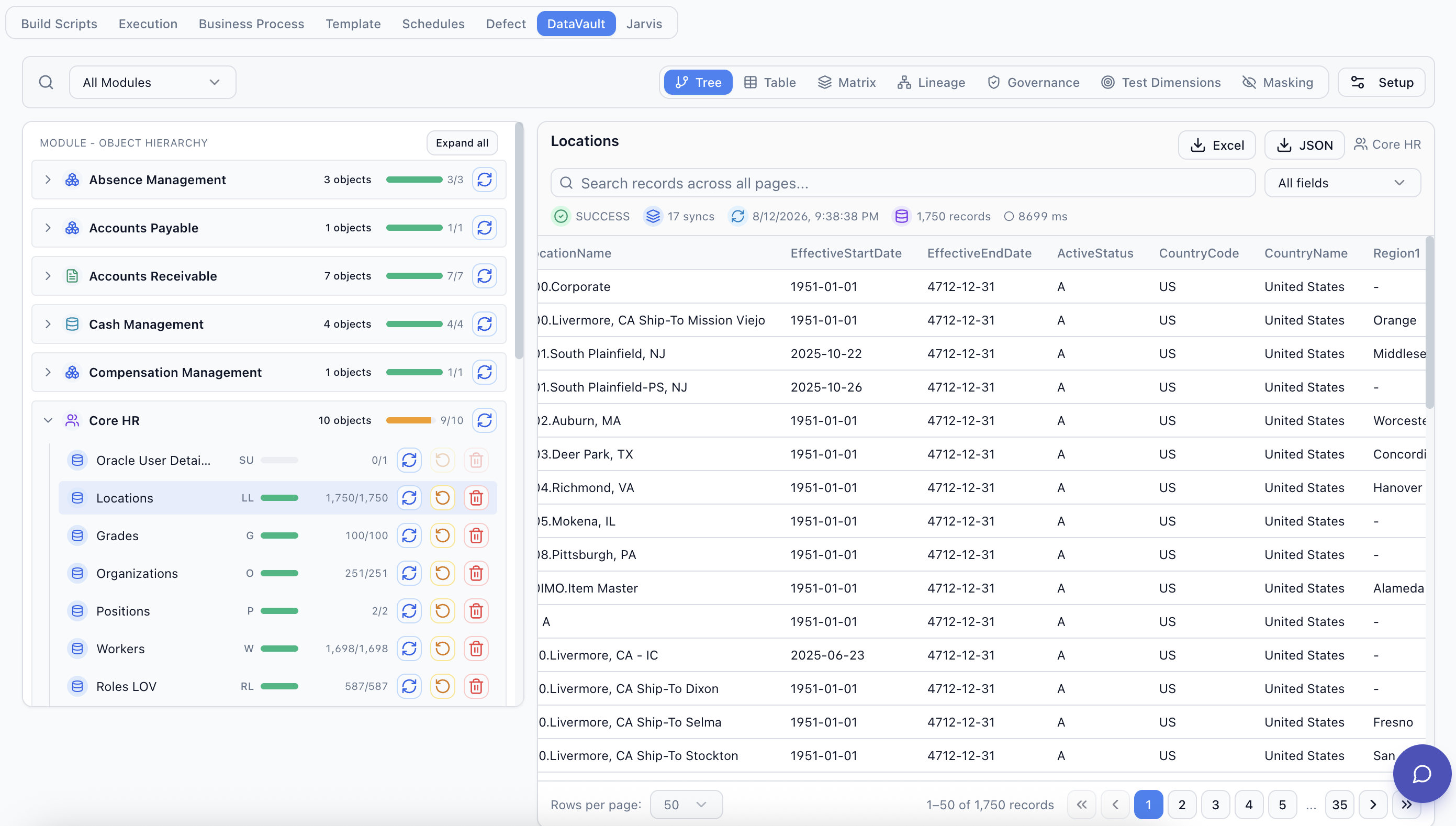
Search Once and See Everywhere the Data Appears
Instead of asking each application team where a sensitive field is used, DataVault is designed to let a privacy or testing team search for a sensitive attribute once and see a consolidated view of where it appears.
Illustrative interface example.
1
Source Object
3
Integrations
4
Downstream Destinations
2
Verified
1
Drift
1
Not Verified
Illustrative example counts for a representative environment, not a live customer result.
Payroll Interface
VerifiedBenefits Feed
VerifiedData Lake Extract
Drift DetectedRegulatory Extract
Not VerifiedUnderstand the Impact of a Protection Policy Change
Because lineage connects a Masking Policy to every place its underlying data concept is used, it can also support impact analysis before a policy is changed. For example:
"If Employee Email changes from partial masking to synthetic replacement, which systems and mappings are affected?"
For governance and change-management purposes, this kind of view is designed to help a team see the downstream footprint of a policy change before rolling it out, rather than discovering the affected systems after the change has already shipped.
Turn Lineage Into a Verification Plan
Lineage is most valuable when it feeds directly into action. Once DataVault has traced where a sensitive attribute travels, that path can become the basis for a Masking Verification plan across every known destination.
Use Lineage to Design End-to-End Tests
A sensitive attribute rarely stays inside one application, and neither should the test that covers a change to it. Data lineage can help identify which systems ought to participate in an end-to-end test scenario by showing every connected system a given data concept actually reaches.
Where the relevant connectors and automation exist, SyntraFlow can use this lineage context to help design or execute cross-system test coverage that follows the same path as the sensitive data itself, combined with representative records provisioned through Test Data Management. This is intended to support and inform test scope decisions — it does not generate a complete end-to-end test automatically without configured connectors and automation in place.
Give Security, Data and Testing Teams a Shared View
A single lineage model can serve several teams that otherwise ask overlapping questions in isolation, each from a different tool and a different starting point.
Security / Privacy
"Where is sensitive data exposed?"
Data Teams
"How does the data move?"
Application Teams
"Which objects and fields are involved?"
Testing Teams
"Which systems must be included in an end-to-end test?"
Audit / Governance
"What is protected, verified or unresolved?"
Lineage Alongside Masking Verification
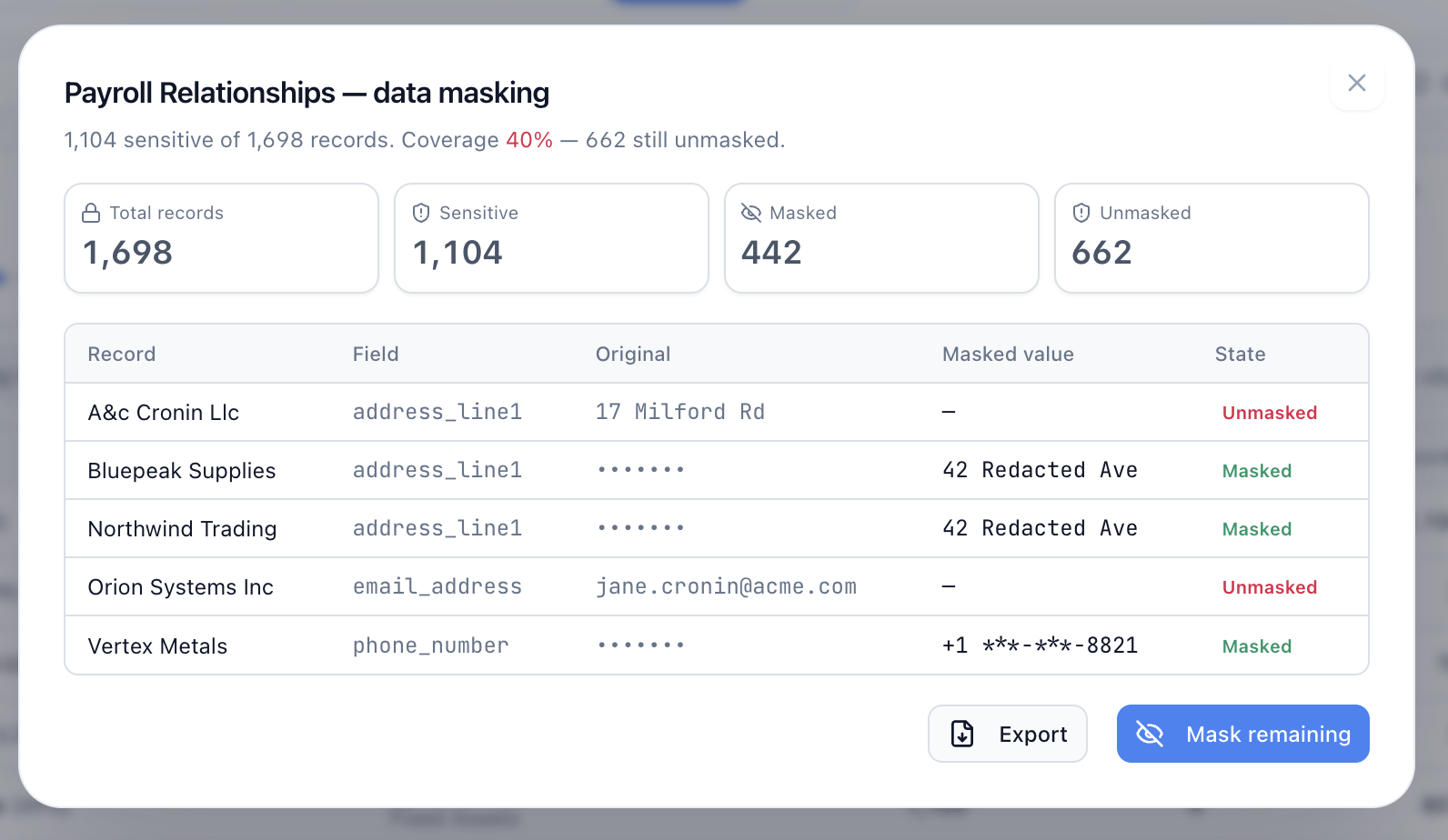
Lineage tells a team where a status came from. The record-level detail behind a Verified or Drift Detected label typically comes from a Masking Verification pass against a connected object, such as the example below, which shows original values alongside masked values for individual records in a related capability, Data Masking.
DataVault Across Enterprise Applications
DataVault is built on a connector-based architecture. Platform-specific pages are published as connectors are validated.
Workday →
Worker and implementation data masking and downstream verification.
Oracle Fusion →
Object-level test data harvesting and masking for Oracle Fusion environments.
SAP
RoadmapConnector not yet validated.
Salesforce
RoadmapConnector not yet validated.
Frequently Asked Questions
What is sensitive data lineage?
How is this different from normal data lineage?
Can DataVault trace data across Workday, Oracle, SAP and Salesforce?
How does DataVault discover downstream systems?
Can lineage show masking status?
Can lineage detect exposure?
Does DataVault replace a full enterprise data catalog?
See DataVault Across Your Enterprise Landscape
Show us a representative application and downstream data flow. We'll demonstrate how DataVault can model sensitive data, masking policies, test-data relationships, lineage and downstream verification.