Oracle Invoice Testing
The AR invoice is the transaction that records what a customer owes. Every header, line, transaction type, tax line, and GL distribution that makes up that transaction has to be correct before it is completed and transferred to General Ledger — because once it posts, revenue, receivables, and tax reporting all depend on it being right.
This page is a practical guide to testing the AR invoice transaction object itself — manual and API entry, transaction types, line and distribution behaviour, completion, and GL transfer. It sits under the Oracle Accounts Receivable (AR) Testing Tool hub.
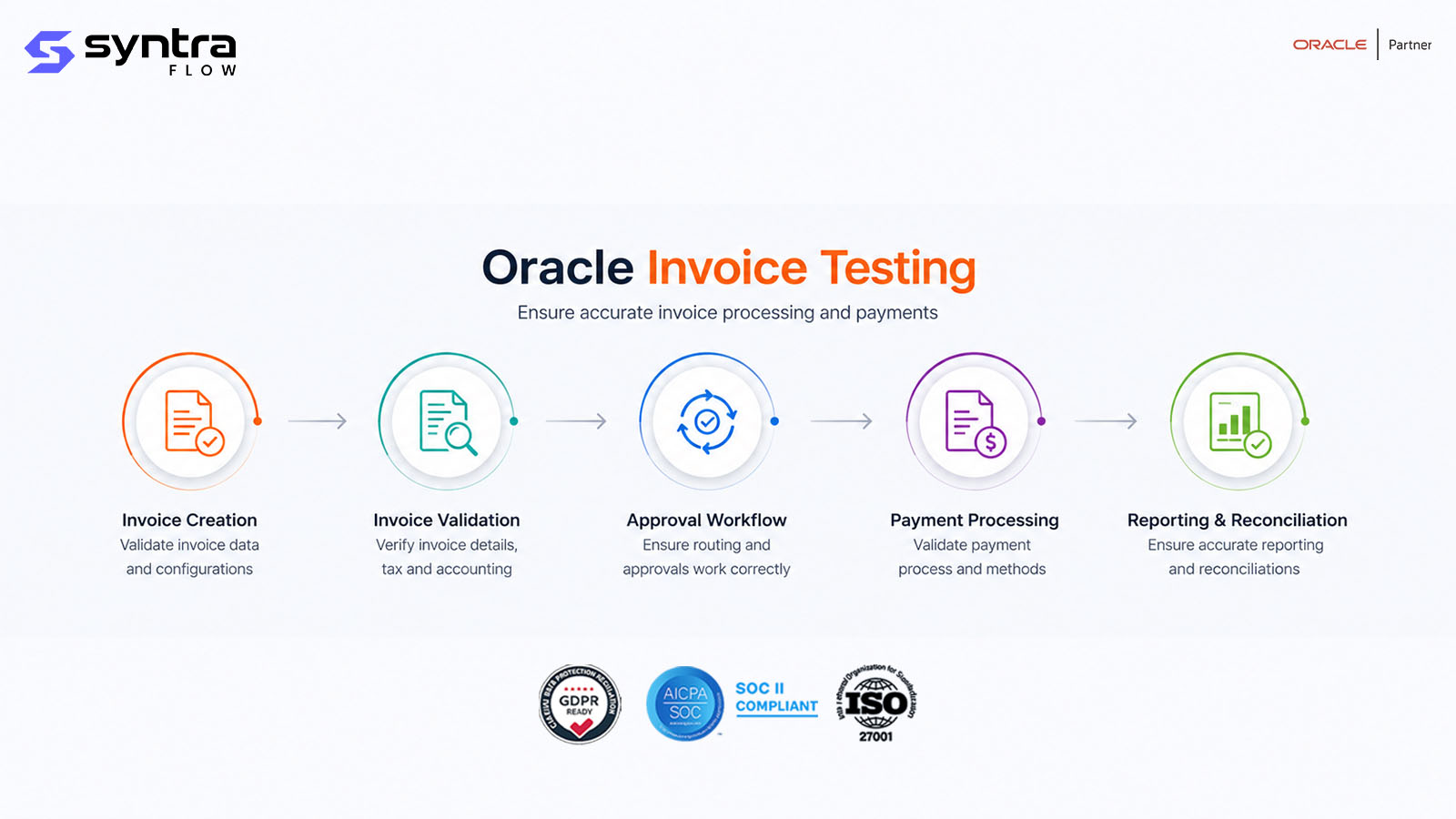
What Is Oracle Invoice Testing in Receivables?
In Oracle Fusion Receivables, an invoice is a transaction record with a header, one or more lines, and the distributions those lines derive. It can be entered manually, created through a REST API call, or produced by another process such as a billing run or AutoInvoice import. Whatever its origin, the same transaction object goes through the same lifecycle: header creation, line entry, transaction-type assignment, distribution and tax derivation, completion, and transfer to the General Ledger.
Testing this object means proving that a transaction type behaves as configured, that lines default the right item, memo, price, and tax attributes, that AutoAccounting derives the correct receivable, revenue, freight, and tax accounts, and that completion validation actually blocks an invoice that is missing data or points at an invalid account. It also means proving the transaction transfers to GL cleanly — in draft or final mode — and that a completed invoice is available for receipt application.
The teams that rely on this working correctly are AR processors who enter and complete invoices, credit and collections staff who need an accurate receivable balance, GL and close teams who depend on a clean transfer, and audit teams who need evidence that completion validation is a real control, not a formality.
Scope note. This page focuses on the AR invoice transaction itself — header, lines, types and completion. For invoice generation runs, consolidated billing and billing-run adjustments, see the general Oracle Billing Testing page. For invoices imported at scale from external systems, see Oracle AutoInvoice Testing. This page is where those two paths converge — at the completed invoice transaction and its transfer to GL.
| Transaction / origin | Where it's tested | What's in scope there |
|---|---|---|
| Manual invoice | This page — Invoice Testing | Header, lines, distributions, completion |
| Debit memo | This page — Invoice Testing | Entry, GL impact, completion |
| Chargeback | This page — Invoice Testing | Entry against original transaction, balance impact |
| Invoice from a billing run | Oracle Billing Testing | Generation run, consolidated billing, billing-run adjustments |
| Invoice imported at volume | Oracle AutoInvoice Testing | Import, grouping rules, AutoInvoice validation |
| Standalone credit memo | Oracle AR Credit Memo Testing | Credit memo issuance and application |
Why Testing the Invoice Transaction Matters
An AR invoice that completes with a defect doesn't just sit wrong on a customer's account — it posts to GL, feeds revenue reporting, and becomes the basis for a receipt. The risks are concentrated at completion and transfer:
| Risk | Example | Potential impact | Testing response |
|---|---|---|---|
| Invalid distribution completes | Disabled account segment on a line | GL rejection or wrong account posted | Negative test: invalid combination must block completion |
| Missing required field accepted | Transaction type or GL date blank | Incomplete transaction reaches GL | Completion validation on required fields |
| Tax miscalculated | Tax rule misapplied on a line | Under/over-billed tax; compliance exposure | Tax calculation and exemption test cases |
| Closed-period GL date accepted | Accounting date maps to a closed period | Failed transfer; close delay | GL date vs open/closed period cases |
| Credit hold bypassed | Invoice completed for over-limit customer | Uncontrolled credit exposure | Credit-hold and limit test cases |
| Transfer to GL fails silently | Interface exception not surfaced | Revenue understated at close | Transfer exception and reconciliation cases |
| Void/reversal posts wrong entries | Void after completion misses an offset | GL imbalance; overstated receivable | Void, reversal and adjustment cases |
| Debit memo / chargeback mis-typed | Wrong transaction type applied | Balance and reporting distortion | Transaction-type-specific test cases |
| Foreign-currency error | Missing or stale conversion rate | Mis-stated receivable in ledger currency | Currency and conversion-rate cases |
| Silent behaviour change | Quarterly update alters completion or AutoAccounting logic | Undetected control drift | Release-aware regression on invoice testing |
The Oracle AR Invoice Process Flow
An AR invoice moves through the same sequence whether it is entered manually, through the REST API, or created by an upstream process:
Invoice transaction sequence
- Trigger: manual entry, REST API call, or an upstream process handing off a transaction to Receivables.
- Key validations: required header fields present, transaction type valid, lines balance to the header, distributions valid and balanced, tax calculated, GL date in an open period.
- Decision point: completion either succeeds — making the transaction available for GL transfer and receipt application — or fails with a specific validation error that must be corrected before re-attempting.
- Exceptions: credit-hold warnings, invalid account combinations, and closed-period dates are the most common blockers at completion.
- Expected output: a completed transaction with balanced distributions, correctly calculated tax, and a valid GL date.
- Downstream impact: only completed invoices transfer to GL and can have receipts, adjustments, or credit memos applied against them.
Suggested visual: a swimlane diagram of header → lines → distributions → completion → GL transfer, for the web team to produce.
Testing Scope & Coverage Matrix
The dimensions a complete invoice-transaction test suite must cover, with automation suitability and priority.
| Test area | What must be validated | Example scenario | Automation | Priority |
|---|---|---|---|---|
| Functional (pass) | Clean invoice completes with no error | Manual invoice, valid data | High | High |
| Transaction type | Invoice, debit memo, chargeback behave per type | Chargeback linked to original transaction | High | High |
| Negative | Bad data blocks completion | Missing required field | High | High |
| Distribution / GL | Accounts derived correctly and balance | AutoAccounting derives revenue account | High | High |
| Tax | Tax calculated and exemptions honoured | Exempt customer, zero tax line | High | High |
| Dates / periods | GL date resolves to an open period | Closed-period GL date blocked | High | High |
| Currency | Foreign-currency invoices convert correctly | Missing conversion rate | High | Medium |
| Adjustment / void / reversal | Post-completion changes post correctly | Void after completion reverses GL | High | High |
| Credit management | Credit-hold behaviour on completion | Over-limit customer invoice | Medium | High |
| Role-based | Entry and completion restricted by role | Restricted role denied entry | Medium | Medium |
| GL transfer | Draft and final transfer produce correct journals | Final transfer posts, draft does not | High | High |
| Integration / API | REST and integration entry match UI results | API-created invoice completes identically | High | Medium |
| Regression / release | Behaviour unchanged after an update | Re-run pack after quarterly update | High | High |
Oracle Invoice Test Scenarios
A representative set of 35 Oracle Fusion AR invoice scenarios — entry, transaction types, distributions, tax, currency, adjustments, GL transfer, and regression. Test IDs use the AR-INV prefix.
| ID | Scenario | Preconditions | Expected result | Pri | Auto |
|---|---|---|---|---|---|
| AR-INV-001 | Manual invoice entry, standard type | Valid customer, item, GL date | Invoice completes, no errors | H | Y |
| AR-INV-002 | Debit memo entry | Debit memo transaction type selected | Completes; receivable balance increases | H | Y |
| AR-INV-003 | Chargeback entry against a credit memo | Original transaction identified | Chargeback linked; balance recalculated | H | Y |
| AR-INV-004 | Invoice with multiple lines | Three or more lines entered | All lines saved; header total correct | H | Y |
| AR-INV-005 | Invoice line referencing an item | Inventory item selected on line | Description and price default correctly | M | Y |
| AR-INV-006 | Invoice line referencing a memo line | Memo/service line selected | Description and GL default apply | M | Y |
| AR-INV-007 | Distribution / GL account derivation | AutoAccounting rules configured | Correct receivable and revenue accounts derived | H | Y |
| AR-INV-008 | Invalid account combination on distribution | Distribution segment disabled | Completion blocked with account error | H | Y |
| AR-INV-009 | Tax calculation on invoice | Taxable line, tax rule applicable | Tax line calculated per rate | H | Y |
| AR-INV-010 | Tax exemption on invoice | Customer/site marked tax exempt | Zero tax; exemption reason recorded | M | Y |
| AR-INV-011 | Invoice completion validation checks | All required fields populated | Transaction completes successfully | H | Y |
| AR-INV-012 | Incomplete invoice, missing required field | Required header field left blank | Completion blocked with specific error | H | Y |
| AR-INV-013 | Invoice in ledger (functional) currency | Customer bill-to in ledger currency | No conversion; amounts post as entered | M | Y |
| AR-INV-014 | Foreign-currency invoice | Non-ledger currency, rate available | Converted amount correct in ledger currency | M | Y |
| AR-INV-015 | Missing conversion rate on foreign invoice | No daily rate loaded for currency | Completion blocked or rate-error raised | M | Y |
| AR-INV-016 | Invoice date vs GL (accounting) date | Transaction date differs from GL date | GL date validated independently against period | M | Y |
| AR-INV-017 | Invoice due date from payment terms | Payment term assigned on header | Due date calculated per term rule | M | Y |
| AR-INV-018 | Invoice against a closed GL period | GL date maps to a closed period | Completion blocked with period error | H | Y |
| AR-INV-019 | Invoice adjustment, transaction-level | Completed invoice, adjustment reason valid | Adjustment posts; balance and GL updated | M | Y |
| AR-INV-020 | Invoice cancellation before completion | Invoice saved but not yet completed | Transaction removed; no GL impact | M | Y |
| AR-INV-021 | Invoice void after completion | Completed invoice, no receipts applied | Reversing entries created; balance zeroed | H | Y |
| AR-INV-022 | Invoice reversal | Completed and transferred invoice | Offsetting transaction created; balance corrected | H | Y |
| AR-INV-023 | Invoice with a freight line | Freight line added to transaction | Correct freight GL account; included in total | L | Y |
| AR-INV-024 | Invoice with combined freight and tax lines | Freight and tax lines both present | Totals and distributions both correct | M | Y |
| AR-INV-025 | Invoice printing | Completed invoice, print requested | Printed output matches transaction data | L | P |
| AR-INV-026 | Invoice delivery method (e.g. email) | Customer profile set to email delivery | Invoice delivered per configured method | L | P |
| AR-INV-027 | Transfer to GL in draft mode | Completed invoice, draft transfer run | Draft journal created; not posted | H | Y |
| AR-INV-028 | Transfer to GL in final mode | Completed invoice, final transfer run | Journal posted; transaction marked transferred | H | Y |
| AR-INV-029 | Transfer failure / exception | GL interface rejects a distribution | Exception logged; transaction not marked transferred | H | Y |
| AR-INV-030 | Invoice against a customer on credit hold | Customer over configured credit limit | Invoice held or warned per credit configuration | H | Y |
| AR-INV-031 | Invoice line split | Existing line split into two | Both lines retain correct amount and distribution | M | Y |
| AR-INV-032 | Invoice with a consolidated billing reference | Transaction carries a consolidation reference | Reference retained; traceable to source run | L | Y |
| AR-INV-033 | Invoice creation via REST API | Valid API payload submitted | Transaction created matching UI-entry result | M | Y |
| AR-INV-034 | Invoice via external system integration | Inbound integration call to Receivables | Transaction created and validates identically to manual entry | M | Y |
| AR-INV-035 | Role-based invoice entry access | Restricted role attempts entry | Access denied per security-role setup | M | P |
| AR-INV-036 | Quarterly-release regression pack | Post-update tenant | All prior results reproduce | H | Y |
Pri = priority (H/M/L). Auto = automation candidate (Y suitable · P partly, needs role/output verification). Steps summarised; full step detail ships in the downloadable test pack.
Common Invoice Defects
| Defect | Likely cause | Business impact | Recommended test |
|---|---|---|---|
| Invalid account combination completes | AutoAccounting rule points at disabled segment | GL rejection or wrong account posted | AR-INV-007, AR-INV-008 |
| Incomplete transaction completes | Required-field validation gap | Bad data reaches GL | AR-INV-011, AR-INV-012 |
| Tax line missing or wrong | Tax rule or exemption misapplied | Under/over-billed tax; compliance risk | AR-INV-009, AR-INV-010 |
| Closed-period GL date accepted | Period-status check bypassed | Failed transfer; close delay | AR-INV-016, AR-INV-018 |
| Due date miscalculated | Payment term rule misconfigured | Wrong aging and collections timing | AR-INV-017 |
| Void doesn't reverse cleanly | Reversal logic misses a distribution | GL imbalance; overstated receivable | AR-INV-021, AR-INV-022 |
| Credit hold not enforced | Credit-check rule not triggered on entry | Uncontrolled exposure to at-risk customer | AR-INV-030 |
| Foreign-currency rate missing | Daily rate not loaded | FX invoices blocked or mis-stated | AR-INV-014, AR-INV-015 |
| Transfer exception unresolved | Interface error not surfaced to owner | Revenue understated at close | AR-INV-027 to 029 |
| API-created invoice diverges from UI | Integration bypasses a UI-only default | Inconsistent transactions by entry channel | AR-INV-033, AR-INV-034 |
| Debit memo / chargeback mis-linked | Original transaction reference wrong | Balance and reporting distortion | AR-INV-002, AR-INV-003 |
How SyntraFlow Automates Invoice Testing
SyntraFlow drives invoice entry and completion across the UI and API, then asserts the transaction outcome — distributions, tax, and GL status — not just that the page loaded.
AI test generation
Generates invoice variants — transaction types, tax and currency cases, boundary dates — from your configuration.
Self-healing execution
Playwright-based runs that re-anchor when Oracle changes the invoice entry or Redwood pages.
Oracle Data Vault
The Data Vault provisions customers, sites, items, and payment terms that produce the specific invoice condition each test needs.
Regression suite
A maintained pack of invoice-transaction cases re-run on demand or on a schedule, not rebuilt each cycle.
Release intelligence
Scopes regression to the invoice-testing cases a given quarterly release actually affects.
Configuration intelligence
Ties tests to the AutoAccounting rules, tax setup, and payment terms that drive them, via Config Intelligence.
UI + API execution
Runs invoice creation and completion through both the UI and REST, confirming they produce the same transaction result.
Evidence capture
Timestamped screenshots, distribution data, and completion logs retained as audit-grade evidence for every run.
Quarterly-update testing
Re-runs the invoice-transaction pack after every Oracle update to catch drift before it reaches production.
A note on capability. AI-assisted generation, self-healing execution, UI/API testing, and evidence capture are current platform capabilities. Coverage scoped to your specific transaction types, AutoAccounting rules, and credit policies is configurable during onboarding. Any tenant-specific extension is confirmed at assessment rather than assumed here.
When to Re-Test Invoice Transactions
Invoice behaviour depends on configuration, master data, and Oracle's own release cadence. Retest when these events occur:
| Change event | Risk to invoice testing | Recommended regression scope |
|---|---|---|
| Oracle quarterly update | Completion or transfer logic changes | Full invoice-transaction pack, release-scoped |
| Redwood rollout | Entry and completion UI changes | UI entry and completion cases |
| AutoAccounting rule change | Distribution / GL accounts shift | Distribution-derivation cases |
| Transaction type / source setup | Type-specific behaviour changes | Invoice, debit memo, chargeback cases |
| Tax rule or rate change | Tax calculation shifts | Tax and exemption cases |
| Payment terms change | Due-date calculation shifts | Due-date derivation cases |
| Credit management policy change | Credit-hold behaviour changes | Credit-hold cases |
| Chart-of-accounts / CCID change | Account validation changes | Distribution / account cases |
| Security-role change | Entry / completion access shifts | Role-based access cases |
| Integration / API change | API-created invoices diverge from UI | API and integration cases |
| Production defect fix | Fix may regress adjacent behaviour | Targeted + smoke invoice pack |
Invoice Testing & Oracle Quarterly Releases
Oracle's quarterly updates can change invoice entry, completion validation, or AutoAccounting behaviour without any action on your part — through feature opt-ins, Redwood redesigns, or new default validations. Because the invoice transaction feeds GL and revenue reporting, a silent change here is exactly the kind that must be caught before production.
Rather than re-testing every scenario on every release, SyntraFlow Release Intelligence narrows the work to what actually changed in your tenant:
- 1.Analyses Oracle release notes for changes touching Receivables invoice entry, completion, or GL transfer.
- 2.Maps those changes to your configuration — transaction types, AutoAccounting rules, tax and credit setup.
- 3.Identifies the invoice types and processes affected.
- 4.Recommends the specific AR-INV test cases to run.
- 5.Prioritises regression execution by risk.
- 6.Tracks evidence for audit and sign-off.
See how the impact map is built on the Release Impact Analysis page.
Configurations That Drive Invoice Behaviour
An invoice test is only trustworthy if the configuration behind it is known and stable. These setups determine how a transaction is entered, distributed, and transferred — and when they drift between environments, tests pass against the wrong reality.
| Configuration area | Testing impact | Example failure | Recommended validation |
|---|---|---|---|
| Transaction type setup | Governs invoice/debit memo/chargeback behaviour | Type default differs between environments | Transaction-type test cases |
| AutoAccounting rules | Derives revenue, receivable, tax, freight accounts | Rule change mis-derives an account | Distribution-derivation cases |
| Tax rules & rates | Drive tax calculation and exemptions | Rate out of sync with prod | Tax and exemption cases |
| Payment terms | Set due-date calculation | Term rule differs by tenant | Due-date derivation cases |
| Customer profile classes | Set credit limits and hold behaviour | Credit limit not enforced consistently | Credit-hold cases |
| AR system options | Govern completion and validation rules | Option toggled between environments | Completion validation cases |
| Chart of accounts / CCID | Determines valid account combinations | Segment disabled in one environment only | Account-combination cases |
| GL transfer program setup | Controls draft vs final transfer behaviour | Transfer mode misconfigured | GL transfer cases |
SyntraFlow's Configuration Intelligence compares these setups across environments and flags drift before it corrupts an invoice test result — so a passing test means the configuration was correct, not just present.
Oracle Invoice Test Pack
A structured reference for teams building or extending AR invoice coverage: invoice scenarios across every transaction type, the distribution and GL-derivation conditions each one exercises, expected results, and the evidence and sign-off format needed for audit. It is built to extend the scenario set on this page to your own transaction types, AutoAccounting rules, and credit policies.
Request it, and a SyntraFlow team member will walk through how it maps to your Receivables configuration.
Request the Test PackInvoice Testing Best Practices
Test every transaction type separately — invoice, debit memo, and chargeback behave differently.
Assert the actual GL distribution derived, not just that completion succeeded.
Separate invoice date from GL date in test data — they validate against different rules.
Cover both draft and final GL transfer, and the exception path when transfer fails.
Test invoice creation through UI and API and confirm they produce identical transactions.
Include foreign-currency and missing-rate cases in every cycle.
Test credit-hold behaviour explicitly — it is a control, not incidental behaviour.
Cover cancellation, void, and reversal as distinct paths with different GL outcomes.
Re-run the invoice pack on every quarterly update, scoped by release impact.
Keep invoice-generation and AutoInvoice-import testing in their own suites to avoid duplicate coverage.
Capture distribution and completion evidence automatically for audit and sign-off.
Re-validate coverage after any AutoAccounting, tax, or credit-policy change.
Manual vs Generic Automation vs SyntraFlow
For AR invoice transaction testing specifically.
| Capability | Manual | Generic automation | SyntraFlow |
|---|---|---|---|
| Oracle transaction-type awareness | Manual | No | Yes |
| Pre-built invoice test cases | No | No | Yes |
| Maintenance effort | Very high | High | Low |
| Self-healing on Redwood | N/A | No | Yes |
| Release-impact analysis | No | No | Yes |
| Configuration awareness | Manual | No | Yes |
| UI + API testing | Partial | Partial | Yes |
| Audit-grade evidence | Weak | Partial | Yes |
| Reusability | Low | Medium | High |
Related Oracle Receivables Pages
Invoice testing connects to the rest of the AR suite. Go deeper on adjacent topics:
Oracle AR Testing Tool ⭐
The Receivables testing hub.
Oracle Billing Testing →
Generation runs, consolidated billing, billing adjustments.
Oracle AutoInvoice Testing →
Bulk invoice import from external systems.
Oracle Customer Testing →
Customer, site, and credit profile setup.
AR Credit Memo Testing →
Credit memo issuance and application.
Oracle ERP Testing Tool →
Test automation across AP, AR, P2P, O2C and R2R.
Frequently Asked Questions
What is Oracle Invoice Testing in Receivables?
▼
It is testing of the AR invoice transaction object itself — the header, lines, transaction type, distributions, tax, completion validation, and transfer to General Ledger — regardless of whether the invoice was entered manually, through the REST API, or handed off from another process.
How is this different from Oracle Billing Testing?
▼
Billing Testing covers the invoice generation run itself — consolidated billing, billing-run adjustments, and the credit memos produced during that run. This page covers the resulting invoice transaction — header, lines, completion, and GL transfer — regardless of how it was created. See Oracle Billing Testing for the generation side.
How is this different from Oracle AutoInvoice Testing?
▼
AutoInvoice Testing covers importing invoice lines at volume from external systems — grouping rules, import validation, and exception handling. This page covers the invoice transaction after it exists in Receivables, whichever way it arrived. See Oracle AutoInvoice Testing for the import side.
What AR transaction types does invoice testing cover?
▼
Standard invoices, debit memos, and chargebacks, plus their transaction-type-specific behaviour — how each affects the customer balance, which GL accounts they derive, and how a chargeback links back to the original transaction it references.
How does invoice distribution and GL account derivation get tested?
▼
Tests confirm AutoAccounting derives the correct receivable, revenue, tax, and freight accounts for a given line, and that an invalid or disabled account combination is rejected at completion rather than silently accepted.
What happens when an invoice is created against a customer on credit hold?
▼
Behaviour depends on the customer's credit profile and configured limits — Oracle may warn, hold, or block completion. Testing confirms the configured behaviour actually fires rather than assuming the credit check is silently enforced.
How is tax calculated and tested on AR invoices?
▼
Tax is calculated per line based on tax rules, the customer and item tax classification, and any applicable exemption. Testing covers both a taxable line calculating correctly and an exempt customer or site producing a zero-tax line with the exemption reason recorded.
What's the difference between invoice cancellation and invoice void?
▼
Cancellation removes an invoice before it is completed, with no GL impact. Void reverses a completed invoice after the fact, creating offsetting entries. Testing both paths separately matters because they exercise different validation and different GL outcomes.
How do you test the transfer of invoices to General Ledger?
▼
By running the transfer in both draft and final mode and confirming the expected journal outcome — a draft journal that isn't posted, or a final journal that posts and marks the transaction transferred — and by testing the exception path when the GL interface rejects a distribution.
Can AR invoices be tested through the REST API?
▼
Yes. Oracle exposes invoice creation and completion through REST as well as the UI. A complete suite tests both entry points and confirms they produce identical transactions, since integrations rely on the API path and any divergence there is a control gap.
How does invoice testing handle foreign-currency transactions?
▼
Test cases cover a foreign-currency invoice with a valid daily rate converting correctly to ledger currency, and the negative case where no rate is loaded — which should block completion or raise a clear error rather than posting an unconverted amount.
What causes an incomplete invoice, and how is it tested?
▼
A missing required field, an unbalanced distribution, or a GL date in a closed period all block completion. Testing confirms each condition is actually caught with a specific, actionable error rather than a generic failure or, worse, silent acceptance.
How often should invoice testing be repeated?
▼
On every Oracle quarterly update, and after any change to transaction types, AutoAccounting rules, tax setup, payment terms, credit policy, or security roles. Because completion is a control point, testing it after these events protects against drift that would otherwise surface only when GL doesn't balance.
How does SyntraFlow automate AR invoice testing?
▼
SyntraFlow provisions the customer, item, and tax data each scenario needs through the Oracle Data Vault, drives entry and completion through the UI and API, self-heals when Oracle changes the pages, and captures evidence for every run — so tests confirm the actual transaction outcome, not just that a form was submitted.
What test data does invoice testing need?
▼
Each scenario needs data engineered for a specific outcome — a valid or invalid account combination, an over-limit customer, a foreign currency with or without a rate, a closed-period date. The Oracle Data Vault provisions this data so tests produce the intended result reliably instead of relying on hand-built fixtures.
Strengthen Your Oracle Receivables Test Coverage
Identify gaps in your invoice-transaction test suite, automate high-risk completion and GL-transfer scenarios, and prepare for Oracle quarterly updates with SyntraFlow. See it run against invoice cases like yours.