Oracle Receivables Test Cases
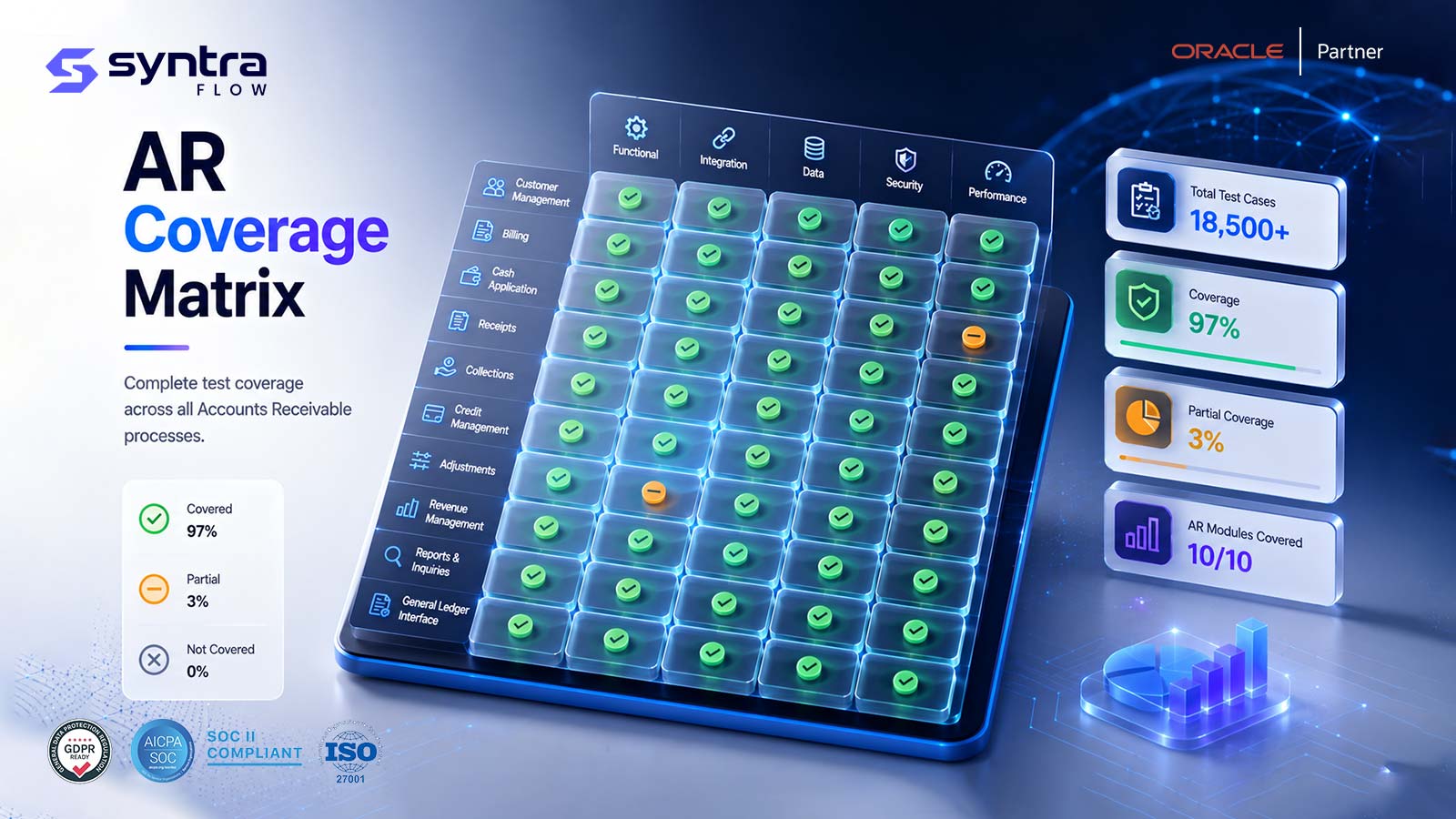
A structured catalogue of Oracle Fusion Cloud Receivables test cases, organised by process area — from customers and account sites through invoicing, AutoInvoice, receipts, lockbox, credit memos, collections and revenue recognition. Use this page as the navigation hub for building an AR test library: skim a category, review representative test cases, then follow the link to the detailed page for full coverage.
This is a catalogue and starting point, not a deep single-topic guide. Each category below summarises what it covers, shows a handful of high-value cases, and links to the child page where that area is tested in full. The hub for all of Receivables testing is the Oracle Accounts Receivable (AR) Testing Tool.
How to Use This Receivables Test-Case Catalogue
Receivables in Oracle Fusion is a chain of dependent processes: a customer and account site receive an invoice, the invoice may arrive through AutoInvoice from a source system, a receipt or lockbox payment is applied against it, a credit memo may adjust it, collections activity chases what remains open, and revenue recognition schedules income against the transaction over time. A test library that mirrors that chain is far easier to maintain than a flat list of scripts, because each test maps to a process the business actually runs.
Every category on this page uses a consistent test-ID prefix (for example AR-INV for invoices or AR-RCT for receipts) so you can trace a defect back to a process. The representative cases shown are a subset; the linked child pages carry the full scenario sets, boundary cases, and step detail. Treat this page as the index to your Receivables test suite.
Scope note. This catalogue summarises each area and points to its detailed page. For customer master data see Customer Testing, for invoice-to-cash mechanics see Invoice Testing and Receipt Testing, and for the broader AR programme see the Oracle Accounts Receivable (AR) Testing Tool hub. Here we index every category and link out to full coverage.
How to Structure a Receivables Test Library
A durable Receivables test library is organised by process area, not by tester or by release. Group cases under the same categories Oracle uses — customer, account site, invoice, AutoInvoice, receipt, lockbox, credit memo, collections, revenue recognition — and give each a stable ID prefix. This keeps coverage visible (you can see which processes are thinly tested), makes regression selection precise, and lets new cases slot in without renumbering the whole suite.
Organise by process area
One category per Oracle Receivables process, each with its own ID prefix. Coverage gaps become obvious at a glance.
Stable, traceable IDs
Prefix + sequence (AR-INV-001). IDs never change, so defect and evidence links stay valid across releases.
Layer positive and negative
Every process gets both a clean pass case and the failure cases that must raise the right exception or hold.
Tag priority and automation
Mark each case with a priority and whether it is an automation candidate, so cycles can be scoped by risk.
Parameterise test data
Keep customers, amounts, dates and credit limits as data, not hard-coded, so cases reuse across environments.
Map cases to configuration
Link each case to the setup that drives it, so a config change re-points exactly the right tests.
Positive vs Negative, Functional vs Integration
A Receivables test library needs a deliberate mix of test types. Positive cases prove the process works on clean data; negative cases prove the controls fire on bad data. Functional cases exercise one process in isolation; integration cases prove the hand-offs between processes hold. A suite that is all positive-functional will pass happily while real risks — a lockbox exception that never routes for review, an AutoInvoice line that silently drops — go untested.
| Test type | What it proves | Receivables example | Why it matters |
|---|---|---|---|
| Positive (pass) | Clean data completes the process | Receipt applies and clears an open invoice | Confirms the happy path still works |
| Negative (fail) | Bad data raises the correct control | Unidentified receipt is held for research | Controls are only real if they fire |
| Boundary | Behaviour at exact thresholds | Balance exactly at the credit limit vs one dollar over | Defects hide at the edges |
| Functional | A single process in isolation | AutoInvoice grouping rule groups source lines correctly | Pinpoints where a defect lives |
| Integration | Hand-off between processes / systems | Lockbox file import creates and applies receipts | Most defects appear at the seams |
| Regression | Prior behaviour survives a change | Re-run pack after a quarterly update | Catches silent Oracle drift |
| Role-based | Access and privilege enforced | Only a supervisor releases a credit hold | Protects segregation of duties |
Priority Classification & Regression Test Selection
Not every case runs every cycle. Classify each by priority so you can run a smoke pack daily, a core pack per sprint, and the full library at release. Regression selection then becomes a question of which processes a given change actually touches — a credit policy change re-runs collections and credit-hold cases, a revenue rule change re-runs recognition cases, a quarterly update re-runs the release-scoped subset.
| Priority | Meaning | Typical Receivables cases | Run cadence |
|---|---|---|---|
| High (H) | Financial control or cash-blocking | AutoInvoice exceptions, receipt application, credit holds | Every cycle + smoke |
| Medium (M) | Important but not cash-blocking | Dunning letters, revenue schedule adjustment, tax on credits | Per sprint / per release |
| Low (L) | Edge cases and cosmetic behaviour | Collections case escalation, rare currency formats | Full-library / release |
Release Intelligence can narrow the regression scope to what a specific Oracle update changed in your tenant, and Configuration Intelligence maps cases to the setup that drives them so a config change re-points the right subset.
The Receivables Test-Case Catalogue by Category
The sections below walk the Receivables process chain. Each category gives a short summary, a table of representative test cases with their preconditions and expected results, and a link to the page where that area is tested in full. Test IDs are category-prefixed and priority (H/M/L) and automation candidacy (Y suitable, P partly, N manual) are shown per case.
Together these tables list more than sixty representative Oracle Fusion Receivables test cases — a starting index, not the complete suite. The full step detail ships in the downloadable test library described further down.
Customers, Account Sites & Invoice Entry
Customers AR-CUS
Customers and their profile classes are the master data every invoice, receipt and credit hold depends on — a missing profile class or an unenforced credit limit lets exposure grow unnoticed. These cases cover creation, duplicate prevention, profile classes, credit limits, merge and inactivation. Full detail lives on the Customer Testing page.
| Test ID | Process | Scenario | Preconditions | Expected Result | Priority | Auto. |
|---|---|---|---|---|---|---|
| AR-CUS-001 | Customer create | Create customer with mandatory attributes | Create privilege, unique name/TRN | Customer saved, active | H | Y |
| AR-CUS-002 | Duplicate customer | Create customer matching an existing profile | Matching name or tax registration exists | Duplicate warned / blocked | H | Y |
| AR-CUS-003 | Profile class assignment | Assign a customer profile class | Profile class with terms configured | Profile attributes inherited correctly | M | Y |
| AR-CUS-004 | Credit limit assignment | Set or override the customer credit limit | Credit management enabled | Limit enforced on order/invoice | H | Y |
| AR-CUS-005 | Customer merge | Merge two duplicate customer records | Two active customer records exist | Transactions consolidated under survivor | M | P |
| AR-CUS-006 | Customer inactivation | Inactivate a customer with open balances | Open balance exists on the customer | Existing items retained; new entry blocked | M | Y |
Customer Account Sites AR-SITE
Account sites carry the bill-to and ship-to detail, and often override terms, that a transaction actually uses at invoice time. These cases cover site creation, linkage, terms overrides and inactivation. Full detail lives on the Customer Account Site Testing page.
| Test ID | Process | Scenario | Preconditions | Expected Result | Priority | Auto. |
|---|---|---|---|---|---|---|
| AR-SITE-001 | Bill-to site create | Add a bill-to site for a customer account | Customer account active | Site active, usable on transactions | H | Y |
| AR-SITE-002 | Ship-to site create | Add a ship-to site linked to a bill-to | Bill-to site exists | Site created and linked | M | Y |
| AR-SITE-003 | Site-level payment terms | Override payment terms at the site level | Account-level terms differ from site | Site terms take precedence on invoice | M | Y |
| AR-SITE-004 | Site inactivation | Inactivate a site referenced by open invoices | Open transactions on the site | Existing items retained; new entry blocked | M | Y |
| AR-SITE-005 | Multiple bill-to sites | Select the correct bill-to among several sites | Customer has two or more active bill-to sites | Correct site defaults per transaction source | M | Y |
Invoices AR-INV
Manually entered invoices and debit memos are where transaction types, distribution sets and tax combine to produce a balanced, postable transaction. These cases cover standard invoices, debit memos, completion, freight/tax, account derivation and cancellation. Full detail lives on the Invoice Testing page.
| Test ID | Process | Scenario | Preconditions | Expected Result | Priority | Auto. |
|---|---|---|---|---|---|---|
| AR-INV-001 | Standard transaction create | Enter a standard AR invoice manually | Customer, bill-to site, item/memo line | Saved, balances to lines | H | Y |
| AR-INV-002 | Debit memo create | Enter a debit memo increasing the balance | Customer account active | Saved; balance increases correctly | M | Y |
| AR-INV-003 | Complete transaction | Complete a transaction for posting | Required fields populated | Completed, eligible for accounting | H | Y |
| AR-INV-004 | Freight and tax on invoice | Apply freight and tax to invoice lines | Tax rules and freight type configured | Tax and freight calculated correctly | M | Y |
| AR-INV-005 | Transaction type mapping | Verify transaction type drives GL accounts | Transaction type with distribution set | Correct accounts derived on completion | H | Y |
| AR-INV-006 | Invoice against sales order | Bill against a fulfilled sales order | Order fulfilled in the source system | Invoice created; quantities/amounts match | H | Y |
| AR-INV-007 | Invoice cancellation | Cancel a completed, unapplied invoice | No receipt applied to the invoice | Invoice reversed; balance zeroed | M | Y |
AutoInvoice, Receipts & Lockbox
AutoInvoice AR-AI
AutoInvoice imports transaction lines from billing, order management, and other source systems into Receivables, applying grouping rules and validation before completing invoices. These cases cover a clean load, rejection reasons, grouping, exception correction and volume. Full detail lives on the AutoInvoice Testing page.
| Test ID | Process | Scenario | Preconditions | Expected Result | Priority | Auto. |
|---|---|---|---|---|---|---|
| AR-AI-001 | Clean interface load | Run AutoInvoice on valid interface lines | Interface table populated correctly | Transactions created without exceptions | H | Y |
| AR-AI-002 | Invalid customer reference | Interface line references an unknown customer | Customer number not on file in AR | Line rejected to AutoInvoice exceptions | H | Y |
| AR-AI-003 | Invalid GL date | Interface line carries a date in a closed period | GL date maps to a closed period | Line rejected / held with a clear reason | H | Y |
| AR-AI-004 | Grouping rule application | Group multiple lines into one transaction | Grouping rule configured on the source | Lines grouped per rule into one invoice | M | Y |
| AR-AI-005 | Exception correction | Correct and resubmit a rejected line | Exception logged with a reason code | Line reprocesses successfully | H | Y |
| AR-AI-006 | High-volume batch run | Run AutoInvoice against a large interface batch | Large interface line volume queued | All lines processed within SLA | M | Y |
Receipts AR-RCT
Receipts apply cash against open balances, and how they are applied — matched, unidentified, on-account, partial or reversed — determines whether cash application is trustworthy. These cases cover the core application paths and reversal. Full detail lives on the Receipt Testing page.
| Test ID | Process | Scenario | Preconditions | Expected Result | Priority | Auto. |
|---|---|---|---|---|---|---|
| AR-RCT-001 | Standard receipt create | Enter and apply a manual receipt | Open invoice with matching balance | Receipt applied; balance cleared | H | Y |
| AR-RCT-002 | Unidentified receipt | Enter a receipt with no customer match | Receipt amount known, customer unknown | Receipt held as unidentified | H | Y |
| AR-RCT-003 | On-account application | Apply a receipt on-account with no invoice match | Customer known, no matching invoice | Receipt applied on-account | M | Y |
| AR-RCT-004 | Partial application | Apply a receipt for less than the invoice balance | Receipt amount less than open balance | Invoice partially applied; balance remains | H | Y |
| AR-RCT-005 | Overpayment handling | Receipt exceeds the invoice balance | Receipt amount greater than open invoice | Excess placed on-account or refunded per config | M | Y |
| AR-RCT-006 | Receipt reversal | Reverse a receipt for NSF or chargeback | Applied receipt exists | Application reversed; invoice reopened | H | Y |
| AR-RCT-007 | Miscellaneous receipt | Enter a non-invoice-related receipt | Miscellaneous receipt type configured | Receipt recorded to the correct GL account | M | Y |
Lockbox AR-LBX
Lockbox imports bank remittance files and auto-applies receipts at volume, so a format or matching defect here affects hundreds of receipts at once rather than one. These cases cover clean import, format validation, auto-match and exception handling. Full detail lives on the Lockbox Testing page.
| Test ID | Process | Scenario | Preconditions | Expected Result | Priority | Auto. |
|---|---|---|---|---|---|---|
| AR-LBX-001 | Clean lockbox import | Import a well-formed bank lockbox file | Valid format file received | Receipts created matching file records | H | Y |
| AR-LBX-002 | Format validation error | Import a file with a malformed record | Corrupted or misaligned record present | File/record rejected with error logged | H | Y |
| AR-LBX-003 | Auto-match to invoice | Match a lockbox receipt to an invoice by remittance | Remittance data includes an invoice number | Receipt auto-applied to the correct invoice | H | Y |
| AR-LBX-004 | Unmatched lockbox receipt | Lockbox record has no matching reference | No invoice/customer reference on the record | Receipt routed to the exception queue | H | Y |
| AR-LBX-005 | Exception resolution | Resolve and apply an exception receipt | Exception queued from a prior import | Receipt manually applied; queue cleared | M | Y |
Credit Memos, Collections & Revenue Recognition
Credit Memos AR-CM
Credit memos reduce a receivable through negative-amount documents, standalone or matched to a base invoice. These cases cover standalone and matched credits, over-credit handling, accounting and tax reversal. Full detail lives on the AR Credit Memo Testing page.
| Test ID | Process | Scenario | Preconditions | Expected Result | Priority | Auto. |
|---|---|---|---|---|---|---|
| AR-CM-001 | Standalone credit memo | Enter and complete a negative-amount credit memo | Customer account active | Completed; balance reduced correctly | H | Y |
| AR-CM-002 | Credit memo against invoice | Apply a credit memo to a specific invoice | Base invoice exists with open balance | Applied; invoice balance reduced | H | Y |
| AR-CM-003 | Over-credit handling | Credit memo exceeds the invoice balance | Credit amount greater than open balance | Handled per config; on-account balance created | M | Y |
| AR-CM-004 | Credit memo accounting | Validate credit memo accounting entries | Distribution set / AutoAccounting configured | Reversal entries balanced correctly | M | Y |
| AR-CM-005 | Tax reversal | Verify tax reverses correctly on a credit | Original invoice carried tax | Tax lines reversed proportionally | M | Y |
Collections AR-COL
Collections turns aged, open balances into dunning, scoring and credit-hold actions before they become write-offs. These cases cover aging, dunning, strategy assignment, promises-to-pay, credit holds and escalation. Full detail lives on the Collections Testing page.
| Test ID | Process | Scenario | Preconditions | Expected Result | Priority | Auto. |
|---|---|---|---|---|---|---|
| AR-COL-001 | Aging bucket assignment | Verify an open item ages into the correct bucket | Invoice past due by a known number of days | Item appears in the correct aging bucket | H | Y |
| AR-COL-002 | Dunning letter generation | Generate a dunning letter for an overdue customer | Dunning plan assigned to the customer | Correct letter generated at the correct level | M | Y |
| AR-COL-003 | Collections strategy assignment | Assign a customer to a collections strategy | Strategy and scoring rules configured | Customer scored and routed per strategy | M | Y |
| AR-COL-004 | Promise-to-pay tracking | Record and track a customer payment promise | Promise entered against an open balance | Promise tracked; broken-promise flagged if missed | M | Y |
| AR-COL-005 | Credit hold on order | Trigger a credit hold from AR exposure | Customer exceeds credit limit/exposure | New order/invoice held per policy | H | P |
| AR-COL-006 | Case escalation | Escalate an aged case to a collector | Case aged beyond a defined threshold | Case reassigned/escalated per workflow | L | Y |
Revenue Recognition AR-REV
Revenue recognition rules determine whether income is booked immediately or spread across a schedule, and whether contingencies delay it — errors here misstate a period's revenue directly. These cases cover immediate and deferred recognition, contingencies, schedule adjustment, reconciliation and the period-end run. Full detail lives on the Revenue Recognition Testing page.
| Test ID | Process | Scenario | Preconditions | Expected Result | Priority | Auto. |
|---|---|---|---|---|---|---|
| AR-REV-001 | Immediate recognition | Recognize revenue at invoice completion | Revenue scheme set to immediate | Revenue booked in full at completion | H | Y |
| AR-REV-002 | Deferred / rule-based recognition | Recognize revenue over a defined schedule | Revenue rule with start/duration configured | Revenue spread across schedule periods | H | Y |
| AR-REV-003 | Contingency-based recognition | Hold revenue pending contingency removal | Contingency flag set on the transaction | Revenue deferred until contingency cleared | M | Y |
| AR-REV-004 | Schedule adjustment | Adjust an in-progress recognition schedule | Partially recognized schedule exists | Remaining periods recalculated correctly | M | Y |
| AR-REV-005 | Deferred revenue reconciliation | Reconcile deferred revenue to the GL balance | Period-end recognition run complete | Deferred revenue balance ties to GL | M | Y |
| AR-REV-006 | Period-end recognition run | Run the recognition batch process at close | Period ready to close | All eligible schedules processed | H | Y |
Integrations & Security
Integrations AR-INT
Integrations bring transactions in and receipts across through FBDI, REST, OIC and bank feeds — the paths that bypass the UI and therefore its controls. These cases confirm imported and API-created transactions behave the same as UI entry. There is no separate child page; this area is covered within the invoice, AutoInvoice and receipt pages above.
| Test ID | Process | Scenario | Preconditions | Expected Result | Priority | Auto. |
|---|---|---|---|---|---|---|
| AR-INT-001 | FBDI transaction import | Bulk-load AR transactions via FBDI | Template populated and loaded | Transactions imported and completed | H | Y |
| AR-INT-002 | REST receipt create | Create a receipt via REST API | API credentials and payload valid | Receipt created; matches UI behaviour | M | Y |
| AR-INT-003 | OIC inbound order-to-invoice | Inbound order data through an OIC integration | Integration flow active | Data mapped and invoice created correctly | M | P |
| AR-INT-004 | Bank statement feed | Process an inbound bank statement feed | Statement file received | Receipt/reconciliation data updated | M | P |
| AR-INT-005 | Tax engine integration | Verify tax calculated via the configured engine | Tax partner or native engine configured | Tax lines match engine calculation | M | Y |
Security & Roles AR-SEC
Security and role testing proves customer and transaction data is scoped, privileges gate sensitive actions, and segregation of duties holds across entry, application and hold release. These cases cover BU data access, SOD conflict, privilege gating and audit trail. There is no separate child page; role-based cases run alongside the process pages above.
| Test ID | Process | Scenario | Preconditions | Expected Result | Priority | Auto. |
|---|---|---|---|---|---|---|
| AR-SEC-001 | BU data access | AR role restricted to one business unit | Role provisioned with data scope | Only permitted BU customers/transactions visible | H | Y |
| AR-SEC-002 | SOD conflict | Same user enters and applies their own receipt | SOD policy defined for cash handling | Conflict prevented or flagged | H | P |
| AR-SEC-003 | Credit hold override privilege | Non-privileged user attempts to release a credit hold | Processor role without override privilege | Action denied | H | P |
| AR-SEC-004 | Audit trail | Changes to a customer credit limit are captured | Auditing enabled on the customer entity | Who / what / when recorded | M | Y |
Priority is High/Medium/Low. Auto. is the automation candidate flag (Y suitable · P partly, needs role/data setup · N manual). These sixty-plus rows are representative; the downloadable library carries the full step detail per case.
Test Data, Evidence, Automation & Role Coverage
Beyond the scenarios themselves, four dimensions determine whether a Receivables test library is trustworthy and maintainable: the data each case needs, the evidence each run produces, which cases are worth automating, and whether every role that touches AR is covered.
Test-data requirements
Each case needs data engineered to produce a specific outcome — a customer at a set credit limit, an invoice at a known balance, a lockbox file with a deliberate mismatch, a date in a closed period. Parameterise this data so the same case runs across environments without rework.
Evidence requirements
Every run should retain timestamped screenshots, the application or exception reason, and an execution trace, tied to the test ID. Audit-grade evidence turns a green result into proof a control fired — essential for SOX and internal audit sign-off.
Automation suitability
Deterministic, data-driven cases (receipt application, AutoInvoice, revenue schedules) automate well and are marked Y. Cases needing specific roles or manual review (SOD, some bank-feed checks) are partial (P). Flag each case so cycles run the right mix.
Role-based coverage
Run the same scenario under each role that touches it — cash applier, credit analyst, collector, supervisor — and assert who can enter, apply, release holds, and adjust. Role coverage protects segregation of duties and becomes critical after any security-role change.
SyntraFlow's Oracle Data Vault provisions the customers, sites, invoices and receipts each case needs, so tests produce the intended outcome reliably rather than depending on hand-built fixtures.
Release-Based Maintenance of the Library
A Receivables test library is a living asset: Oracle's quarterly updates, UI redesigns, and your own configuration changes all age it. Rather than re-running everything or, worse, letting the library drift out of date, maintain it against the events that actually change Receivables behaviour.
| Change event | Risk to Receivables | Recommended regression scope |
|---|---|---|
| Oracle quarterly update | AutoInvoice, receipt application or recognition logic changes | Release-scoped full library |
| UI redesign | Invoice, receipt and collections pages restyled | UI-facing cases across all categories |
| AutoAccounting / distribution change | Account derivation on invoices and credits shifts | AR-INV + AR-CM accounting cases |
| Credit / collections policy change | Credit limits, holds and dunning behaviour shift | AR-COL + credit-hold cases |
| Revenue recognition rule change | Schedules and contingency handling shift | AR-REV cases |
| Security-role change | Who can apply, release, or adjust changes | AR-SEC + role-based cases |
| New BU / ledger / legal entity | Setup gaps create new exceptions | Cross-BU + configuration cases |
| Integration / API change | Imported data diverges from UI controls | AR-INT + parity cases |
Release Intelligence maps each Oracle update to the cases it affects, and Configuration Intelligence flags setup drift between environments before it corrupts a result.
How SyntraFlow Automates Receivables Testing
SyntraFlow turns this catalogue into a running, reusable, evidence-producing suite — categorised, parameterised, and mapped to your releases and configuration.
Pre-built reusable cases
A starter library across every Receivables category — customer to revenue recognition — that you extend to your terms, credit policy and roles rather than scripting from zero.
Test-case categorisation
Cases organised by process area with stable ID prefixes, so coverage gaps and regression scope are visible at a glance.
Test-data parameterisation
Customers, amounts, dates and credit limits held as data so one case runs across environments; the Oracle Data Vault provisions what each needs.
Reusable components
Shared building blocks — login, invoice entry, apply receipt, run recognition — composed into many cases, so a change is made once.
Automated execution
Playwright-based runs that self-heal when Oracle changes the invoice, receipt or collections pages, keeping assertions working across updates.
Evidence capture
Timestamped screenshots, application and exception logs, and execution traces retained as audit-grade evidence for every run.
Defect traceability
Failures link case, evidence and the process area, so a defect traces straight back to the test and the step that found it.
Release & configuration mapping
Each case maps to the release and configuration that drive it, so a change re-points exactly the right subset.
Dashboard reporting
Coverage, pass rate and evidence roll up by category and priority for a clear view of Receivables test health.
A note on capability. Pre-built categorised cases, parameterised data, automated self-healing execution, evidence capture and dashboard reporting are current platform capabilities. Coverage scoped to your specific credit policy, revenue rules, roles and integrations is configurable during onboarding. Deeper release and configuration mapping to a specific tenant is confirmed at assessment rather than assumed here — roadmap items are not presented as live.
The Oracle Fusion Receivables Test Case Library
Everything summarised on this page is available as a structured Excel workbook — the Oracle Fusion Receivables Test Case Library. It expands the representative cases here into a full, maintainable suite with a tab per process area: customer, account site, invoice, AutoInvoice, receipt, lockbox, credit memo, collections, revenue recognition, integrations and security.
Each tab carries, per test case: priority, preconditions, the specific test data required, step-by-step actions, expected results, automation status, evidence to capture, the owning role, the execution cycle it belongs to, and a defect reference field. It is designed to be adopted directly as your Receivables test library and then automated with SyntraFlow.
Request the Receivables Test Case Library and a short walkthrough of how it maps to your Oracle configuration and release cadence.
Request the Receivables Test Case LibraryRelated Oracle Receivables Pages
Every category on this page has a detailed home. Explore the full Receivables suite:
Oracle Accounts Receivable (AR) Testing Tool ★
The AR testing hub.
Oracle ERP Testing Tool →
The platform overview.
Customer Testing →
Customer master data.
Customer Account Site Testing →
Bill-to and ship-to sites.
Invoice Testing →
Manual invoices and debit memos.
AutoInvoice Testing →
Interface import and exceptions.
Receipt Testing →
Cash application scenarios.
Lockbox Testing →
Bank file import and matching.
AR Credit Memo Testing →
Standalone and matched credits.
Collections Testing →
Aging, dunning and credit holds.
Revenue Recognition Testing →
Schedules and contingencies.
Release Intelligence →
Quarterly-release impact mapping.
Configuration Intelligence →
Config drift across environments.
Oracle Data Vault →
Provisioning test data per case.
Frequently Asked Questions
What is an Oracle Receivables test case?
▼
An Oracle Receivables test case is a defined check on one AR behaviour — for example that an unidentified receipt is held for research, or that a credit memo reduces the correct invoice balance. Each case has an ID, preconditions, steps, an expected result, a priority, and an automation flag, so it can be run repeatably and traced to a defect.
How should I structure a Receivables test library?
▼
Organise it by Oracle process area — customer, account site, invoice, AutoInvoice, receipt, lockbox, credit memo, collections, revenue recognition — and give each a stable ID prefix. Layer positive and negative cases into every area and tag each with a priority and automation flag. This keeps coverage visible and regression selection precise.
How many Receivables test cases do I actually need?
▼
There is no fixed number — coverage should follow risk. Every high-priority control (receipt application, AutoInvoice exceptions, credit holds) needs positive, negative and boundary cases; lower-risk areas need fewer. The sixty-plus cases catalogued here are a representative starting index across all categories, which most organisations then extend to their own configuration.
What is the difference between positive and negative Receivables cases?
▼
A positive case proves a process completes on clean data — a receipt applies and clears an invoice. A negative case proves the control fires on bad data — an unidentified receipt is held rather than misapplied. A library heavy on positive cases will pass while real control gaps go untested, so both types belong in every process area.
How do I prioritise Receivables test cases?
▼
Rate each case High, Medium or Low by financial and cash-blocking risk. High cases — receipt application, AutoInvoice exceptions, credit holds — run every cycle and in the smoke pack. Medium cases run per sprint or release; low cases run in the full library. Priority drives which subset executes when, so you are not forced to run everything every time.
Which Receivables test cases are worth automating?
▼
Deterministic, data-driven, frequently-run cases automate best — receipt application, AutoInvoice, and revenue recognition cases marked Y in the catalogue. Cases needing specific role provisioning or human review, such as some segregation-of-duties and bank-feed checks, are partial (P) and may keep a manual step. Flag suitability per case so cycles run the right blend.
What test data do Receivables test cases need?
▼
Each case needs data engineered to produce a specific outcome — a customer at a set credit limit, an invoice at a known balance, a lockbox file with a deliberate mismatch, a date in a closed period. Parameterising this data lets one case run across environments. SyntraFlow's Oracle Data Vault provisions the underlying customers, sites, invoices and receipts on demand.
What evidence should each Receivables test capture?
▼
Each run should retain timestamped screenshots, the application or exception reason, and an execution trace, all tied to the test ID. That turns a green result into proof the control actually fired — which is what SOX and internal audit require for sign-off. Evidence should be produced automatically so it is complete and consistent across every run.
How do I cover roles and segregation of duties in AR?
▼
Run the same scenario under each role that touches it — cash applier, credit analyst, collector, supervisor — and assert who can enter, apply, release holds and adjust. Include explicit SOD cases, such as the same user both entering and applying a receipt, to confirm the conflict is prevented or flagged. Role coverage becomes critical after any security-role change.
When should I re-run Receivables regression tests?
▼
On every Oracle quarterly update and UI redesign, and after any change to credit policy, revenue recognition rules, AutoAccounting, security roles, or a new business unit or ledger — plus after production defect fixes. Scope the re-run to the processes each change affects rather than running the whole library, so regression stays targeted and fast.
How does the library stay current with Oracle updates?
▼
Maintain it against change events, not on a fixed calendar. SyntraFlow Release Intelligence maps each Oracle quarterly update to the cases it affects, and Configuration Intelligence flags setup drift between environments. Together they tell you which subset of the library to re-run after a given change, so the library ages gracefully instead of drifting out of date.
What is functional versus integration testing in Receivables?
▼
Functional testing exercises one AR process in isolation — a grouping rule grouping AutoInvoice lines, for example — and pinpoints where a defect lives. Integration testing exercises the hand-offs, such as a lockbox file that creates and applies receipts, or an order that flows into an invoice. Most real defects appear at these seams, so both are needed.
Do the test IDs on this page stay stable?
▼
Yes — that is the point of the prefix-plus-sequence convention. Once assigned, an ID such as AR-RCT-002 never changes, so defect links, evidence and traceability stay valid across releases even as new cases are added. New cases take the next sequence number in their category rather than forcing a renumber of the suite.
How do I get the full Receivables Test Case Library?
▼
The full Oracle Fusion Receivables Test Case Library is an Excel workbook with a tab per process area, each carrying priority, preconditions, test data, steps, expected results, automation status, evidence, owner, execution cycle and a defect reference. Request it through a short demo, where the team also shows how it maps to your configuration and release cadence.
Build Your Oracle Receivables Test Library Faster
Start from a pre-built, categorised set of Oracle Fusion Receivables test cases, parameterise the data, automate execution, and map every case to your releases and configuration with SyntraFlow.